Image to Prompt Generator

Turn a reference into an editable AI prompt with the details you want to keep, from a character’s pose and outfit to the palette and lighting of a whole scene.

Free to use. No sign-up required.

Reference image

JPEG, PNG or WebP · Up to 5 MB

5 free requests a day per network as a guest.

Try a sample

Opens the image generator with your prompt ready to use.

Image to prompt examples

See which details carry through from the original to a new image and read the prompt behind each recreation.

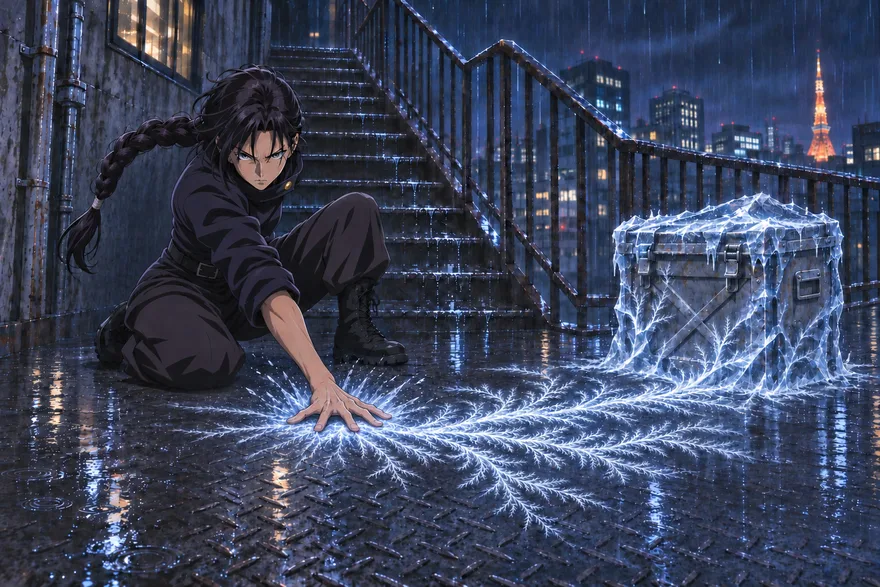
A dark-haired character crouches as frost travels across a warehouse floor toward a crate
Original
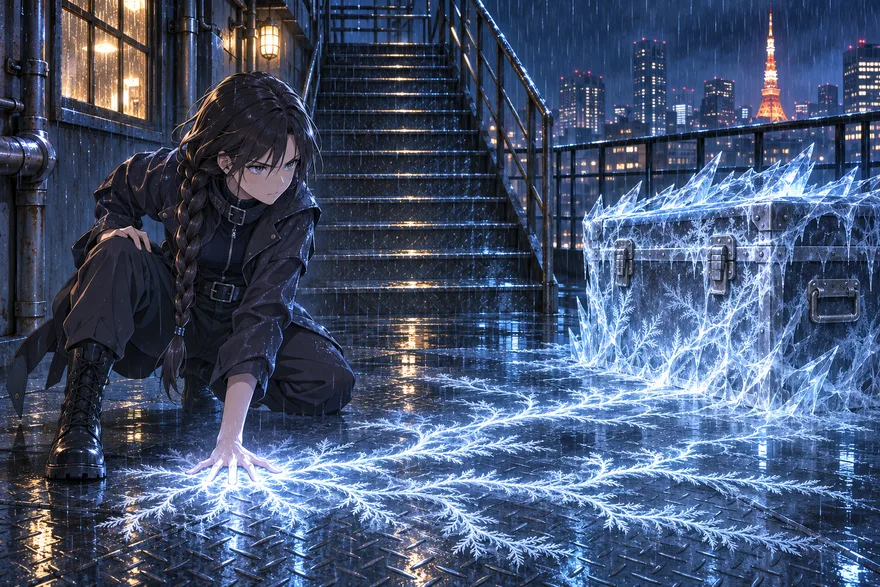
A crouching dark-haired character with a blue frost trail leading to an ice-covered crate
From the prompt

A frost trail across a warehouse

A coat, a low camera angle and a trail of ice that runs from the character’s feet to a frozen crate.

Read the prompt

Anime-style digital illustration of a young woman with long dark hair in a single braid, wearing a dark high-collared jacket, dark pants, belt, and black boots, crouching on a wet metal floor. She presses her right palm to the ground, sending branching white-blue ice-frost tendrils across the wet diamond-plate surface toward a large metal trunk on the right, which is encased in jagged ice. The woman is left of center in the foreground, the trunk is right of center at midground, and the ice effect travels from her hand across the floor to the trunk. A staircase rises behind her toward the upper center, with a railing and city skyline beyond. Rainy nighttime urban rooftop or exterior landing with metal stairs, pipes, a window, and a distant city skyline including a lit tower resembling Tokyo Tower. Cool blue night ambience with warm window and city lights; the ice and frost emit a bright white-blue glow that reflects on the wet floor. Detailed rendering, dramatic lighting, cinematic composition.
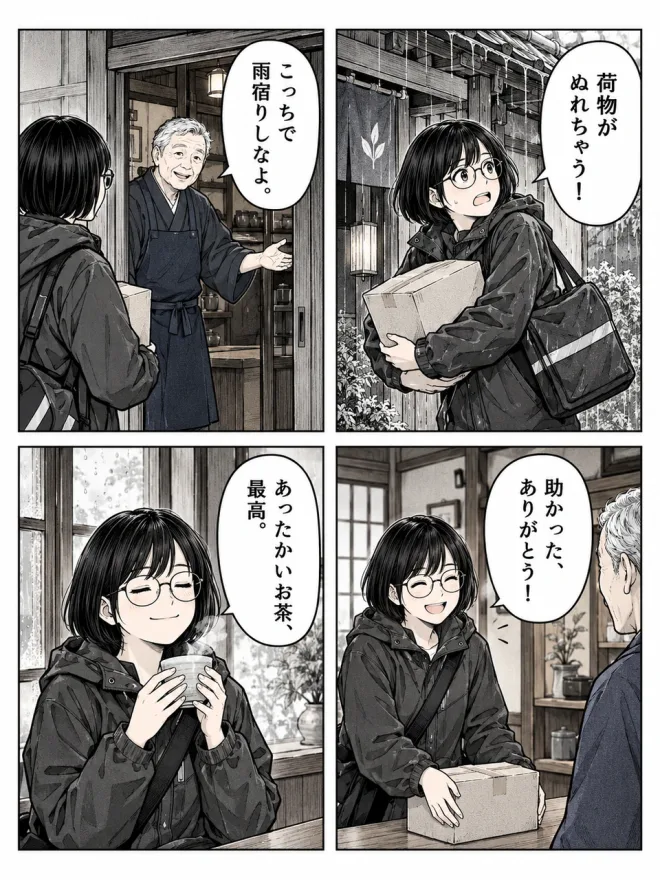
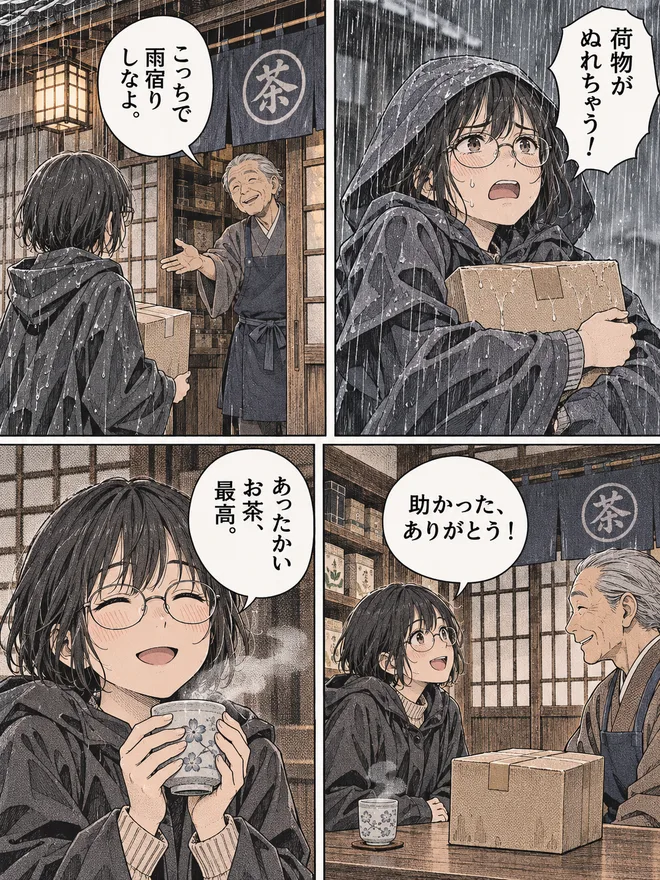
Four-panel color manga with two characters and speech bubbles
Original
Four-panel manga recreation with speech bubbles and a muted blue, cream and lavender palette
From the prompt

A four-panel manga page

Four panels, distinct character positions and blue-gray clothing with pale lilac accents.

Read the prompt

Muted color manga illustration, 2x2 panel grid. Top left: a young woman with short black hair and round glasses in a dark hooded raincoat, seen from behind, holds a light brown cardboard box. She faces an elderly man with gray hair in a dark blue apron over a kimono, who gestures from a wooden doorway. Top right: the woman clutches the box in the rain, looking distressed. Bottom left: a close-up of the woman smiling with closed eyes, holding a steaming cup. Bottom right: the woman smiles at the man, the box on a table between them. Traditional Japanese shop setting with wooden frames and a noren curtain. Detailed line work and screentone textures. Japanese dialogue bubbles: Panel 1: 'こっちで雨宿りしなよ。' Panel 2: '荷物がぬれちゃう!' Panel 3: 'あったかいお茶、最高。' Panel 4: '助かった、ありがとう!'

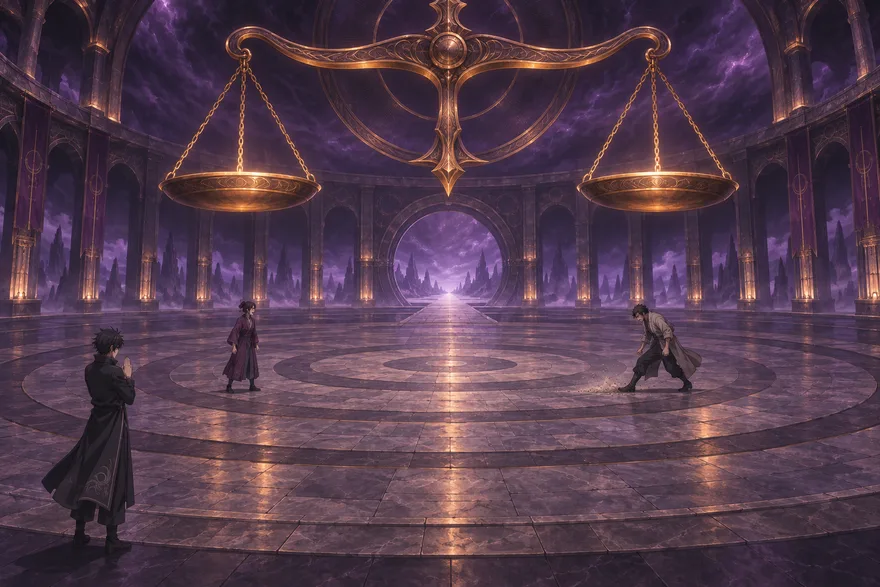
A figure stands in shallow water below a large glowing gold balance scale
Original
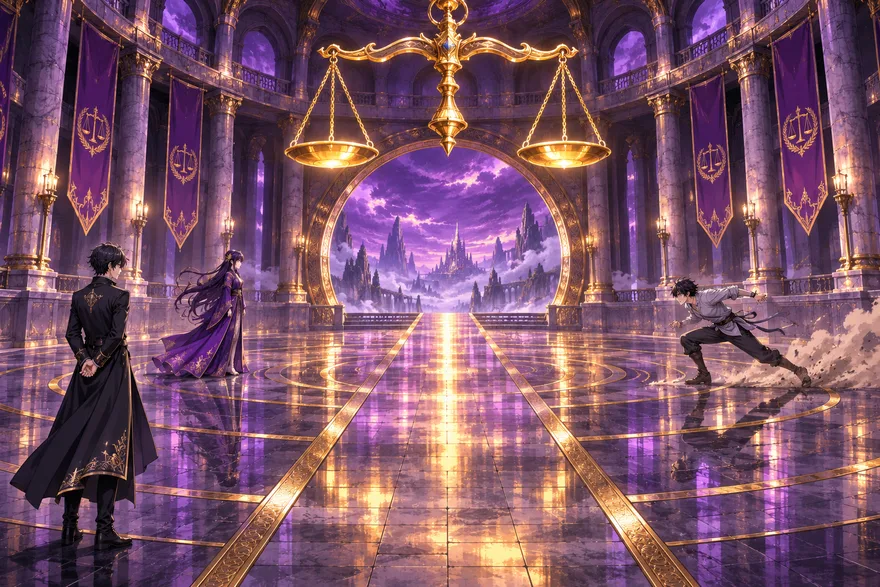
A symmetrical flooded chamber with a figure beneath a gold scale
From the prompt

Golden scales in a flooded chamber

A centered shot with a gold balance suspended over shallow water and reflections framing the figure.

Read the prompt

A vast circular stone hall with a reflective concentric-circle floor, purple banners on columns, and a huge golden balance scale hanging above the center. Three anime-style figures: at lower left a man in a long black coat stands with hands clasped; at mid-left a woman in a long purple robe faces right; at right a man in a light gray top and dark pants lunges, kicking up dust. A central path leads to a large round archway revealing a misty landscape of jagged spires under a purple, cloud-filled sky. Warm golden light from the scale and archway reflects on the polished floor, contrasting with cool purple ambient light. Highly detailed anime fantasy illustration, cinematic wide shot, polished digital rendering, rich purple and gold palette.

Why Anime Images Need a Different Prompt

An anime frame can tell you who a character is through a sharp silhouette, a single streak of color in their hair, or the way a shadow cuts across their face. An image to prompt generator helps turn those choices into words you can carry into another drawing. When a close-up becomes an action shot, the same hair shapes, outline style, and shadow treatment can still make the character feel familiar.

Keep the shape of the shadows

Cel shading uses flat areas of color with clean edges where the light meets the shadow. A soft gradient gradually changes tone across a surface. Both can appear in the same scene. A prompt might describe crisp violet shadow shapes under the bangs and along the collar, with a soft blue gradient in the sky. Naming the surfaces and the edge quality keeps the light on the character distinct from the atmosphere behind them.

Carry the hairstyle across poses

Describe the silhouette first, then the layers and accents. For example, split bangs, two longer locks beside the cheeks, and short uneven layers at the nape give a model more to work with than a color alone. Place a dyed streak on the side where it appears, and describe a shine band as a reflection across the strands. A character reference sheet can carry these details into front, side, and back views when you want to build on the same design.

Give linework and color separate jobs

A bold outer contour makes a pose read at a glance. Fine lines inside the silhouette can show folds, fingers, or strands of hair. Painted edges can make the background recede behind the figure. Describe those differences alongside the color treatment. Thin charcoal outlines, muted blue-gray coats, and a pale lilac accent give a clearer direction than “manga style” by itself, especially when you want a softly colored page to keep its palette.

Describe the page one panel at a time

A manga page needs a layout as well as a style. In the four-panel example above, the prompt specifies a two-by-two grid, gives each panel a position, and follows the cardboard box from one part of the scene to another. When dialogue is legible, quote it in its original language and identify the speaker and panel. This gives you a draft that preserves the sequence of the scene as you explore a different setting or palette.

Photo to Prompt

A photo to prompt workflow turns a real scene into a description you can edit and reuse. A portrait can become the starting point for a different outfit, a new location, or a series with the same framing. The details that make it feel like the original usually come from three places.

Separate the pose from the camera angle

Describe how the body is positioned and where the camera sees it from. A waist-up portrait at eye level can show the subject turned three-quarters away, one shoulder nearer the camera, looking back over it. Mention the crop and where the hands or main prop sit in the frame. Those details make it easier to keep the pose when you swap the outfit or change the setting.

Place warm and cool light in the scene

A warm lamp may cast amber light on one cheek indoors, with cooler window light on the other. Outside, late-afternoon sun can warm hair and pavement while open shade keeps the background blue. Naming which surfaces pick up each color gives the next image a more specific mood.

Keep the background details that serve the shot

A train platform, wet pavement, or a recognizable skyline can establish where the story happens. A clean portrait might only need a blurred background and enough separation to keep the face clear. Keep the details you want to carry forward from the photo, then read the reference image guide if you also want the original picture to guide the generation.

Take your reference in a new direction

Keep the colors you picked it for

Turn the dusty violets of a manga page or the amber light of a portrait into plain language you can keep across a series.

Carry a character into another scene

Keep a distinctive coat, hairstyle, or expression in the prompt and give the character a new setting to explore.

Open your draft in the text-to-image generator to create a new image from the words. To redraw the original picture directly, try image to image.

Image to prompt FAQ

What does an image to prompt generator do?

It turns the visible details of an image into a text prompt you can edit or use for a new generation. It describes the subject, pose, framing, lighting, palette, and art style.

Is the image to prompt tool free?

Yes. Upload your own images without signing up or spending credits. Guests get up to 5 requests per network each day. Creating a new image from your prompt uses the image generator’s regular credits.

Can I turn anime art or a manga page into an AI prompt?

Yes. The tool can describe anime characters, outfits, poses, and effects. For a manga page, the prompt can describe the panel positions and include clearly legible dialogue.

Will I get the exact prompt used to create the image?

You get a new prompt based on what’s visible in your reference. Use it to explore a similar palette, pose, or composition in your next image.

What's the difference between image to prompt and image to image?

Image to prompt gives you editable text that you can reuse across scenes or image generators. Image to image gives you a new picture by using the original image as a visual reference. Choose image to prompt when you want to save or revise the description. Choose image to image when you want the original picture to guide an edit or a change in style.

Why doesn't my prompt reproduce the same image?

A prompt captures the visible choices in a picture, such as its pose, colors, and framing. Recreating the same pixels also depends on the original model, seed, dimensions, settings, and any reference images or edits used. Even with the same wording, another model can interpret details differently. For a closer result, start with the same aspect ratio, keep the features that matter most near the start of the prompt, and use the original as a visual reference in a model that accepts one.

What image files can I upload?

Upload a JPEG, PNG, or WebP up to 5 MB and 25 megapixels. You can also open one of the three samples to see an example prompt instantly.