Anime Art Generator

Describe your artwork, choose a style, and start creating.

JPEG, PNG or WebP
Up to 10 MB

Free Anime Art Generator

Create anime artwork for a wallpaper idea, a scenic composition, or your next social post. Choose the framing, explore a style, and make the scene your own.

Explore anime artwork ideas

Start with these square artwork examples. Use a prompt, then change its subject, colors, or canvas shape for your own composition.

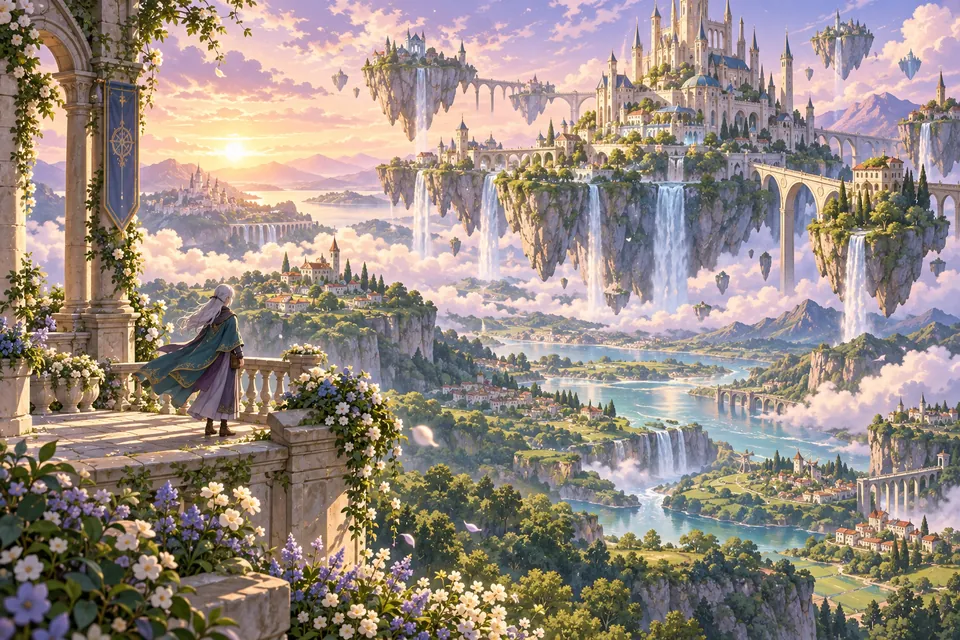
Silver-haired adult traveler overlooking a floating island town with bridges and waterfalls in golden-hour light

Give your anime world room to breathe

Build a scene around a place worth exploring. Start with an open valley, a quiet village, or a floating island, then choose the light and a clear focal point. Select a supported landscape ratio for a wider composition. A small foreground detail can make a distant world feel larger.

Create your artwork ↗
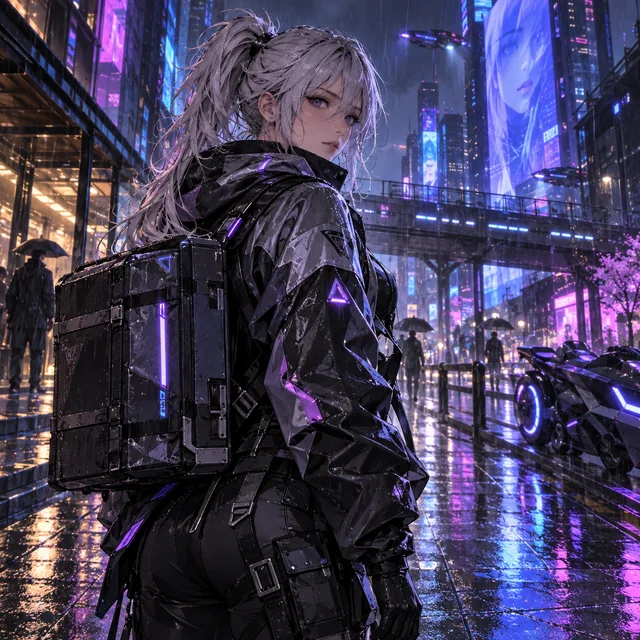
Silver-haired adult anime courier in a rainy neon city

Create a mood with color and light

A rainy neon street and a sunlit garden tell very different stories. Choose a small color palette and one main light source, then let the setting reinforce your subject. Use a gallery prompt as your starting point and change one detail at a time to compare the mood.

Create your artwork ↗

How to create your anime artwork

  1. 01

    Choose the artwork's purpose

    Decide whether you want a scenic study, a character illustration, or a social image. Choose a supported aspect ratio before generating, so your idea fits the space where you plan to use it.

  2. 02

    Compose and generate

    Describe one main subject, its setting, and the lighting. Pick a style and review the model's displayed credit cost. Sign in with Google when you are ready to generate; browsing and trying gallery prompts do not require an account.

  3. 03

    Review, refine, and download

    Look at the framing, color balance, and small details. Download an approved result you like. To try another version, change one part of the prompt and generate again; each new generation uses the displayed credits.

What will you create with your anime artwork?

Wallpaper concepts

Give a landscape room to breathe. Start with a wide ratio when your selected model supports it, place the main subject away from the center, and describe the sky or distant setting. Leave an uncluttered area if the artwork will sit behind desktop icons. The square gallery examples are starting ideas, not previews of a wide-screen result.

Scenery with a story

Build the setting around a clear point of interest: a lantern-lit inn, a floating island, or a quiet courtyard. Describe foreground, middle distance, and background so the scene has depth. A small character can help establish scale without taking over the whole picture.

Artwork for social posts

Choose a square composition for a self-contained image or a portrait ratio for a taller scene. Keep the main silhouette clear and leave a little space around it for cropping. Add any captions in your own editor after downloading rather than relying on generated lettering.

Character-led illustrations

Make the character and setting work together. A blue cloak can echo a cool misty valley; a bright lantern can separate an adventurer from a dark forest. Tell the generator which element should attract attention first, then simplify anything that competes with it.

Shape the composition, not just the style

Frame one focal point

Choose the part of the artwork viewers should notice first. Describe a close portrait, a full-body figure, or an expansive environment rather than asking for all three at once. Use empty space to keep the composition readable.

Connect color and light

Try a small palette such as blue and violet for a rainy city, or warm gold against cool forest shadows. Name one main light source. A window, sunset, or lantern gives the scene a more coherent mood than a long list of competing lighting effects.

Refine the composition

Keep the same subject while testing a different camera distance or time of day. Compare the silhouette and background before adding detail. Results vary between models and generations, so an identical prompt does not guarantee an identical layout.

Need help turning an idea into a clear description? Explore the text-to-anime prompt guide. For a profile picture, try the anime avatar generator.

Anime art generator FAQ

Is this anime art generator free to try?

New accounts receive 30 bonus credits once, valid for 7 days. No credit card is needed to start. Image count depends on your chosen model; check the credit cost before generating. More credits are available separately.

Can I make anime wallpapers?

You can create artwork concepts for wallpapers. Choose a wide or tall ratio supported by your model and describe the space around the subject. Check the downloaded image dimensions before using it on your display; the gallery's square examples do not represent every available output shape.

How do I create scenery instead of a portrait?

Lead with the environment: describe a mountain village, a forest inn, or a futuristic street before any characters. Ask for a wide view and name a foreground detail and distant landmark. You can also remove the character from a gallery prompt and develop the setting.

Can I use a gallery prompt without signing in?

Yes. Choose any example to fill the prompt box, edit the text, and explore the available options. Google sign-in is required when you click Generate. Selecting an example does not create an image or spend credits.

Can I choose different anime art styles?

Use the style selector to explore looks such as chibi, retro, pixel art, or fantasy. The model selector, where available, offers different interpretations and credit costs. Review the cost on the generation button before each request.

How do I save my artwork?

Once an approved image is ready, use its download control to save it. A new generation is a separate request and can produce a different composition. Download the versions you want to keep before leaving the page.

Bring your next anime artwork to life

Start with an idea, explore a style, and shape a composition of your own.

Create anime art