AI Image Editor
Change a hair clip, swap a clothing detail, or remove an unwanted object. Brush over the area, tell AI what to change, and save the edited image at its original size.
- Edit a selected area
- Remove and fill
- Full-size PNG export
Want to redraw the whole picture? Try image to image.
Ready for your image
Upload a PNG, JPG or WebP to start editing.
One portrait, two AI edits
Both edits start with the same portrait. Each changes one detail while keeping the rest of the illustration intact.
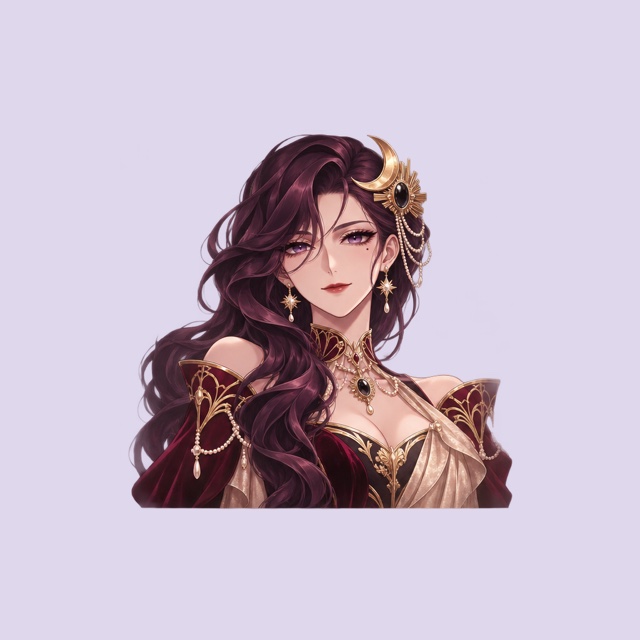
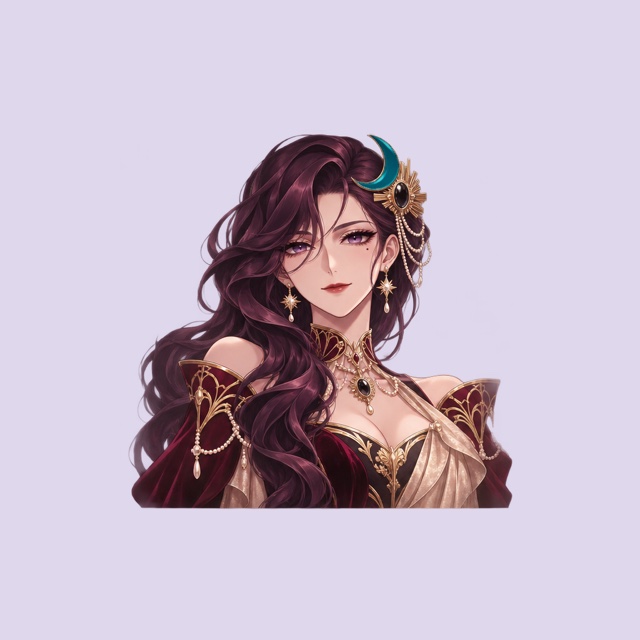
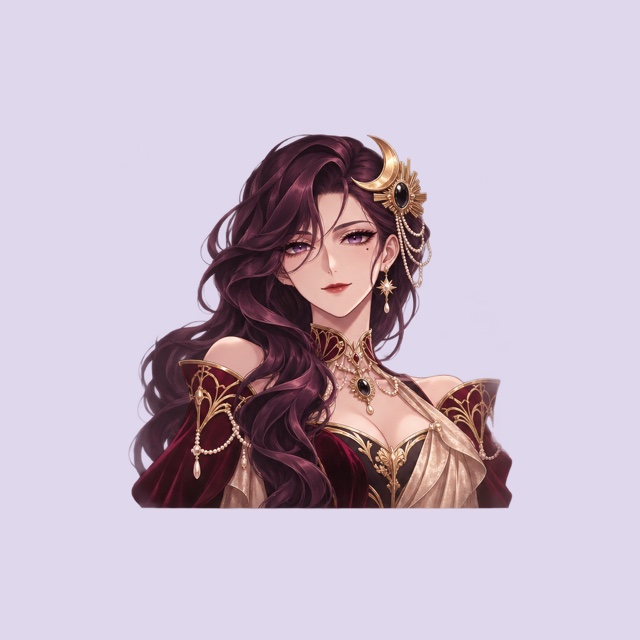
Edit a detail and keep the illustration
Refresh an avatar
Change a hair clip, ribbon, or clothing accent and keep the rest of your character as it is.
Remove an unwanted detail
Remove an accessory or a distraction and fill the space with details that match the surrounding artwork.
Compare before you export
Switch back to the original to see what changed, then save a full-size PNG for your next edit.
Image editor FAQ
- What can I edit with AI?
- Brush over part of an image and describe a change, or choose Remove and fill to erase a selected object and rebuild the area behind it.
- Can I change a color without redrawing the artwork?
- Brush over the detail and describe the color you want. The exported PNG keeps the original pixels outside your selection.
- Can I remove an object?
- Yes. Brush over the object and choose Remove and fill. AI uses the surrounding image to fill in the space, as shown in the earring example.
- Which files can I open and save?
- Choose a PNG, JPG, or WebP no larger than 1,024 pixels on either side. Your edited image downloads as a PNG with the same dimensions.
- Do I need to sign in?
- Yes. Sign in with a verified account. You can make one edit and one removal per UTC day while daily slots are available.