A new angle
Loading artwork…
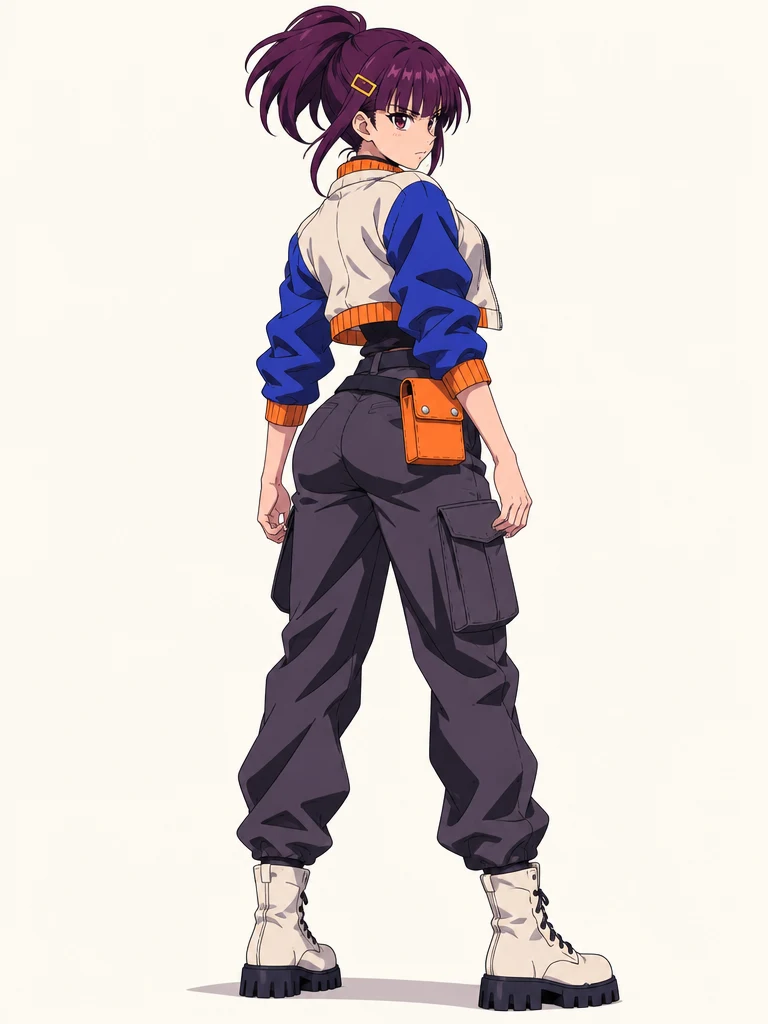
A quiet standing view replaces the electric action scene. The ponytail, gold clip and jacket palette still connect the design.
Create this variationUpload one character image to create a character turnaround with front, side and back views. Add expressions for your next drawing, comic or animation.
Explore a new pose or style for your character with image to image.
The Generate button shows the credit cost for your selected model.
One reference. More of your character.
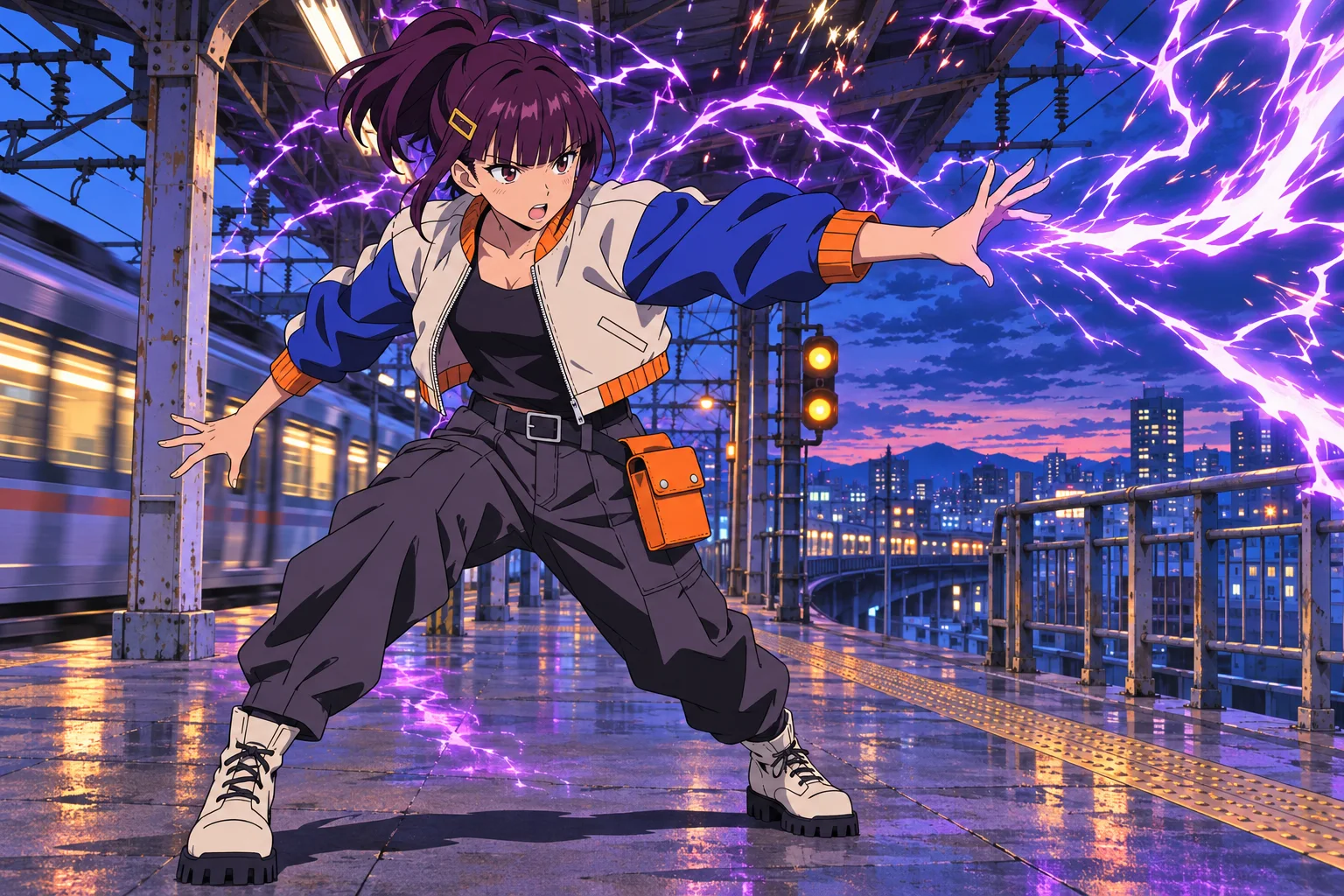
A new angle, a warm laugh, a quiet pause, a different place. Follow the plum ponytail, gold hair clip and blue-and-ivory jacket through four versions of the same character.
Loading artwork…
A quiet standing view replaces the electric action scene. The ponytail, gold clip and jacket palette still connect the design.
Create this variationLoading artwork…
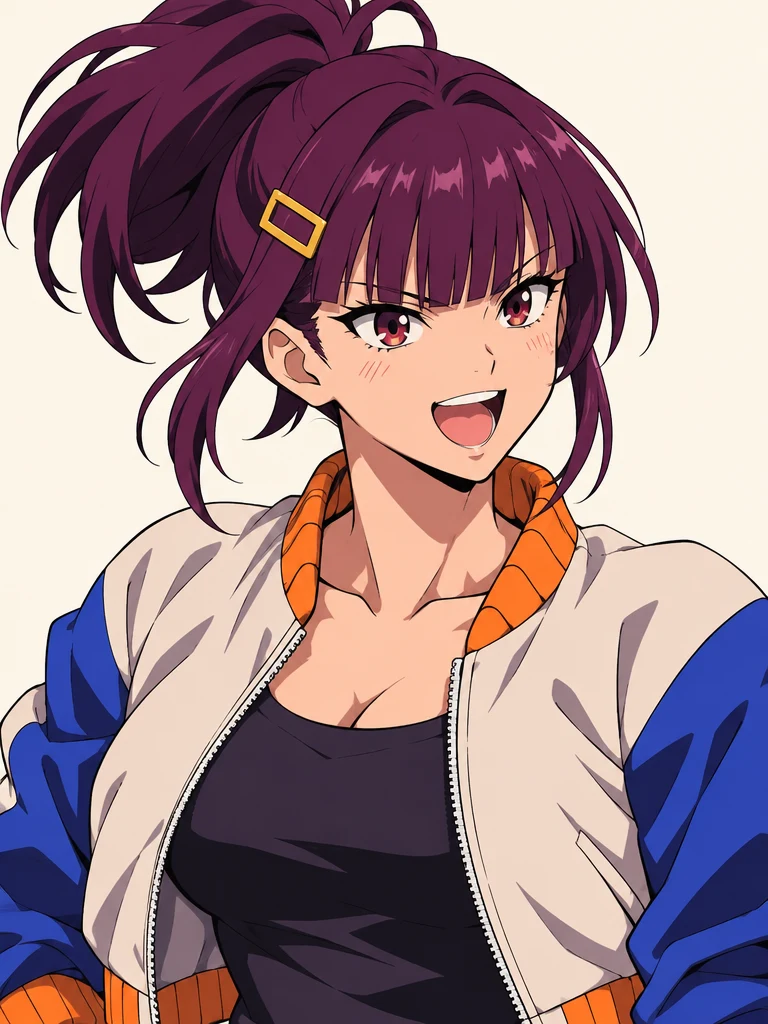
A warm laugh brings out another side of the character, with her recognizable hair, clip and jacket still in view.
Create this variationLoading artwork…
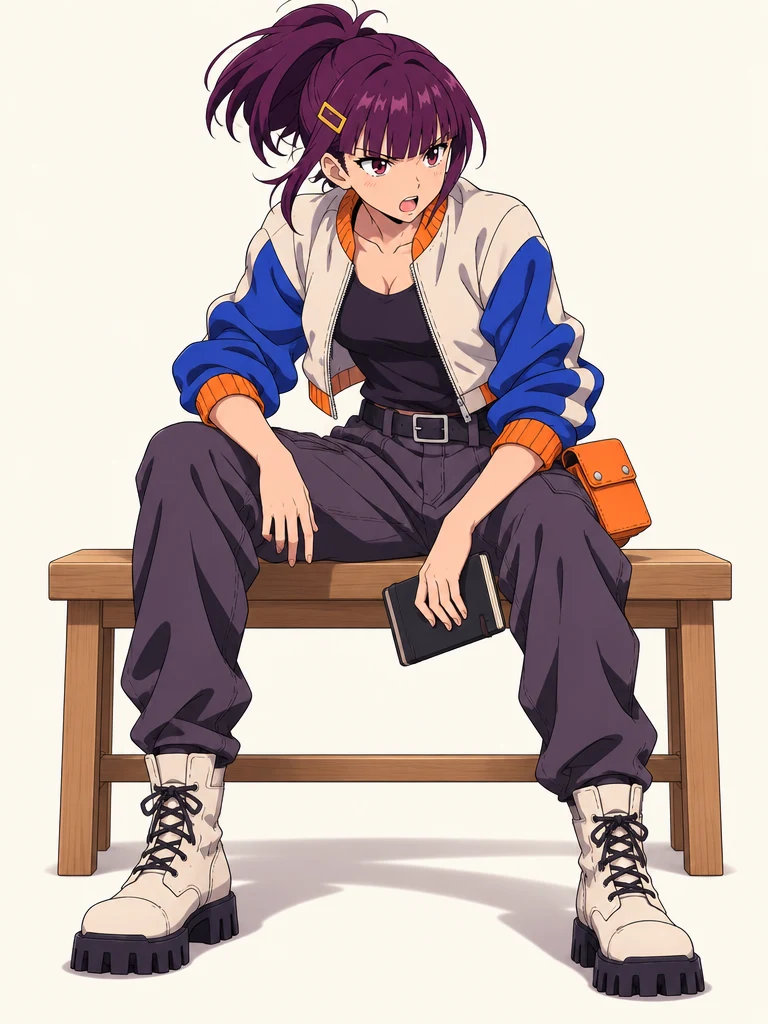
The action pose becomes a relaxed seated moment, carrying the outfit and signature orange pouch into a new silhouette.
Create this variationLoading artwork…
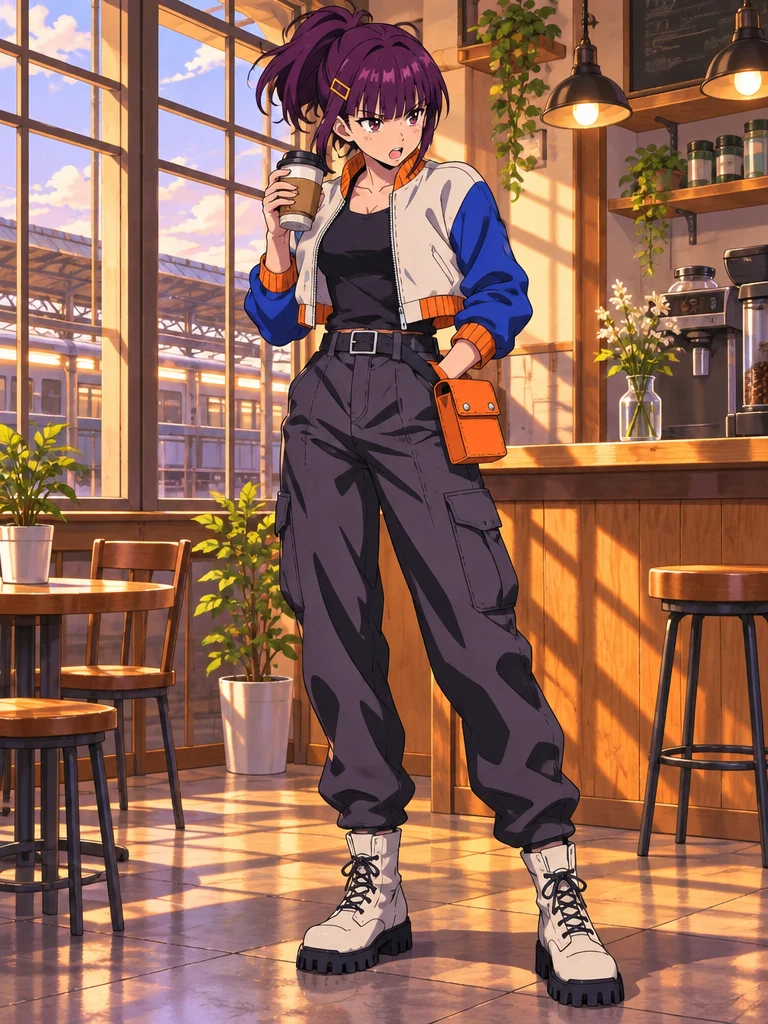
A sunlit cafe gives Mika a new setting while her plum hair, blue-and-ivory jacket and orange accents connect the scenes.
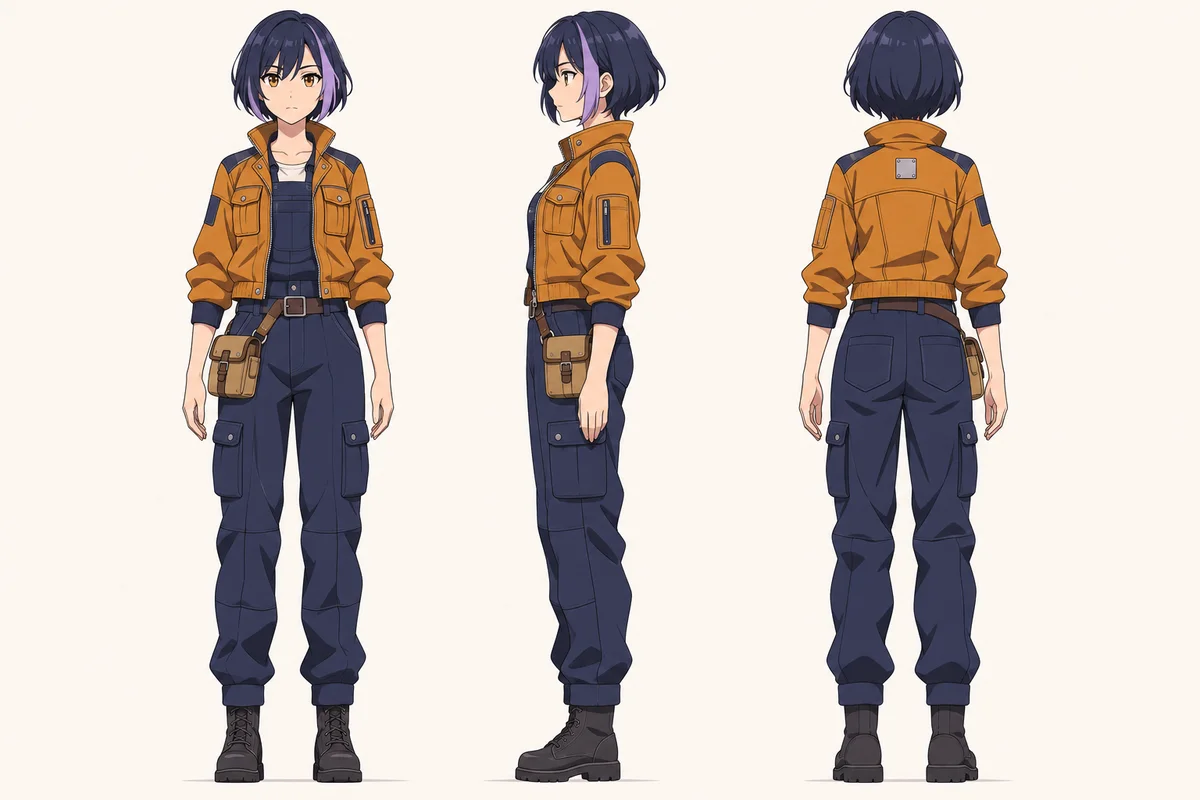
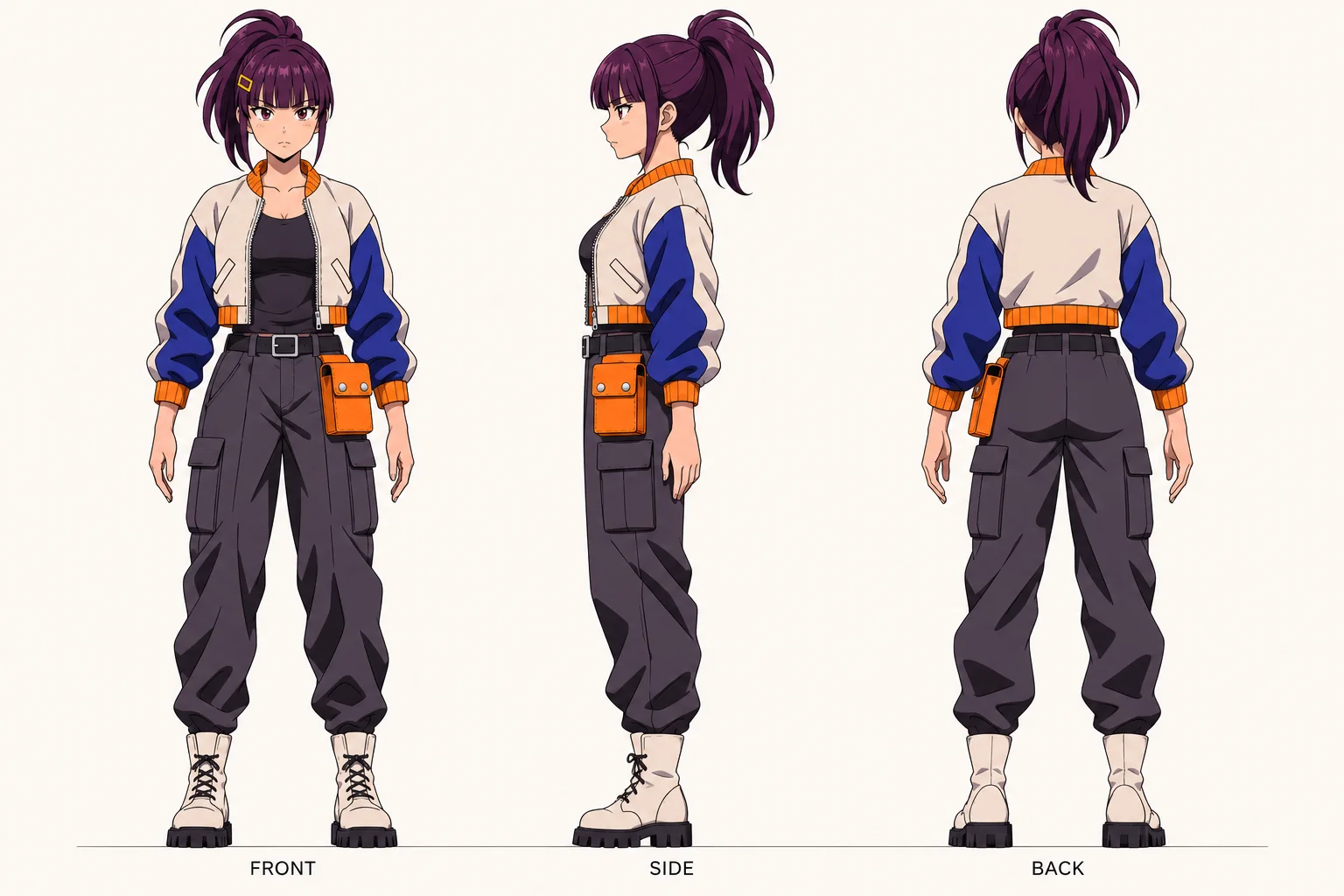
Create this variationTurn a character in a busy scene into a clear design reference. The action becomes a neutral pose, and the outfit gets room to read from three angles. Explore anime art, 3D renders and manga line art below.
Bring an action illustration back to the character design. Mika’s ponytail, jacket panels and orange tool pouch become easy to see from three angles.
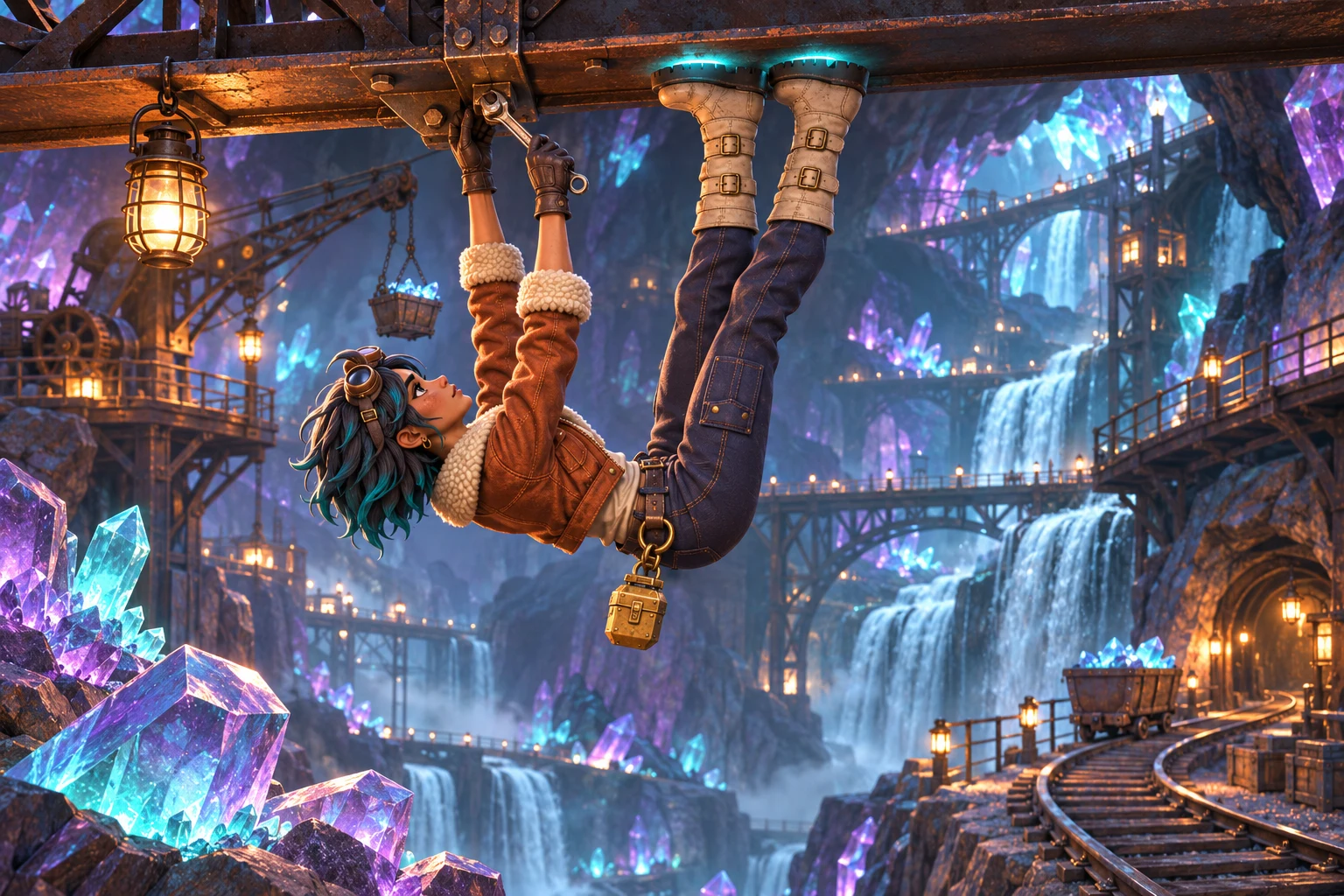
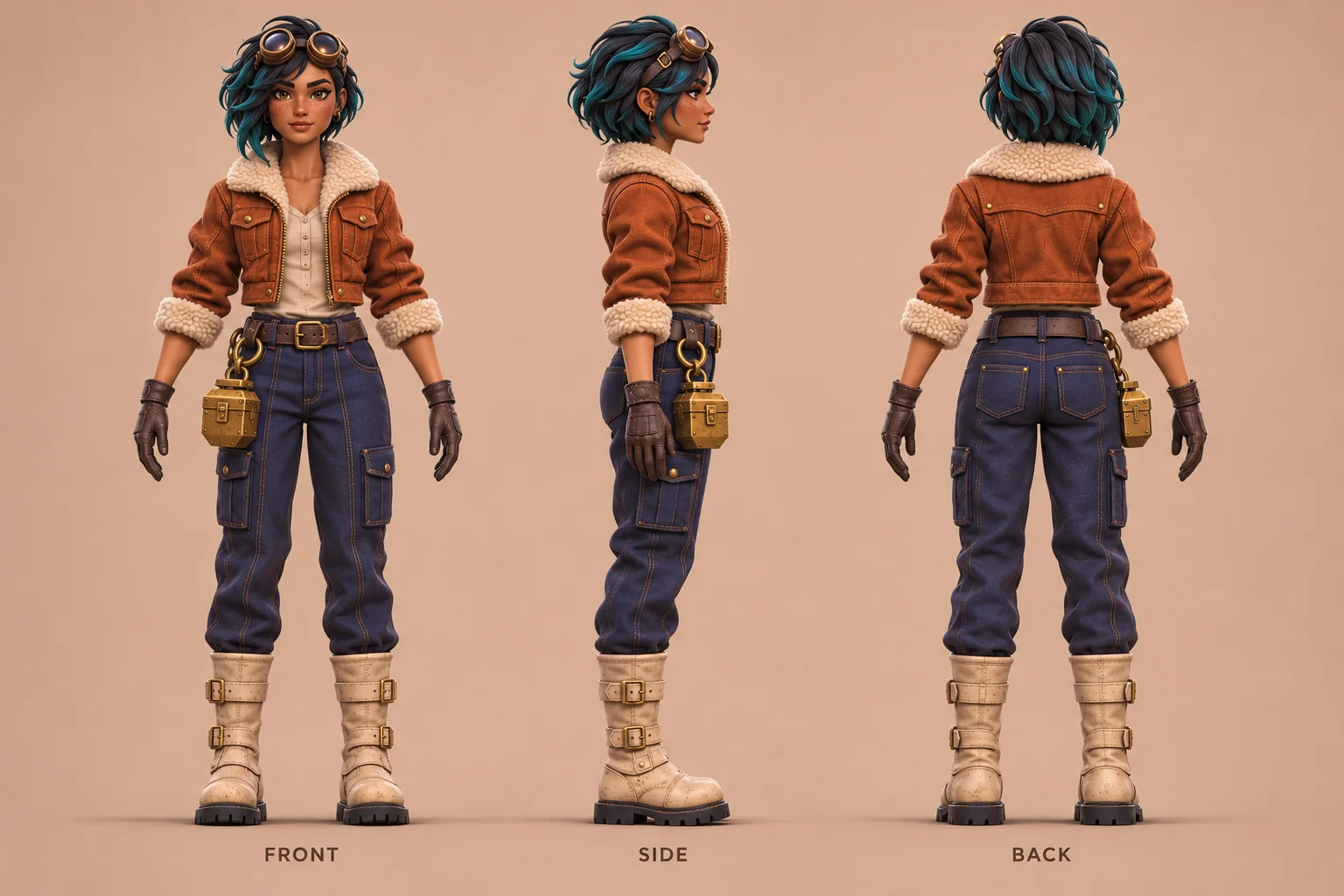
Give a dimensional character a clear reference for the next scene. Lio’s sheet shows the fleece collar, leather gloves and metal case under even lighting.
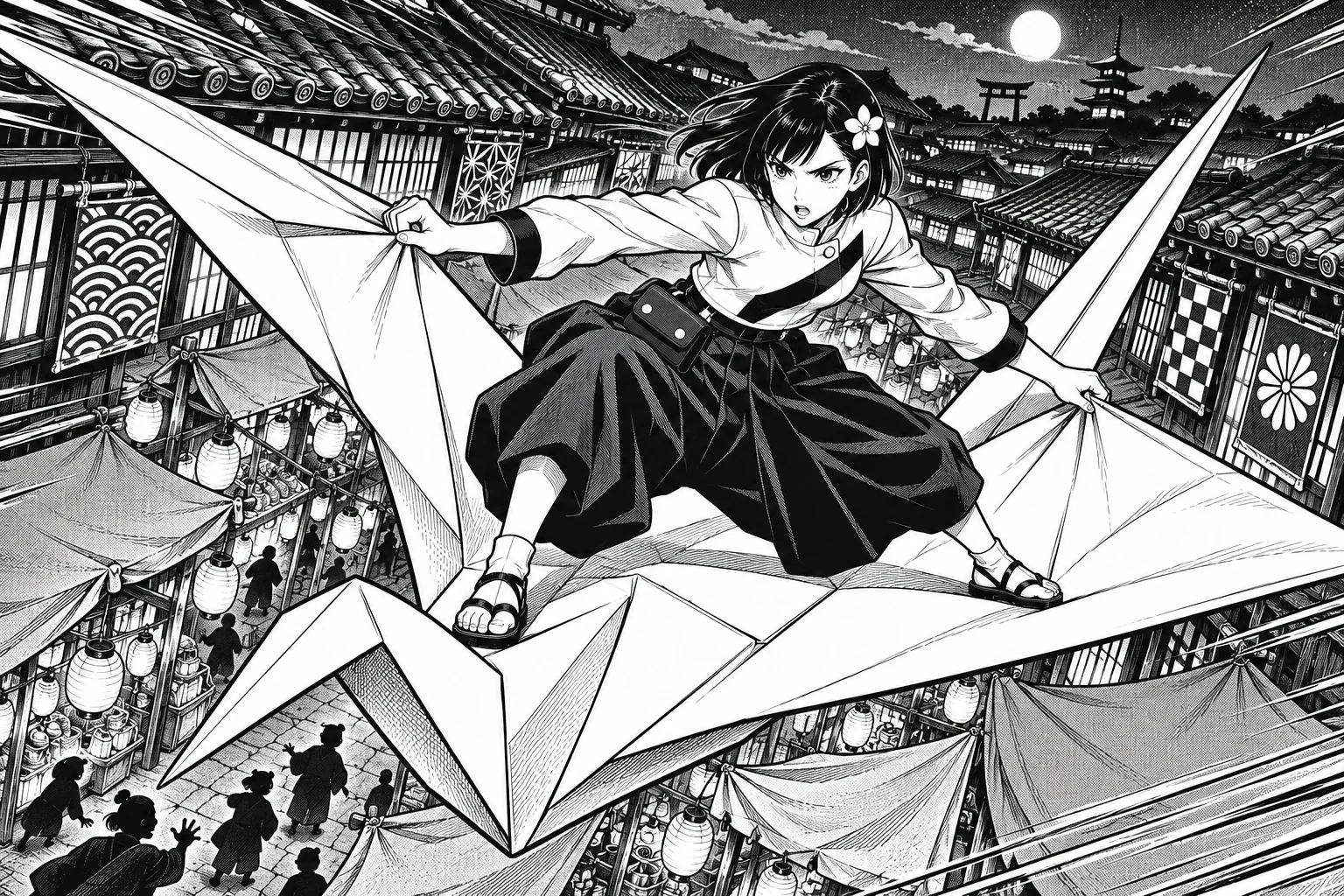
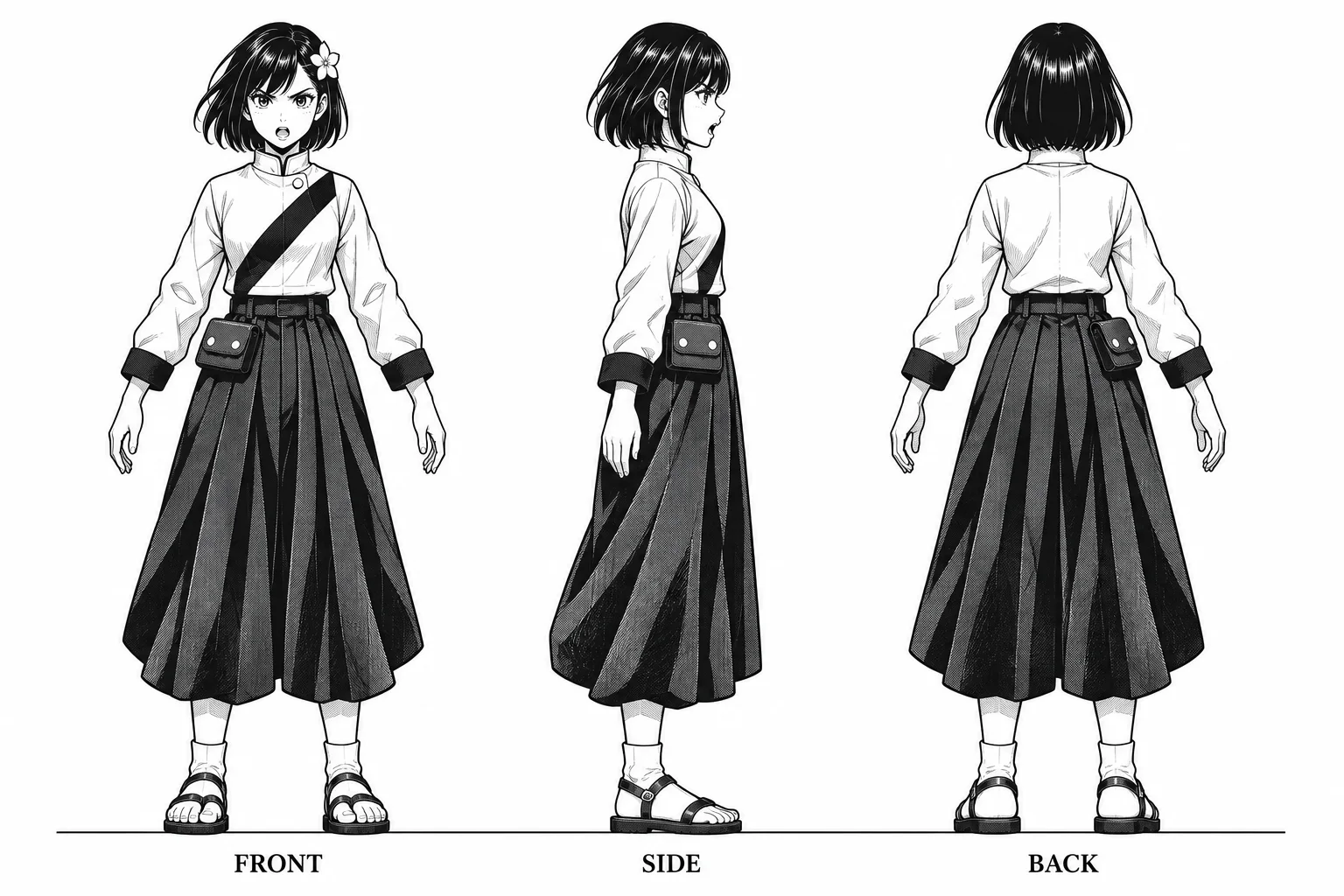
Carry a manga character into a new panel with a reference beside your canvas. Nagi’s black fills, white flower pin and pleated outfit stay readable on a plain sheet.
An expression sheet brings a character’s facial expressions together in one visual reference. Give your OC a calm introduction, a warm smile, a worried reaction and a determined look—ready to guide dialogue panels, storyboards and character portraits.
Starting from a character image, choose Three views + expressions to request four head-and-shoulder studies—neutral, smiling, worried and determined—beneath the full body turnaround. Keep the character’s angles and emotional range together on one downloadable sheet, so an illustrator can see both the design and the personality behind it.
Use your anime artwork, a 3D render or manga line art as the starting point. Previewing your uploaded image is free and needs no sign-in; generating the sheet requires an account and credits.
Creating a Clan cat? Choose from Warrior Cats names, then bring your character image here for front, side and back views.
Turning a photo into an expressive portrait? Try the caricature generator.
Upload your character ↑Bring the hairstyle, silhouette and outfit into one OC reference sheet. Share it with an artist, add it to a character profile, or keep it with your story notes. Still shaping the character? Explore the OC maker.
Building a whole cast? Put your characters together with the anime 3x3 maker, then make a separate reference sheet for each one.
A character model sheet gives you several angles to refer to when drawing a new pose or planning a storyboard. Ready to add movement? Follow our character image-to-video guide.
Use the front, side and back layout as an OC reference sheet template for a new character. Describe the hair, clothes and accessories, then generate them together. For a single full-body design, try the anime character generator.
To keep a character consistent in AI images, choose one reference image as the identity anchor and reuse that same image with a fixed character description for each new pose, expression or scene.
Each request in this tool uses the description and reference image supplied with that request; earlier results are not automatically carried into the next generation. Text leaves many visual details unspecified, and new angles require the model to infer parts the reference does not show. A consistent name alone does not specify a face, a hairstyle or the placement of an accessory.
Start by choosing the design you want to keep, then save a short identity description alongside it. A full body reference shows the silhouette and clothing; an expression sheet brings several moods together without changing the character brief.
For later images, reuse that original reference and identity description while changing only the scene instructions. Keep each result as a separate version. Returning to the original avoids carrying an unwanted change from one generated image into the next.
Reference images anchor visible identity; fixed descriptions name the details that matter. Image to image supplies the reference to a new generation, while a turnaround brings several viewpoints together.
| Method | Best suited to | Limit |
|---|---|---|
| Reference image | Anchoring the face, hairstyle, outfit and signature accessories. | One image only shows some angles; new poses and viewpoints can change small details. |
| Fixed description | Keeping defining traits in a reusable brief, including when trying another model. | Text alone does not specify an exact face; conflicting details and model changes can change the result. |
| Image to image | Changing an outfit, pose or scene while supplying an existing character image. | Using each new output as the next reference can carry accidental changes forward. Save the original so you can return to it. |
| Change the angle | Building front, side and back views for a character turnaround. | Hidden surfaces must be inferred; large angle changes can alter facial details or accessory placement. |
AI generation does not guarantee perfect character consistency. A shared reference can preserve recognizable traits while small details, proportions or accessory placement change.
Choose a generator that accepts a character reference image and lets you reuse it for every scene. A useful comparison tests the same character, reference and scene changes on each model. Reference-image support is a capability, not proof that a model preserves identity better than another. The four Mika variations above use GPT Image 2.6 Flare with the same original image supplied separately for every request.
| Model | Character reference |
|---|---|
| GPT Image 2.6 Flare | Accepts an uploaded image |
| Nano Banana | Accepts an uploaded image |
| GPT Image 2 | Accepts an uploaded image |
| GPT Image 2.5 Flare | Accepts an uploaded image |
| GPT Image 2.5 Sunburst | Accepts an uploaded image |
| Nano Banana 2 Lite | Accepts an uploaded image |
| GPT Image 2.6 Sunburst | Accepts an uploaded image |
You can try character generation without paying first: new accounts receive 40 signup credits, and the selected model’s cost is shown before generation. Uploading and previewing your reference is free; AI generation uses credits.
Ready to move from images to a consistent character AI video workflow? Start with a character image you want to keep and bring it to the AI anime video generator. The reference guides the starting appearance; motion can introduce further changes.
A character reference sheet collects the character’s visible design in one place. Reusing the same reference image and identity description gives later generations a shared starting point; it does not guarantee identical features in every result.
Yes. Choose From an image and upload your character artwork. You can preview the image before signing in. Add any details you want to carry over, then sign in and generate the sheet.
A character turnaround shows one character from several angles at the same scale. This maker requests a front view, a side profile and a back view together on one image. You can also add a row of expressions when starting from a reference image.
A character reference sheet collects visual details such as outfits, colors and expressions. A character turnaround shows the same character at the same scale from the front, side and back. A character model sheet guides artists working on the same production, often combining a turnaround with proportions, expressions or costume details.
Yes. Choose From a description and write the character’s appearance, outfit and accessories. The generator requests front, side and back views together, so you can start building a reference before you have a drawing.
You can upload artwork in any of those styles. The reference prompt asks to retain the source’s visual style while bringing the character into neutral views. The examples above show a color illustration, a dimensional render and black-and-white manga.
Choosing and previewing an image uses no generation credits. Sign in to generate, then check the selected model’s credit cost on the button. New accounts receive 40 bonus credits with no expiry.
The result is a downloadable image showing the character from several angles. You can use it as a visual brief when sculpting or commissioning a 3D model. Rear details hidden in the source are inferred from the visible design.
To keep a character consistent in AI images, choose one reference image as the identity anchor and reuse that same image with a fixed character description for each new pose, expression or scene.
Reuse the original reference and fixed identity description for each new image, keep the model unchanged when comparing variations, and save the original separately from later results. This keeps accidental changes in one result from becoming the reference for the next.
Each request in this tool uses the description and reference image supplied with that request; earlier results are not automatically carried into the next generation. Text leaves many visual details unspecified, and new angles require the model to infer parts the reference does not show.
Choose a generator that accepts a character reference image and lets you reuse it for every scene. A useful comparison tests the same character, reference and scene changes on each model. Reference-image support is a capability, not proof that a model preserves identity better than another.