Close-up portrait of an adult anime woman with elegant half-face skull makeup, dark red lips, a modest black masquerade dress and small pearl earrings. Candlelit ballroom background rendered as soft burgundy bokeh, dramatic side light, black ivory and crimson palette. Focus on painted makeup and expression, no injuries or exposed bone.
MAKEUP · COSTUMES · SPOOKY STORIES
Halloween Anime Generator
Give your next avatar a Halloween costume. Start with an idea or a reference photo, choose a lantern-lit look, and make it your own.
Google sign-in includes 30 bonus credits once, valid for 7 days. No card needed. Check the model’s credit cost before generating.
Create your Halloween look
JPEG, PNG or WebP
Up to 10 MB
Add one reference photo, or start from text. Describe the costume and scene you want. Your photo guides the result; exact likeness is not guaranteed. Reference access expires after 24 hours. Generated result links can be public.
Image model
Text to anime · 15 credits per image
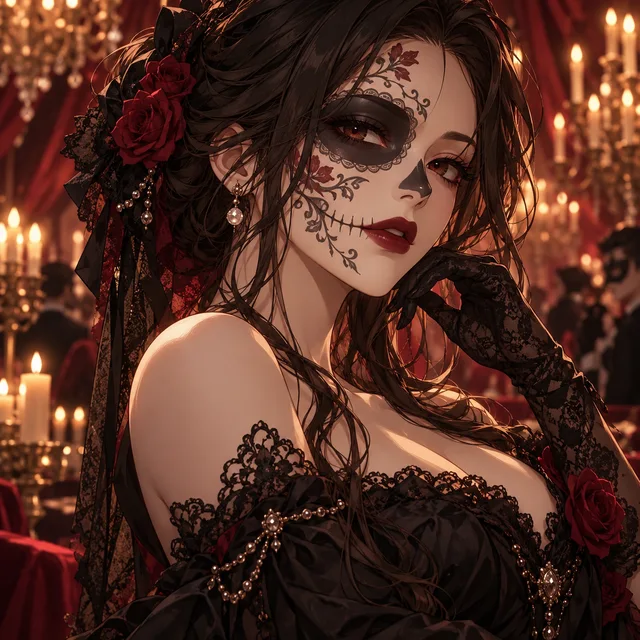
Example look · Your generated result will appear here.
Six Halloween anime looks to make your own
Explore six original Halloween illustration ideas. These are illustrative examples; generated results vary. Choose a look to fill the editable brief above. Use it with text or add a reference photo; each new output will vary.
Adult anime woman with long violet braids decorated with silver hair clips, a high-neck black-and-purple velvet outfit with delicate lace cuffs. Three-quarter half-body pose in an overgrown Victorian garden, pale silver moonlight, cool fog and dark ivy. Restrained silver and violet palette, quiet mysterious expression.
Adult anime man wearing a believable Halloween robot costume over a fully covered charcoal suit, brushed-metal shoulder pieces, articulated gauntlets and blue LED strips. His human face stays visible. Mid-thigh portrait in a futuristic city alley, cyan reflections and small amber practical lights, confident playful expression. Costume armor, not a mechanical head.
Full-body adult anime witch in a moss-green layered cloak, crooked broad-brimmed hat and lace-up boots, holding a tiny glass potion bottle. Mossy woodland cottage, glowing mushrooms, a small carved pumpkin by the doorstep and drifting firefly lights. Earthy green and warm gold palette, storybook composition with room around the figure.
Cinematic wide interior scene of an adult anime woman in a fully covered cream sweater carving a pumpkin at an ordinary kitchen table. She glances over her shoulder toward an open doorway where a distant original figure in a plain oval porcelain mask stands still, hands lowered and empty. Warm table lamp contrasts with cold blue hallway, subtle suspense, no weapons or violence.
Wide environmental anime illustration of an adult woman wearing a fully covered faded-lavender unicorn mascot jumpsuit with a small fabric horn, human face visible, holding a red balloon. Empty abandoned carnival with a crooked ticket booth, still Ferris wheel and low pale fog. Faded rose and teal palette, eerie whimsical atmosphere, off-center full-body composition, no giant moon or castle.
One reference, a new Halloween look
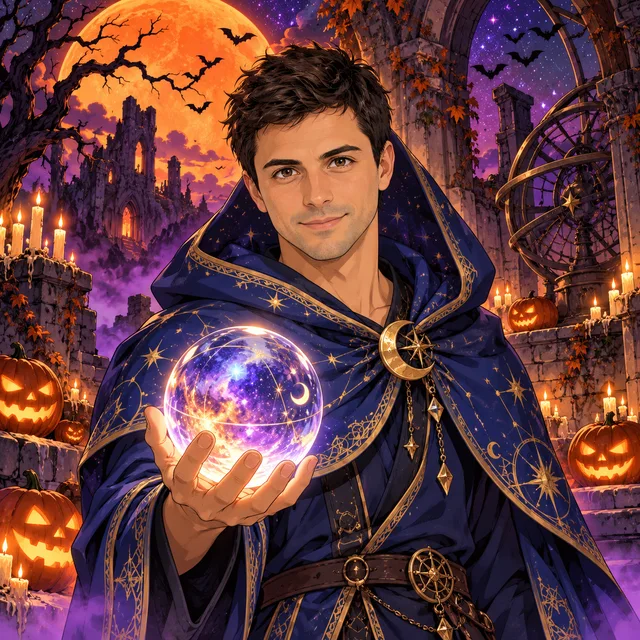
This example starts from an AI-created adult reference portrait, not a customer selfie. The paired illustration explores an anime costume transformation. Compare the face, hair and costume; identity and clothing details can change.

How to create Halloween anime art
1. Start with a look
Browse the original presets and choose a costume you would enjoy wearing. The card fills an editable brief, so you can swap the colors, accessories or scene without writing everything from scratch.
2. Add a reference or describe an idea
Add one clear portrait to guide facial features, or leave the photo empty for an original text-generated character. Keep the face visible and request one main costume change at a time. Only compatible models remain available with a reference.
3. Generate, review and save
Choose a square avatar or a taller portrait frame and check the displayed credits. Your result appears on this page after generation and safety checks. Review the face, hands and accessories, then open or save the image.
Make the costume readable
Choose one recognizable silhouette: a tall hood, a high collar or a layered festival coat. Add one accent color and one prop, such as a lantern or crystal orb. A readable moonlit background with pumpkins leaves room for the costume and makes a small profile picture easier to read. The square frame works well for a face-focused avatar; a taller frame gives a cape, robe or full character more space.
Build an original Halloween character
The presets explore original anime designs rather than reproducing a named film or game character. Change the role, personality or setting to develop a concept for a story, a party invitation or a social profile. Text-only generations may change the face between attempts. A reference can guide a design, but matching identities, multi-angle sheets and exact costume consistency are not dedicated guarantees.
Use your existing credits
This page uses the same account and credit balance as the other anime tools. There is no separate Halloween subscription or additional seasonal fee. New outputs use the cost shown on the generation button. One-time purchased credits do not expire and do not renew automatically. Review the credit packs and model costs before buying.
Halloween anime generator FAQ
What is a Halloween anime generator?
It creates an anime-style Halloween picture from a written idea or a reference image. Choose a witch, vampire, mage or another preset, adjust the costume and scene, then generate a new picture. It makes a single image, not a physical costume or an animated video.
Can I turn my selfie into a Halloween anime character?
Yes. Sign in with Google and add one JPEG, PNG or WebP up to 10 MB. A clear, well-lit adult portrait with one visible face is a useful starting point. Choose a preset and describe which details to keep. Facial features and composition can change; exact likeness is not guaranteed.
Is it free to try?
New accounts receive 30 bonus credits once after Google sign-in, valid for 7 days, with no card needed. The selected model sets the cost: GPT Image 2 currently uses 15 credits at 1K, so 30 bonus credits cover 2 images with that model. There is no daily free quota. More credits are sold in one-time packs.
Which models can edit a reference photo?
GPT Image 2 and the original Nano Banana are available for reference editing. GPT Image 2 uses 15 credits at 1K; Nano Banana uses 10. With a reference selected, the model menu only offers compatible models. Other text-generation models are available when no reference is attached.
Do I have to use the preset prompt exactly?
No. Each card fills an editable costume-and-scene brief. Keep the parts you like and change the clothes, colors, accessories or background. You can also copy the complete anime prompt, including the illustration direction. A prompt describes a direction; it does not reproduce the sample image exactly.
Can I make a Halloween profile picture?
Choose the square frame for a profile picture or the 3:4 frame for a taller costume portrait. Keep the face near the center and review how the result looks inside your social platform’s crop. No separate platform upload or automatic circular crop is included here.
Who can access uploaded photos and generated results?
New reference uploads have an account-protected preview and expire from application access after 24 hours. Access expiration is separate from physical deletion of stored files. Safety and generation services process the images, and generated result links can be public. Review the Privacy Policy before uploading personal photos.
What happens if generation fails or is blocked?
Inputs and results are screened before delivery. When a request fails or is blocked after credits have been reserved, the service attempts to return them. A credit-return message is shown only when that return is confirmed. Keep the request Reference if you need support.
Read the Terms and Privacy Policy before uploading or publishing images.