Photo prompts · ChatGPT & Gemini
GTA 6 Photo Prompt: Which One Fits Your Photo?
Every GTA 6 photo prompt below is ready to copy and paste into ChatGPT, Gemini or our own editor. Match a scene to your photo’s camera angle and turn your own portrait into an original coastal illustration.
Your photo, behind the wheel
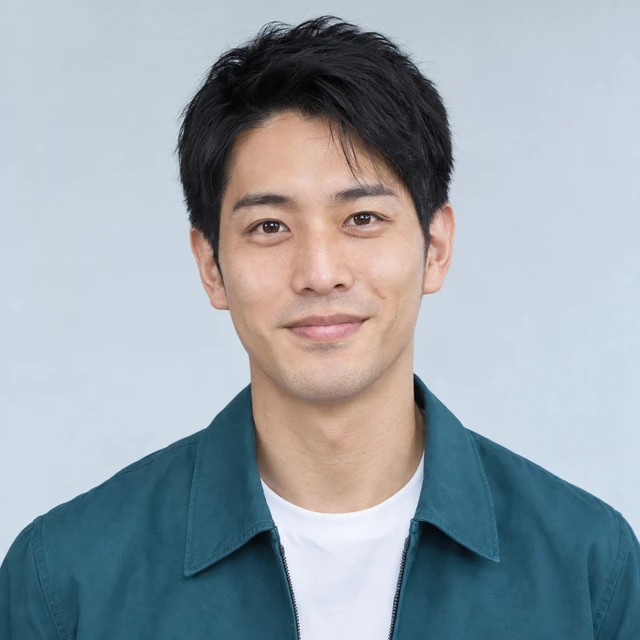
Start with your portrait. Make an illustrated close-up with your face as the reference, then use the finished image in Image to Video to get into the car and drive away.
View the photo and motion prompts
Photo prompt: Redraw my photo as an ink-outlined coastal crime-drama illustration. Keep my face shape, eyes, hairstyle and outfit recognizable. Frame a clear chest-up portrait with my face looking toward the camera beside the open driver-side door of a teal convertible on a quiet palm-lined coastal road at sunset. Keep the steering wheel, door and car body visible at the edge of frame. Use warm coral reflections, a peach-pink sky and bold graphic shadows.
Motion prompt: Begin with a clear close-up of the same person looking toward the camera. For the first two seconds hold their face and recognizable features steady. Then the camera smoothly pulls back to reveal the person beside the open driver's door. They turn, step into the car, sit behind the steering wheel, pull both legs inside and close the door. Continue in the same uninterrupted shot as the teal convertible drives gently away down the quiet coastal road, becoming smaller in the distance. Keep their face, hairstyle, outfit, car and illustration style consistent. No cuts.
One photo, different GTA 6 scenes
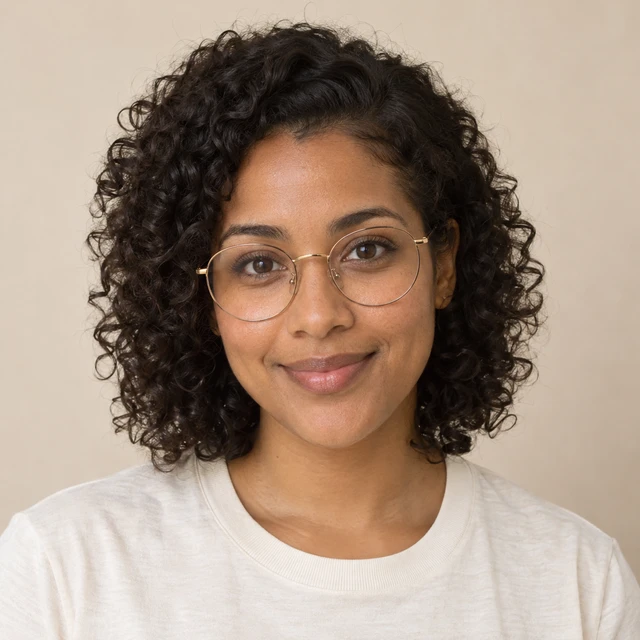
ChatGPT or AI Anime Generator: where should I start?
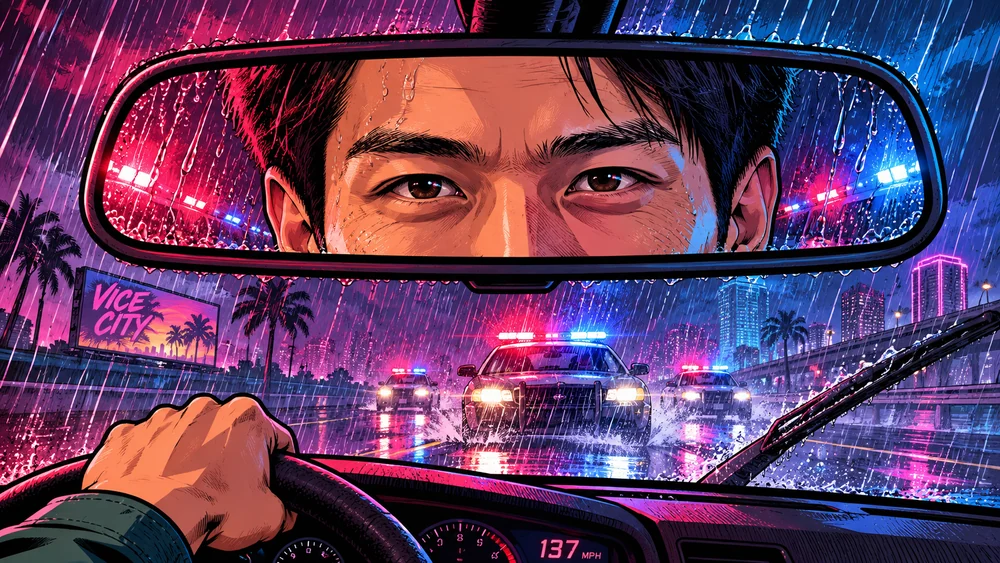
ChatGPT supports open-ended image editing in a conversation. If the rearview-mirror shot above is already the look you want, start with that example in AI Anime Generator. Its framing, rain and patrol lights are already in the prompt. Add your photo, adjust anything you like, and generate.
Try the rearview shot with my photoHow to use a GTA 6 photo prompt
- Prepare your photo
Use a front-facing photo with even light and no one cut off at the edge. For a duo scene, both faces must be fully in frame. - Choose a prompt
Pick a scene below, click Copy prompt, then Generate to open the editor. The gallery’s Try with my photo links fill the prompt for you. - Upload and generate
Upload your photo in our Image to Image editor. Sign in free; one redraw costs 15 credits. This is the price for GPT Image 2.6 Flare at 1K. Paste the copied prompt if you started from the list. Choose Reimagine for a new setting, generate and compare with your original. - Refine the likeness
If the result doesn't look like you, change one thing at a time — keep the face, swap only the setting. Re-upload the original instead of editing a second-generation image.
Vice City–inspired neon nights
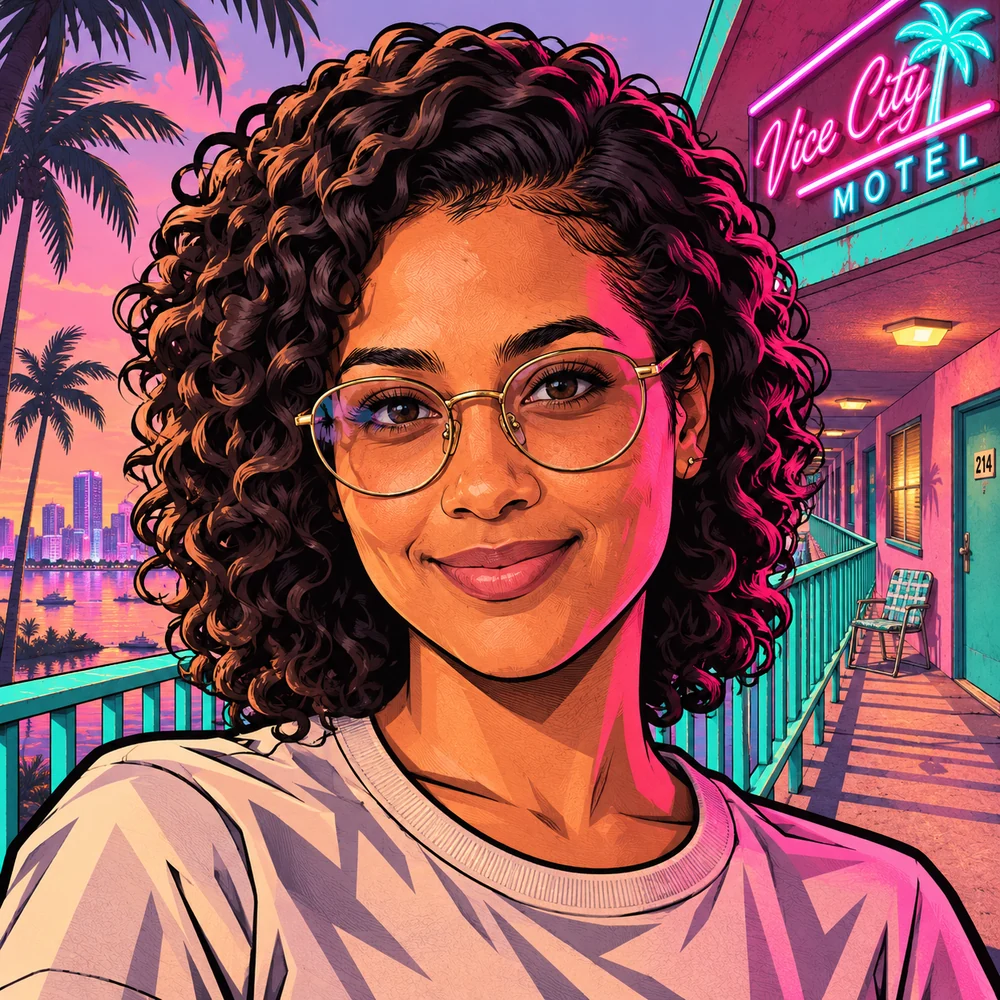
1. Motel check-in
Redraw this as an ink-outlined GTA 6–style illustration. Make a motel portrait in a neon-lit coastal city. Keep my glasses and expression. Cast pink neon across one cheek, with turquoise balcony rails receding behind me. Keep the facial features of each person in the reference photo. Leave out text and logos. Set the scene in a fictional city, in an original location outside the official game.
Receding rails add depth.
2. Last bus home
Redraw this as an ink-outlined GTA 6–style illustration. Place me beneath a rain-streaked bus shelter. Preserve my jacket and profile. Reflect violet storefront light in the pavement and leave the street nearly empty. Keep the facial features of each person in the reference photo. Leave out text and logos. Set the scene in a fictional city, in an original location outside the official game.
One reflection brings the palette together.
3. Record shop
Redraw this as an ink-outlined GTA 6–style illustration. Reframe my portrait through a record shop window at midnight. Keep my curls sharp. Add one red neon reflection and rows of illustrated album sleeves. Keep the facial features of each person in the reference photo. Leave out text and logos. Set the scene in a fictional city, in an original location outside the official game.
Clean glass keeps the face readable.
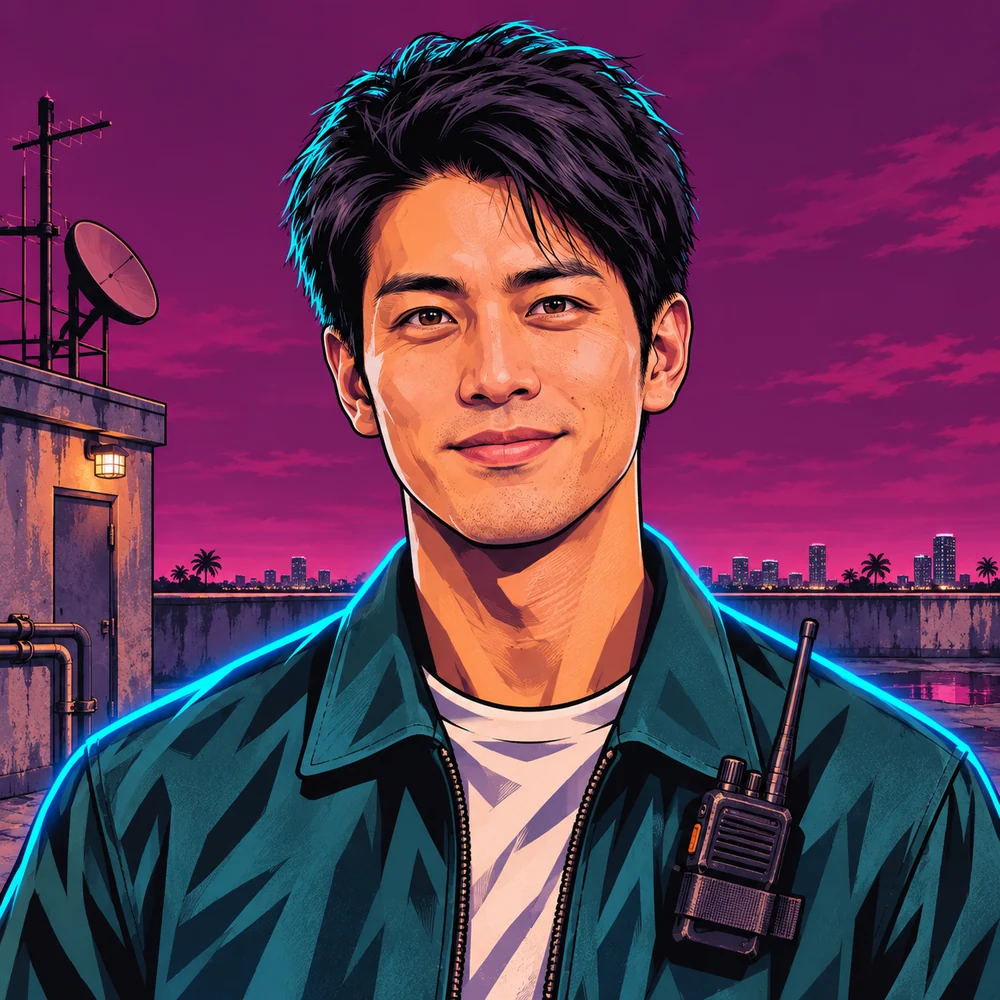
4. Rooftop radio
Redraw this as an ink-outlined GTA 6–style illustration. Draw me on a rooftop with a radio. Keep my stance. Set the skyline low and rim my shoulders with electric blue against a plum sky. Keep the facial features of each person in the reference photo. Leave out text and logos. Set the scene in a fictional city, in an original location outside the official game.
A low horizon emphasizes silhouette.
5. Laundromat glow
Redraw this as an ink-outlined GTA 6–style illustration. Restyle my seated photo as a late-night laundromat scene. Keep my crossed ankles, repeat mint washer doors behind me, and let a hot pink exit light catch my sleeve. Keep the facial features of each person in the reference photo. Leave out text and logos. Set the scene in a fictional city, in an original location outside the official game.
Repeating circles frame the seated figure.
6. Marina after dark
Redraw this as an ink-outlined GTA 6–style illustration. Move my portrait to a marina walkway at night. Keep my freckles and windblown hair. Break the amber dock lights into short painted dashes on dark water. Keep the facial features of each person in the reference photo. Leave out text and logos. Set the scene in a fictional city, in an original location outside the official game.
Small highlights suggest rippling water.
Beach and sunset
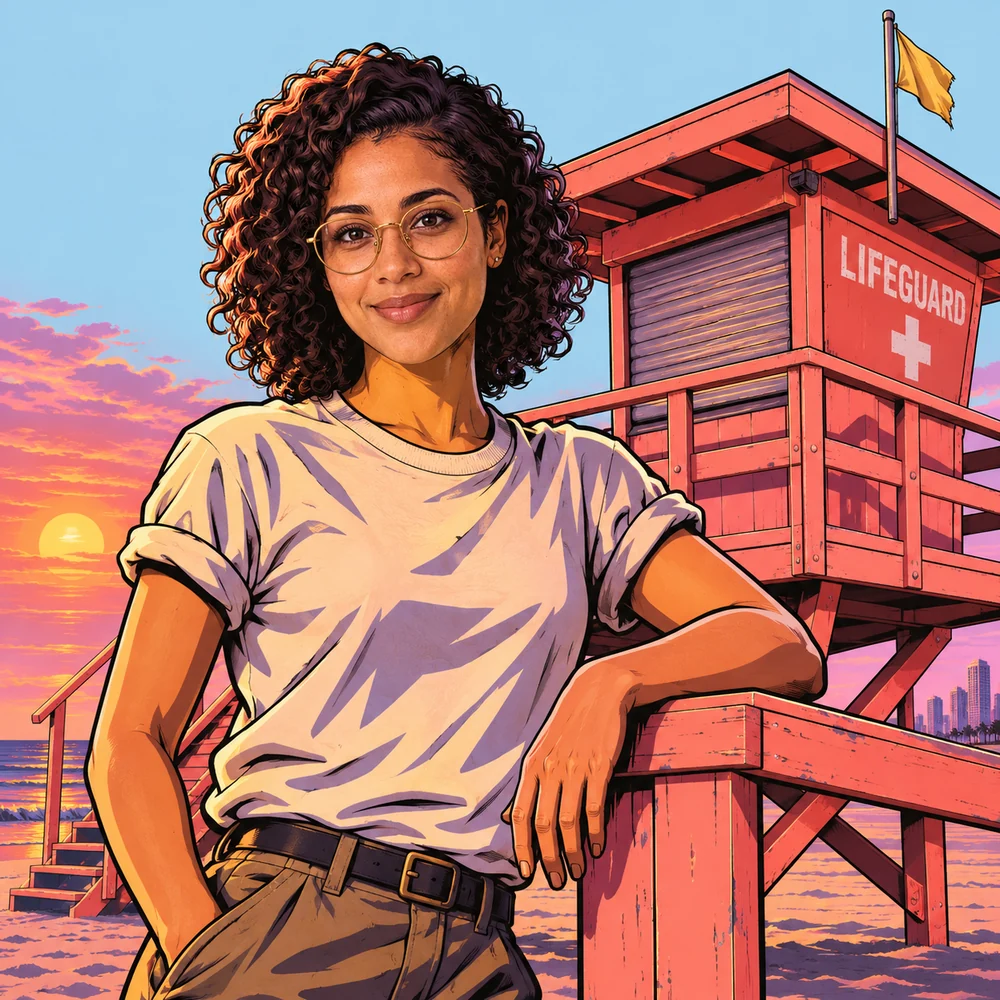
7. Last lifeguard shift
Redraw this as an ink-outlined GTA 6–style illustration. Put me beside a shuttered lifeguard tower at sunset. Keep my rolled sleeves. Paint the tower coral and leave pale blue sky around my head. Keep the facial features of each person in the reference photo. Leave out text and logos. Set the scene in a fictional city, in an original location outside the official game.
Coral against blue separates the silhouette.
8. Wind off the pier
Redraw this as an ink-outlined GTA 6–style illustration. Illustrate my side profile on a fishing pier. Preserve my nose and chin. Bend the palm fronds inland and lift the corner of my shirt inland. Keep the facial features of each person in the reference photo. Leave out text and logos. Set the scene in a fictional city, in an original location outside the official game.
Consistent wind cues imply movement.
9. Cooler in the sand
Redraw this as an ink-outlined GTA 6–style illustration. Turn my group picnic photo into a beach afternoon. Preserve each person’s position. Add a striped cooler and long foreground shadows. Keep the facial features of each person in the reference photo. Leave out text and logos. Set the scene in a fictional city, in an original location outside the official game.
The cooler anchors the group.
10. Causeway passenger
Redraw this as an ink-outlined GTA 6–style illustration. Use my passenger-seat selfie for a coastal causeway scene. Keep the seat belt and my smile. Frame peach clouds inside the side window and tint the cabin deep teal. Keep the facial features of each person in the reference photo. Leave out text and logos. Set the scene in a fictional city, in an original location outside the official game.
The window separates warm and cool tones.
11. Boardwalk breakfast
Redraw this as an ink-outlined GTA 6–style illustration. Set my portrait outside a beach café just after sunrise. Keep my posture and coffee cup. Draw pale gold light on the table and distant skaters as tiny silhouettes. Keep the facial features of each person in the reference photo. Leave out text and logos. Set the scene in a fictional city, in an original location outside the official game.
Distant skaters keep the focus close.
12. Low tide
Redraw this as an ink-outlined GTA 6–style illustration. Redraw my full-body photo on wet sand at dusk. Preserve my shoes and stance. Put a broken reflection below my feet and a narrow apricot horizon behind me. Keep the facial features of each person in the reference photo. Leave out text and logos. Set the scene in a fictional city, in an original location outside the official game.
Broken reflections suggest rippled sand.
Police chase scenes
13. Diner window
Redraw this as an ink-outlined GTA 6–style illustration. Seat me inside a roadside diner. Keep my face in profile. Show a distant police chase outside as blue and red streaks crossing the window. Keep the facial features of each person in the reference photo. Leave out text and logos. Set the scene in a fictional city, in an original location outside the official game.
A still observer makes motion legible.
14. Rearview close-up
Redraw this as an ink-outlined GTA 6–style illustration. Build a cinematic chase still around my eyes in a rearview mirror. Preserve my eyebrows. Fill the soft background with alternating patrol lights and rain. Keep the facial features of each person in the reference photo. Leave out text and logos. Set the scene in a fictional city, in an original location outside the official game.
The mirror naturally frames the eyes.
15. Newsstand corner
Redraw this as an ink-outlined GTA 6–style illustration. Place me at a newsstand as two patrol cars sweep through a distant intersection. Keep my coat and paper cup sharp. Angle the background reflections across the street. Keep the facial features of each person in the reference photo. Leave out text and logos. Set the scene in a fictional city, in an original location outside the official game.
Diagonal reflections lead into the intersection.
16. Overpass spectator
Redraw this as an ink-outlined GTA 6–style illustration. Draw me watching a police pursuit from a twilight footbridge. Preserve my backpack. Look past my shoulder toward tiny cars and pools of orange streetlight below. Keep the facial features of each person in the reference photo. Leave out text and logos. Set the scene in a fictional city, in an original location outside the official game.
Height reveals the route below.
17. Rainy radio update
Redraw this as an ink-outlined GTA 6–style illustration. Restyle my kitchen photo during a televised car chase. Keep my hand on the counter. Let a small television cast blue light over my sleeve beside a rain-darkened window. Keep the facial features of each person in the reference photo. Leave out text and logos. Set the scene in a fictional city, in an original location outside the official game.
Blue light connects kitchen and screen.
18. After the sirens
Redraw this as an ink-outlined GTA 6–style illustration. Draw my street after a chase. Preserve my expression in the doorway. Leave one fading red reflection across a parked car and a slowly settling newspaper. Keep the facial features of each person in the reference photo. Leave out text and logos. Set the scene in a fictional city, in an original location outside the official game.
Lingering motion suggests what just passed.
Lucia & Jason–inspired duo portraits
19. Two seats at the counter
Redraw this as an ink-outlined GTA 6–style illustration. Use our photo for an original coastal crime-drama duo. Keep the left person’s glasses and the right person’s curls. Seat us at a diner counter under amber pendant lights. Keep the facial features of each person in the reference photo. Leave out text and logos. Set the scene in a fictional city, in an original location outside the official game.
Position anchors each person’s features.
20. Gas station reunion
Redraw this as an ink-outlined GTA 6–style illustration. Draw both people from my photo meeting beside a turquoise gas pump at dusk. Keep our height difference and jackets. Have one lean against the car while the other waves. Keep the facial features of each person in the reference photo. Leave out text and logos. Set the scene in a fictional city, in an original location outside the official game.
Contrasting gestures distinguish the pair.
21. Split reflection
Redraw this as an ink-outlined GTA 6–style illustration. Frame one person through a parked car window and the other in its side mirror. Use coral and sea green across both reflections. Keep the facial features of each person in the reference photo. Leave out text and logos. Set the scene in a fictional city, in an original location outside the official game.
Shared colors connect the reflections.
22. Balcony breakfast
Redraw this as an ink-outlined GTA 6–style illustration. Illustrate us sharing breakfast on a faded motel balcony. Keep our seating order. Put one chipped mug between us, with palm shadows striping the table. Keep the facial features of each person in the reference photo. Leave out text and logos. Set the scene in a fictional city, in an original location outside the official game.
One chipped mug suggests a shared history.
23. Ferry crossing
Redraw this as an ink-outlined GTA 6–style illustration. Place us on a ferry rail in a wide coastal shot. Keep our hairstyles. Let the person on the left face the skyline while the other looks toward the camera. Keep the facial features of each person in the reference photo. Leave out text and logos. Set the scene in a fictional city, in an original location outside the official game.
Opposing sightlines animate the wide frame.
24. Photo booth strip
Redraw this as an ink-outlined GTA 6–style illustration. Stack three photo-booth portraits of us. Keep our clothes and positions consistent. Change only our expressions from serious to barely holding back laughter. Keep the facial features of each person in the reference photo. Leave out text and logos. Set the scene in a fictional city, in an original location outside the official game.
One changing detail connects the sequence.
GTA 6 poster style
25. One-sheet portrait
Redraw this as an ink-outlined GTA 6–style illustration. Make a vertical illustrated poster from my portrait. Keep my jawline and jacket. Place my face high above a low coastal skyline, leaving a quiet strip at the bottom. Keep the facial features of each person in the reference photo. Leave out text and logos. Set the scene in a fictional city, in an original location outside the official game.
Empty space balances the portrait.
26. Three-panel weekend
Redraw this as an ink-outlined GTA 6–style illustration. Divide a poster into three panels: my face from the uploaded photo, a peach convertible, and a midnight pier. Repeat a turquoise accent across all three. Keep the facial features of each person in the reference photo. Leave out text and logos. Set the scene in a fictional city, in an original location outside the official game.
Turquoise connects the three subjects.
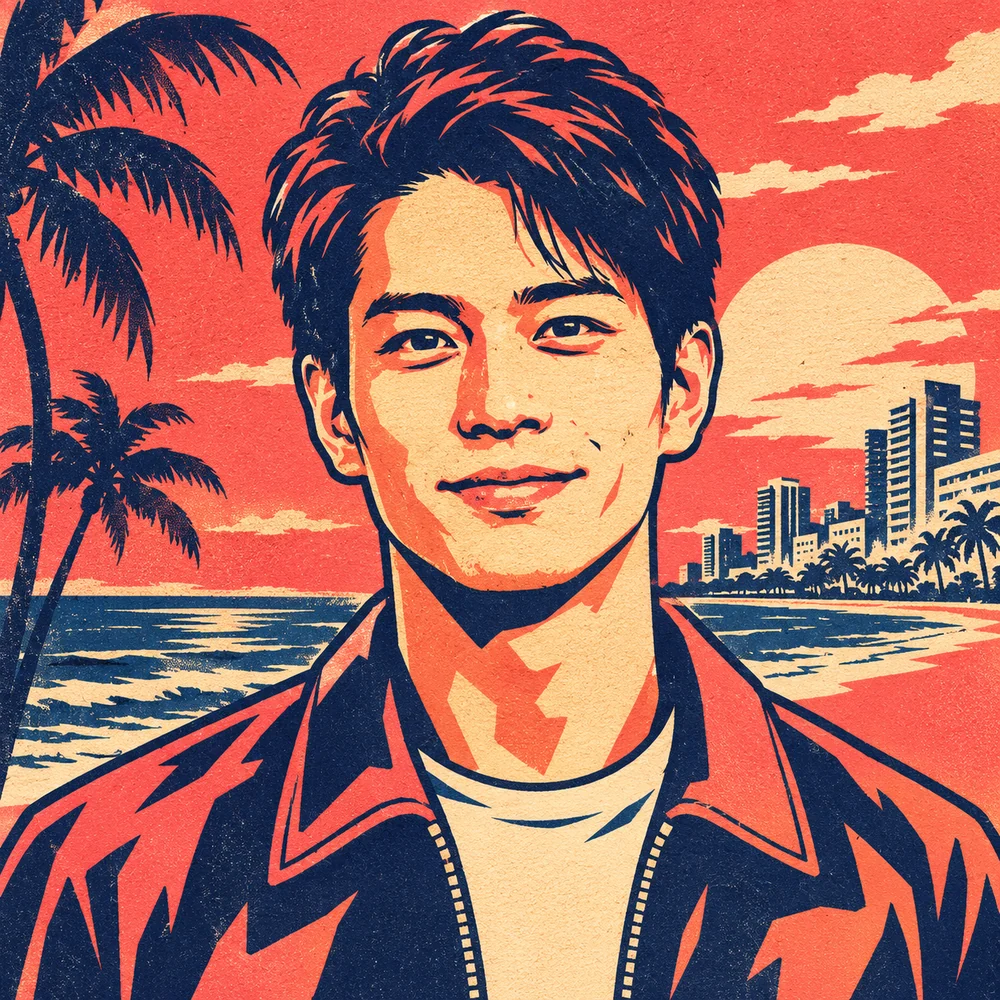
27. Screen-print cover
Redraw this as an ink-outlined GTA 6–style illustration. Render my photo as a bold coastal screen print in navy, coral and cream. Keep my silhouette, flatten the shadows into broad shapes, and let the paper grain show through. Keep the facial features of each person in the reference photo. Leave out text and logos. Set the scene in a fictional city, in an original location outside the official game.
Fewer inks unify the print.
28. Postcard rack
Redraw this as an ink-outlined GTA 6–style illustration. Turn my landscape photo into a sun-faded illustrated postcard. Preserve the distinctive building and camera angle. Place a cyclist near the lower edge and leave open space in the backlit sky. Keep the facial features of each person in the reference photo. Leave out text and logos. Set the scene in a fictional city, in an original location outside the official game.
A cyclist establishes scale.
29. Storm front
Redraw this as an ink-outlined GTA 6–style illustration. Make my portrait the center of a storm-season poster. Light my face warmly. Stack dark clouds behind pale palm fronds and carry one orange accent into my collar. Keep the facial features of each person in the reference photo. Leave out text and logos. Set the scene in a fictional city, in an original location outside the official game.
Orange separates skin from storm clouds.
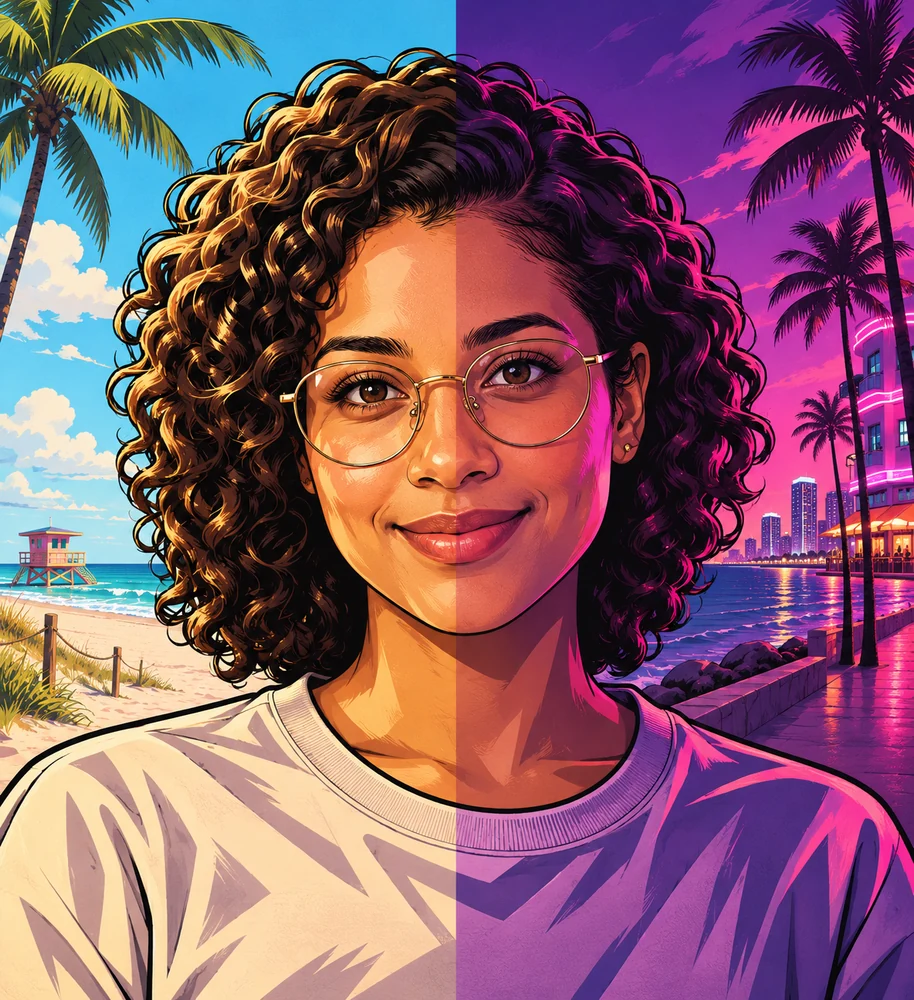
30. Night and day
Redraw this as an ink-outlined GTA 6–style illustration. Split my portrait poster vertically between beach daylight and violet nightlife. Keep one continuous face across the seam. Align the horizon on both sides. Keep the facial features of each person in the reference photo. Leave out text and logos. Set the scene in a fictional city, in an original location outside the official game.
One horizon unites both halves.
Turning a GTA 6 photo prompt into a short video
Your finished image already sets the composition and appearance. Leave the visual description out of the video prompt and describe only the movement. Try:
- 14. Rearview close-up: “Raindrops slide down the glass. Red and blue lights pulse behind the car. Hold the camera still.”
Try this motion prompt - 7. Last lifeguard shift: “Keep the subject, face, pose and illustration style stable. A soft sea breeze lifts loose strands of hair and gently moves the palms; warm sunset light shifts subtly. Slow, gentle camera push, no scene cut.”
Try this motion prompt
On a finished illustration, Image to Video carries the result into the video editor. Or save it as a PNG or JPEG, then turn it into a short GTA 6 clip with the lifeguard motion prompt ready. Review the credit quote before generating.
GTA 6 photo prompts: ChatGPT vs Gemini
ChatGPT: localized image edits
ChatGPT Images supports selecting a region for an edit, such as the reflection in a pair of glasses. A selection guides the change, although nearby pixels may change too.
Gemini: multiple image references
Gemini supports image editing with multiple reference images, which can describe people and the setting separately. Different models may interpret the same image and wording differently, especially faces, framing and light.
Frequently asked questions
What is a GTA 6 photo prompt?
It describes an edit to your photo. Choose from the 30 ready-to-use prompts in this guide. Name a feature to preserve, a coastal setting and one lighting choice to steer the illustration.
Can I use the same prompt in ChatGPT and Gemini?
Yes. These prompts describe a scene and visual style rather than an engine-specific setting. Different models may interpret the same reference and wording differently, especially the crop and background.
How do I keep two people recognizable?
Show both faces. Identify each by position and one distinctive detail. Keep their positions fixed during the first edit.
How can I make a poster without fake lettering?
Ask for an unlettered illustration with a clear margin. Download the image and add your own title afterward so you control spelling and placement.
Can I ask for the game logo or a real character?
No. These prompts are for your own photos and original characters, not copies of the official game logo or characters. Use a fictional city and an original scene outside the official game.
Try a GTA 6-inspired redraw with your own photo
Start with Motel check-in or choose another prompt above. Review the credit cost before generating.
upload your photo and turn it into a GTA 6 style shot