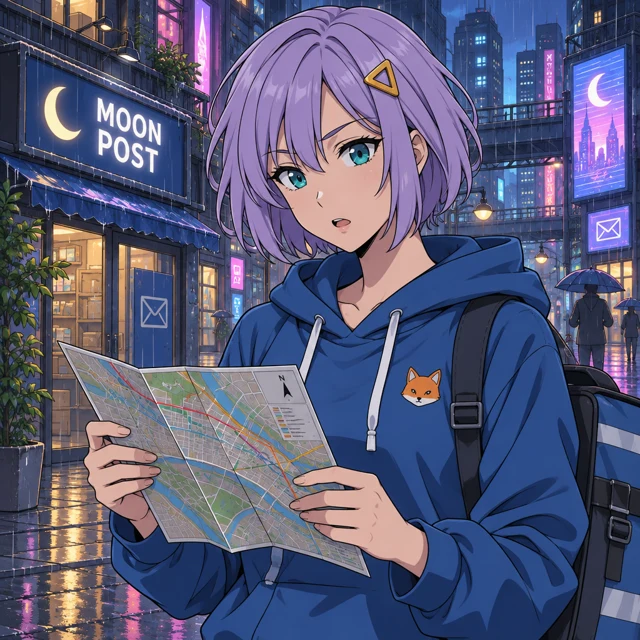
Yes—Images 2.6 supports text-to-GIF generation through the OpenAI Images API. Describe your anime character and motion, then use frame_count to choose the number of frames and frame_duration_ms to set each frame’s duration. Both Flare and Sunburst produced animated GIFs in our tests. Photo-to-GIF through the image editing endpoint is currently unsupported. The results below come from our direct API requests, with the exact settings, generation times and costs recorded.
What we tested
Our character is a fictional 25-year-old courier with a lavender bob, teal eyes, a gold triangular clip and a blue hoodie with an orange fox patch. A rainy street scene tests illustration, hands, a map and a sign reading “MOON POST.” A train-platform edit tests whether the character survives a scene and pose change. A separate text-to-GIF prompt asks for one blink, a gentle head tilt and a return to the starting pose.
We first ran one low-quality 2.6 Flare smoke request. It returned HTTP 200 in 11.160 seconds, with 100 text-input tokens and 824 output tokens: $0.025220 calculated from usage. We inspected the PNG before expanding. This smoke result is excluded from the medium-quality comparison.
The static and editing comparisons use 1024 × 1024 PNG output, medium quality and one result per request. For 2.6 we explicitly set complexity to high. We omitted that control for 2.5 rather than assuming support. The comparison therefore reflects these practical request settings, not identical internal computation. We made no seed or determinism claim.
Official capability versus our evidence
OpenAI’s model pages position 2.6 Flare for fast iteration and 2.6 Sunburst for detailed visual work. Those are provider descriptions, not conclusions from our sample.
The official generation guide documents native GIF output on the generation endpoint, controlled with frame_count and frame_duration_ms. It does not support GIF output from the edits endpoint. Our two examples below show text-to-GIF generation with both 2.6 models.
Image quality: four interpretations of the same scene
| API model | Seconds | Text input | Image input | Output tokens | Calculated USD | Status |
|---|---|---|---|---|---|---|
| gpt-image-2.5-flare | 19.094 | 100 | 0 | 439 | $0.013670 | saved |
| gpt-image-2.6-flare | 12.543 | 100 | 0 | 1449 | $0.043970 | saved |
| gpt-image-2.5-sunburst | 20.993 | 100 | 0 | 439 | $0.013670 | saved |
| gpt-image-2.6-sunburst | 44.188 | 100 | 0 | 1449 | $0.043970 | saved |
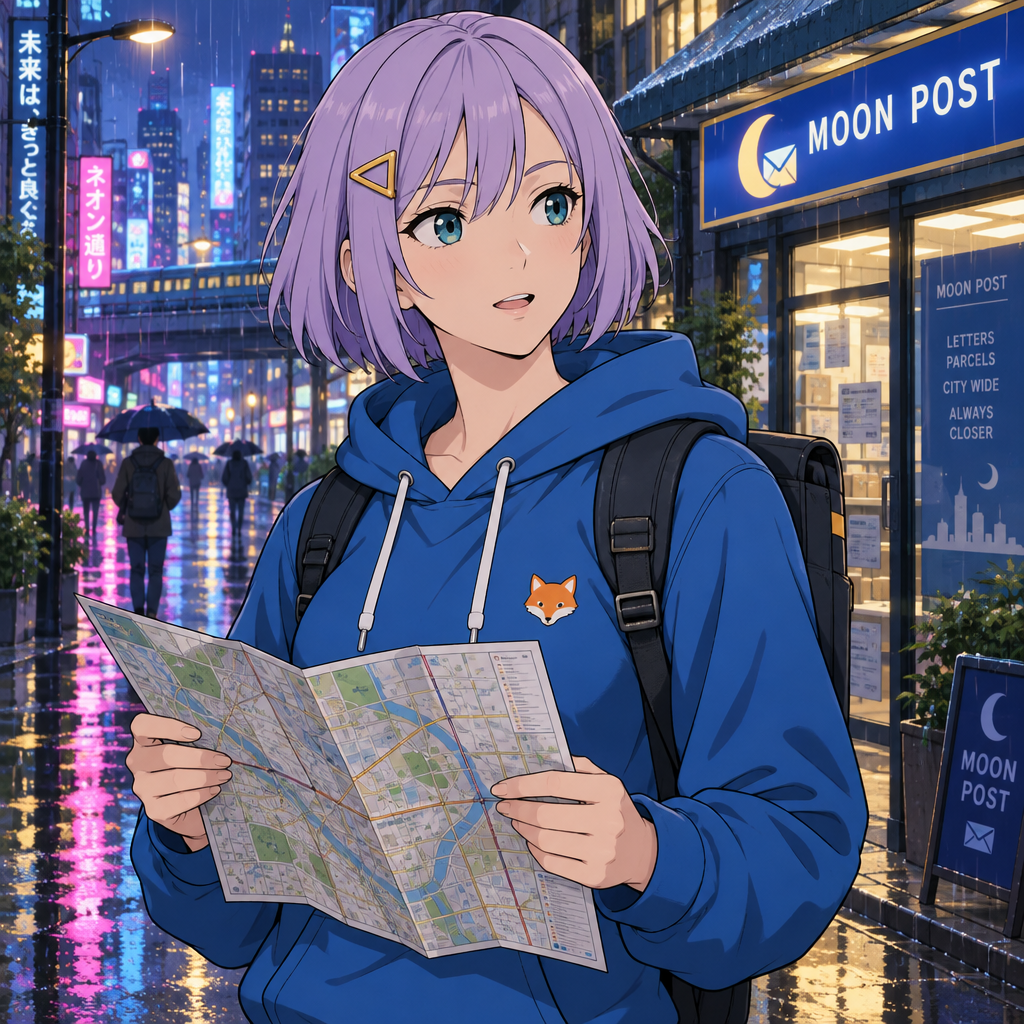
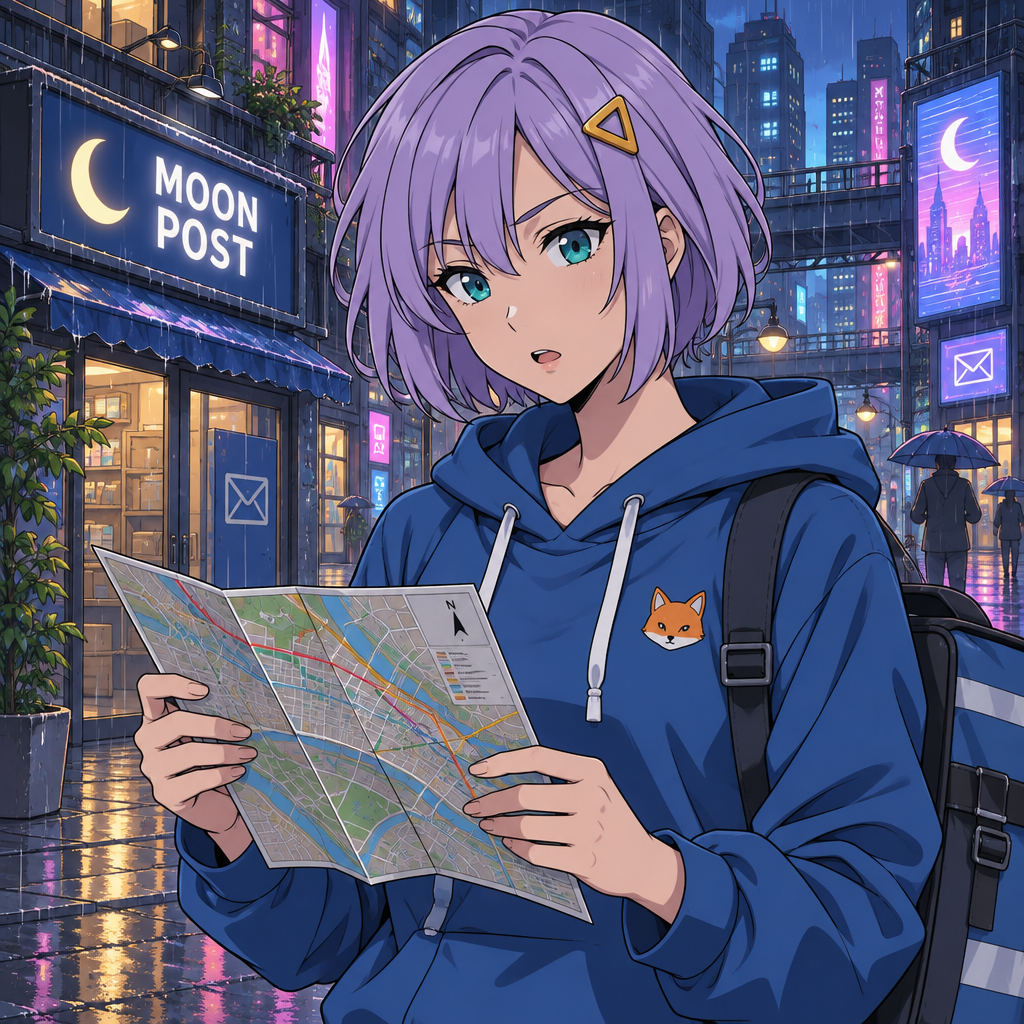
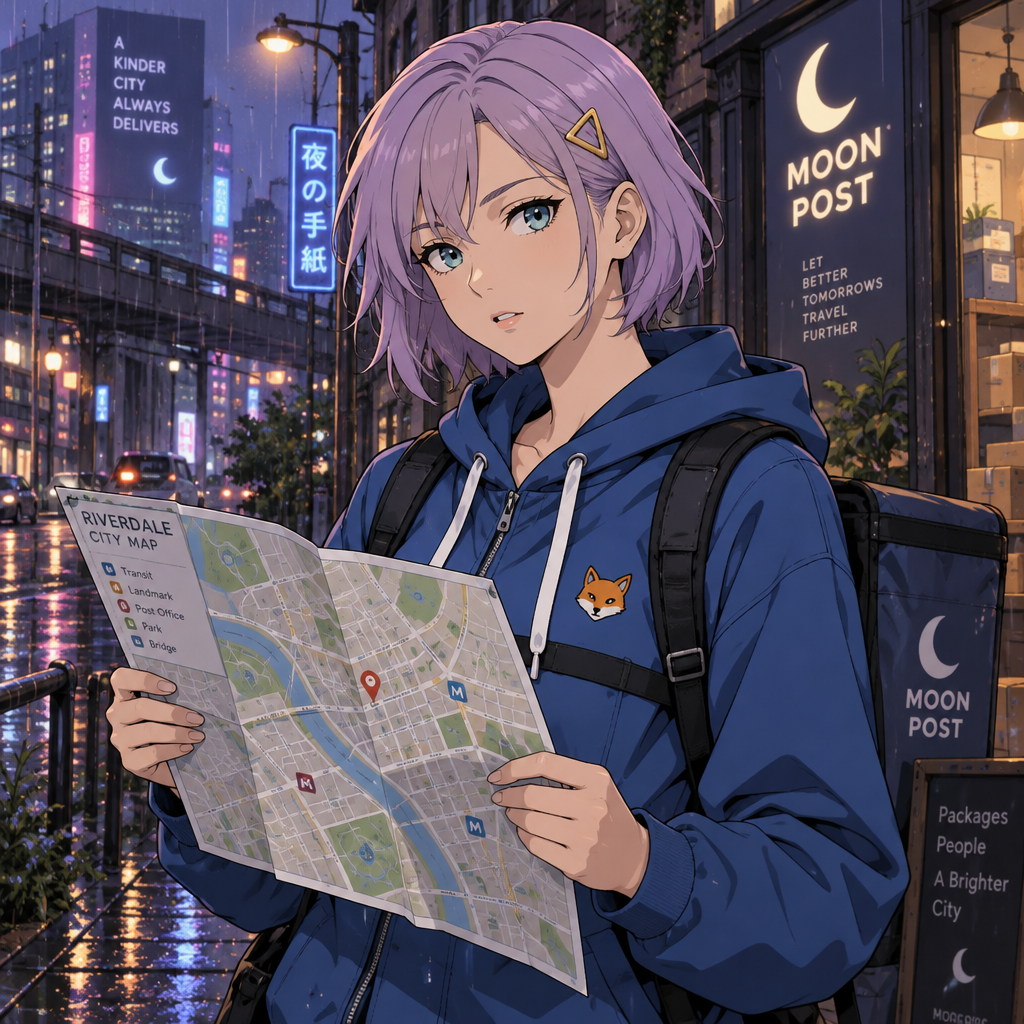
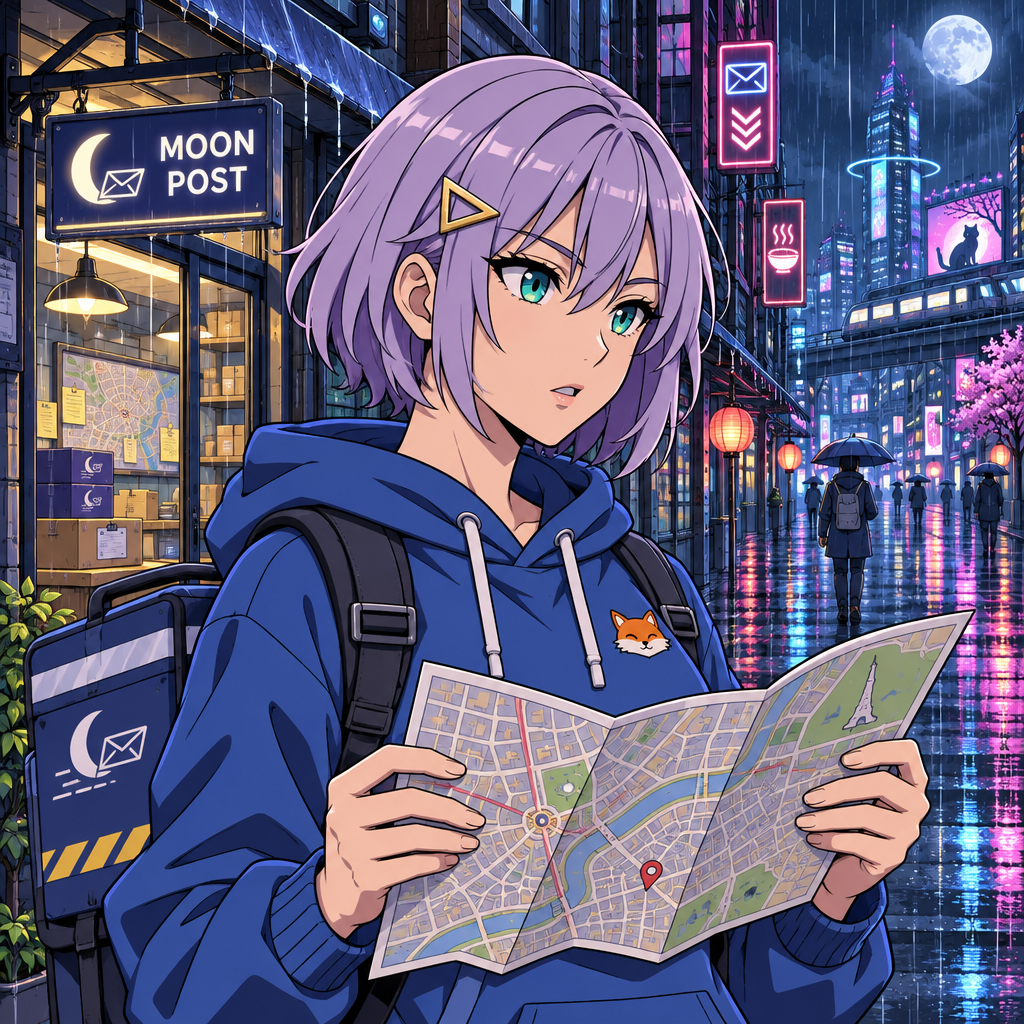
All four static results are recognizably cel-shaded anime, with lavender hair, teal eyes, a blue hoodie, an orange fox emblem, a city map and a legible MOON POST sign. The compositions differ: 2.6 Flare gives the map and background substantial space, while 2.6 Sunburst uses a stronger side-facing pose. Both 2.5 results also deliver usable illustrations. These are visible differences, not evidence of a universal quality ranking.
Instruction following is less clean than the overall finish suggests. The prompt specifies a clip on the character’s left. Some outputs place it on the viewer’s left, which is the character’s right. Map edges hide parts of the hands, leaving some fingers outside the visible area for inspection. We retain all outputs rather than choosing a winner from hand-picked reruns.
Speed: Flare improved here; Sunburst did not
In the static pair, 2.6 Flare completed in 12.543 seconds versus 19.094 seconds for 2.5 Flare. Sunburst went the other way: 2.6 took 44.188 seconds versus 20.993 seconds for 2.5. Each time is a single observation for this prompt and setting; repeated trials would be needed to calculate median or p95 latency.
Our timer covers the HTTP request through receipt of the entire response, including network transfer and base64 data. It excludes local file saving and decoding. Request order, service load and network conditions can affect the result. The table reports observed completion time, not isolated model inference time.
Character consistency: the same reference for every edit
All four edit requests receive the exact same PNG: the 2.5 Flare medium-quality street portrait. Using one common reference avoids giving each model a different starting image. The prompt asks for a sunny train platform, a smile, a red ticket in the character’s right hand and a brown suitcase in her left, while preserving her appearance.
| API model | Seconds | Text input | Image input | Output tokens | Calculated USD | Status |
|---|---|---|---|---|---|---|
| gpt-image-2.5-flare | 41.383 | 100 | 1024 | 439 | $0.021862 | saved |
| gpt-image-2.6-flare | 32.684 | 100 | 1024 | 1449 | $0.052162 | saved |
| gpt-image-2.5-sunburst | 34.029 | 100 | 1024 | 439 | $0.021862 | saved |
| gpt-image-2.6-sunburst | 47.151 | 100 | 1024 | 1449 | $0.052162 | saved |

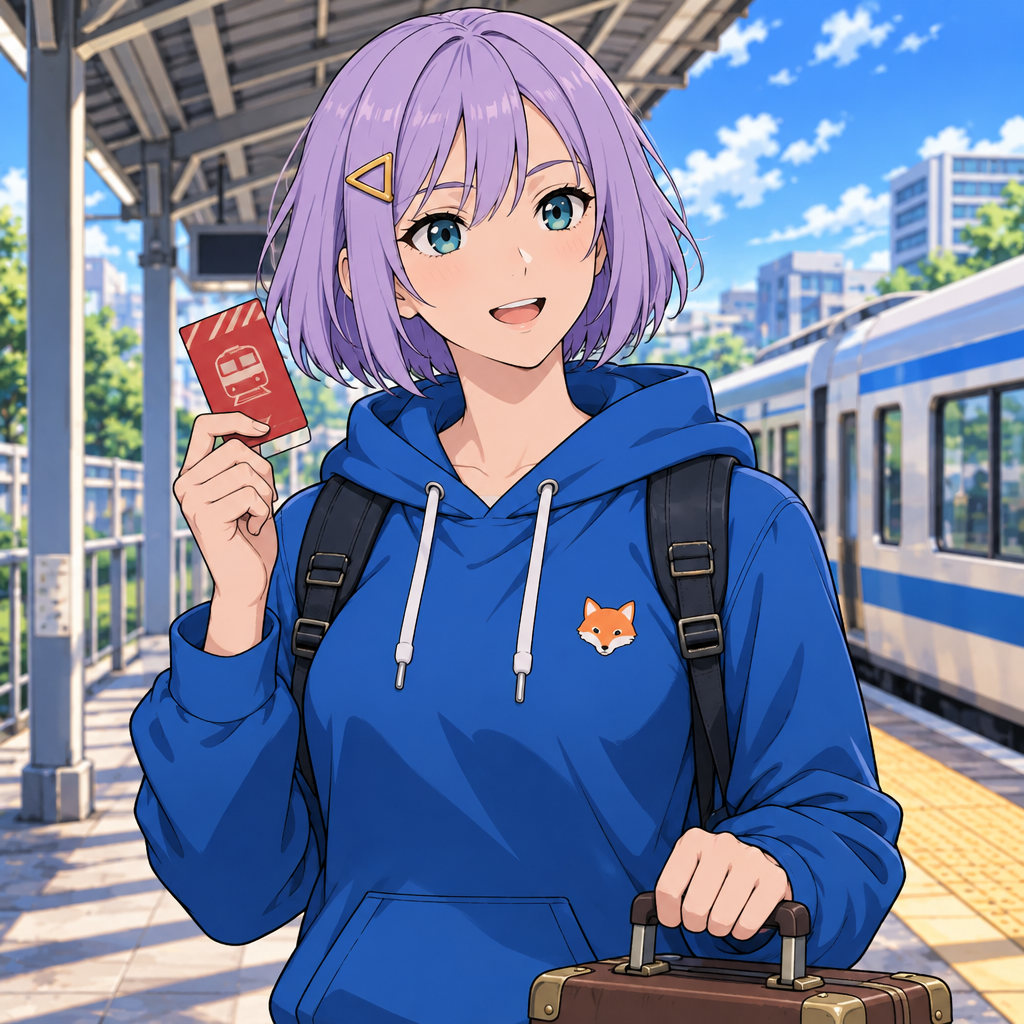
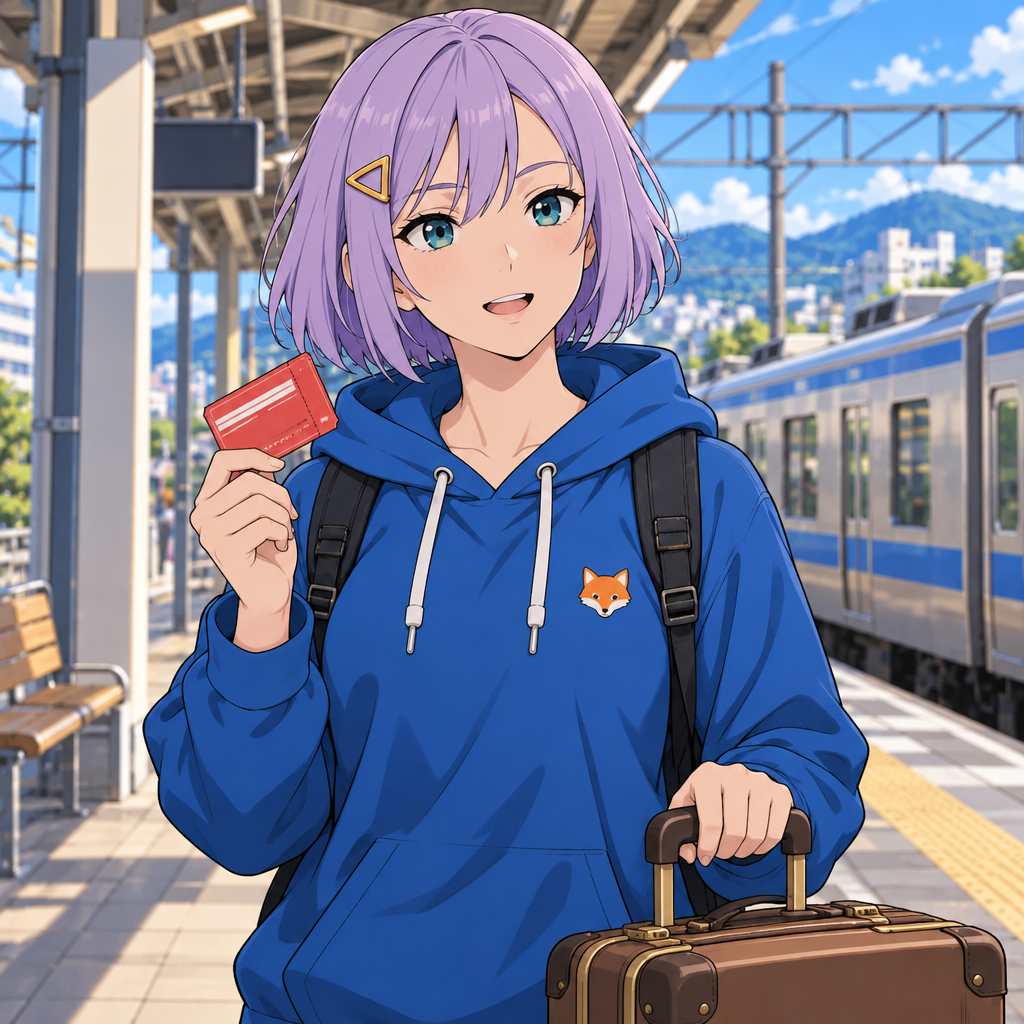
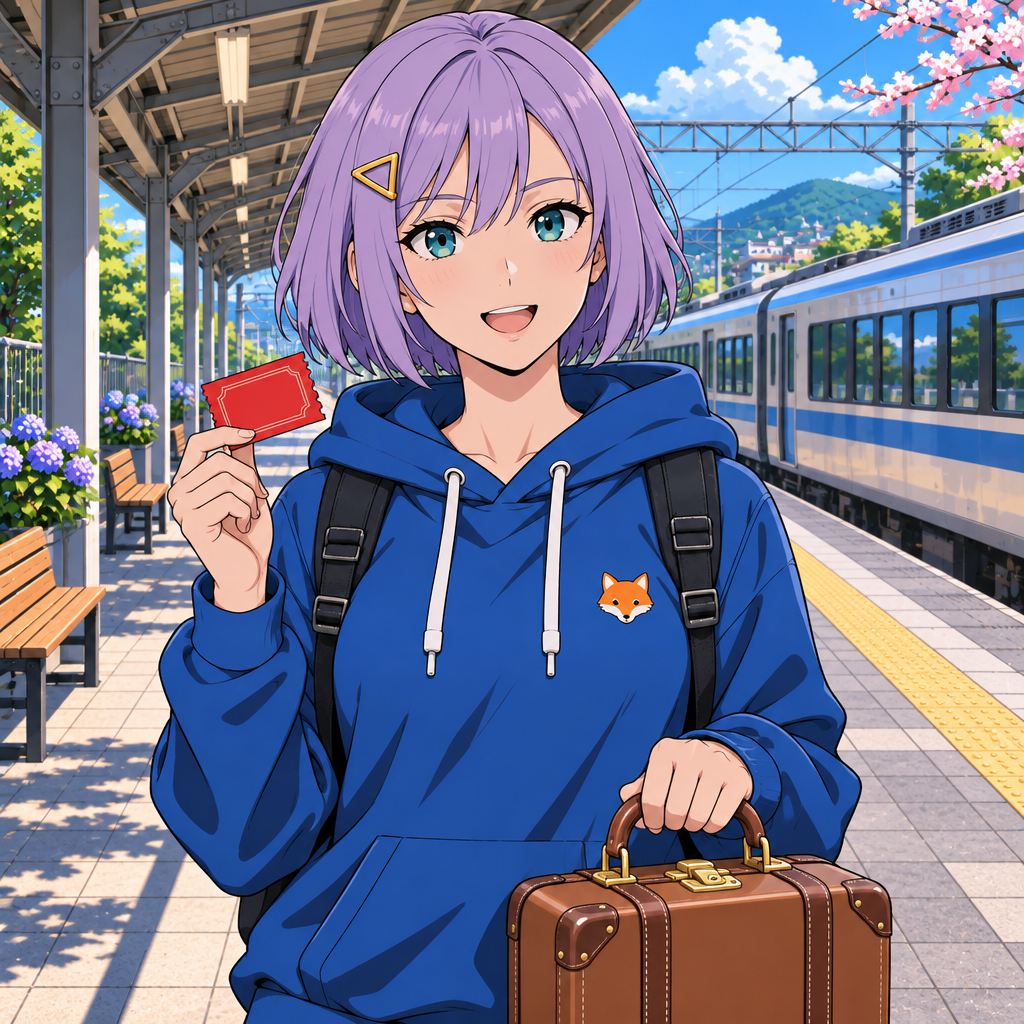
All four edits retain the main identity cues: the lavender bob, teal eyes, triangular clip, hoodie, drawstrings and fox patch. Each also produces the requested train platform, red ticket on the viewer’s left and brown suitcase on the viewer’s right. Eye proportions, mouth shape and hair outlines vary. For this single-step edit, all four models keep the character recognizable, with small differences in facial details.
The shared reference already has the clip on the opposite anatomical side from the original text specification. Preserving that placement in an edit follows the supplied image; it should not be counted as new identity drift.
We assessed one editing step per model, comparing visible character features with the shared reference. Longer editing sequences and changes in camera angle are useful follow-up tests.
Native GIF generation: what actually came back
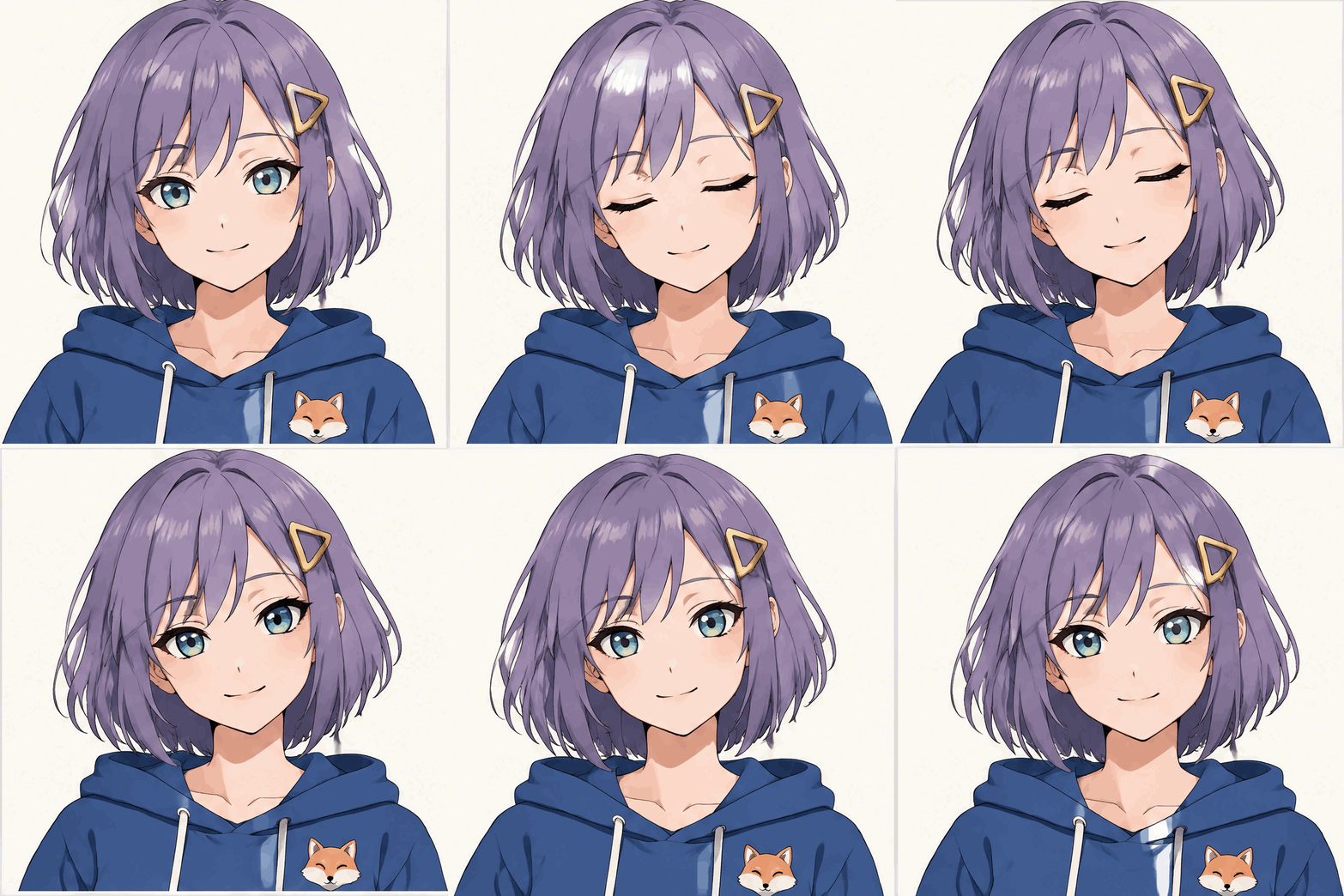
For both 2.6 models we requested output_format=gif, frame_count=9 and frame_duration_ms=200, with 832 × 832 frames, low quality and high complexity. The requested playback length is 1.8 seconds at five frames per second. That playback length is different from the generation time reported below.
| API model | Seconds | Text input | Image input | Output tokens | Calculated USD | Status |
|---|---|---|---|---|---|---|
| gpt-image-2.6-flare | 55.668 | 123 | 0 | 2214 | $0.067035 | saved |
| gpt-image-2.6-sunburst | 32.462 | 123 | 0 | 2214 | $0.067035 | saved |
Play / hide gpt-image-2.6-flare GIF
Play / hide gpt-image-2.6-sunburst GIF
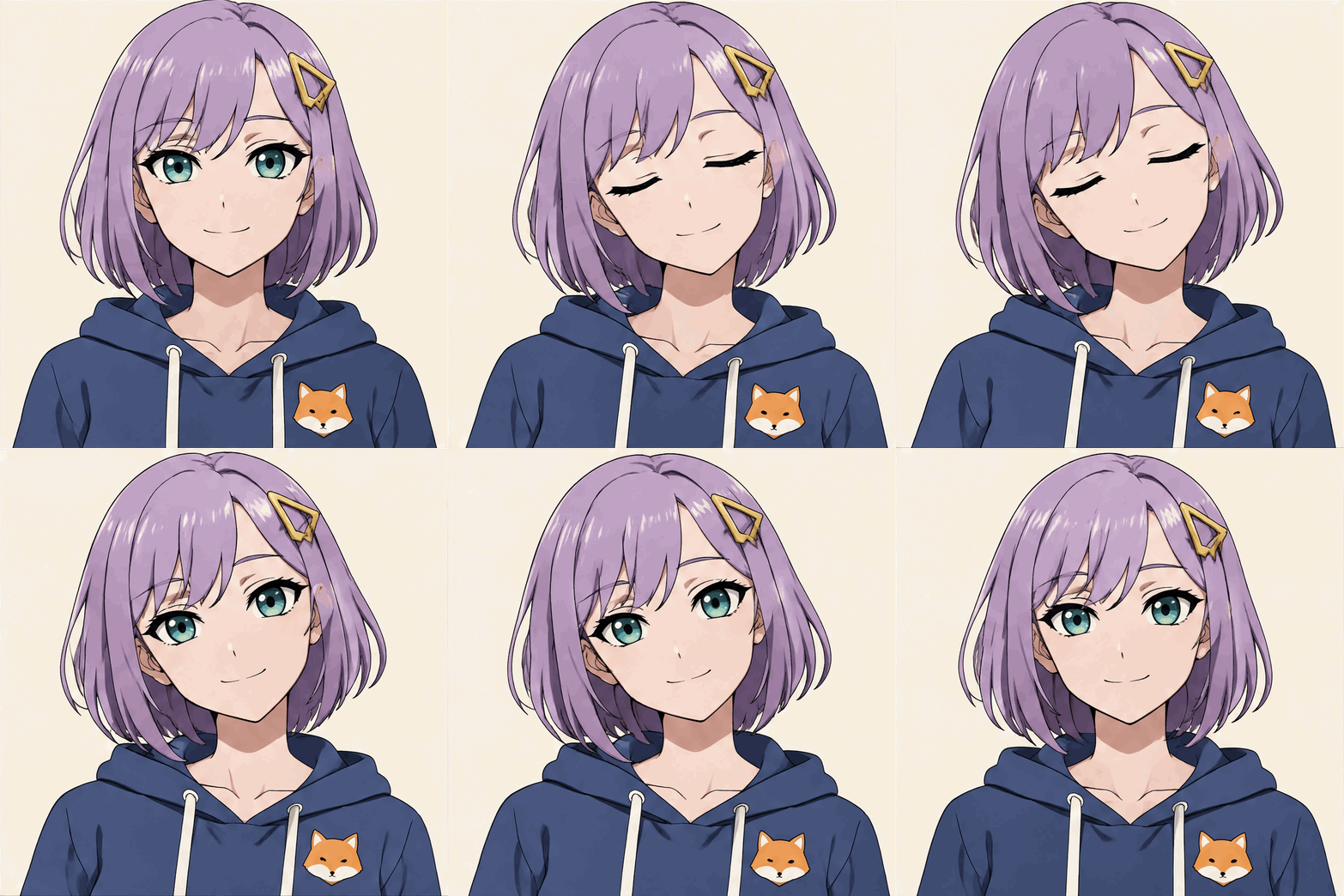
Both returned actual animated GIF files: nine distinct decoded frames each, 832 × 832, 200 milliseconds per frame, 1,800 milliseconds total, with infinite looping metadata. Flare took 55.668 seconds and Sunburst 32.462 seconds. Both returned 123 text-input tokens and 2,214 image-output tokens, for a calculated $0.067035 each.
Ordered frame inspection shows a blink and a gentle head tilt in both animations. The lavender bob, clip and blue hoodie remain recognizable. Flare shows visible changes in hair highlights and a mismatch between its first and final poses. Sunburst returns closer to its initial centered pose, but its endpoints also differ. Preview the wraparound before using either as an avatar: both show a visible difference between their first and final frames. At five frames per second, the small motion is visibly stepped rather than high-frame-rate animation.
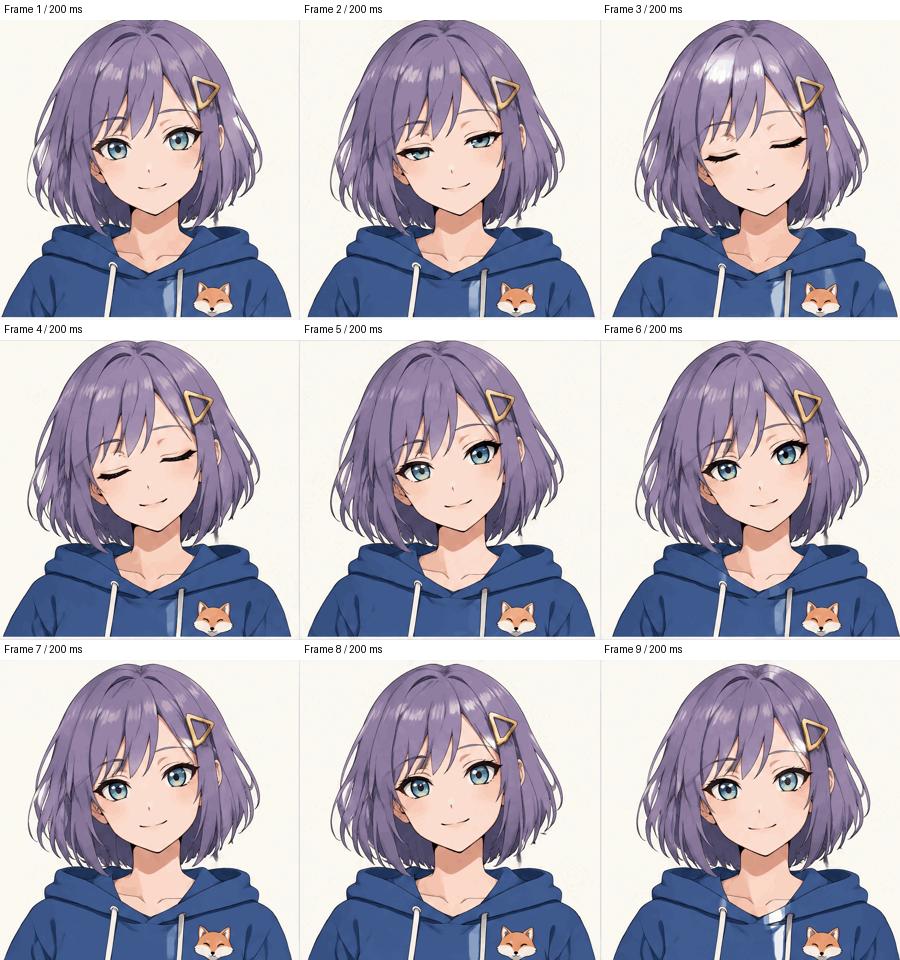
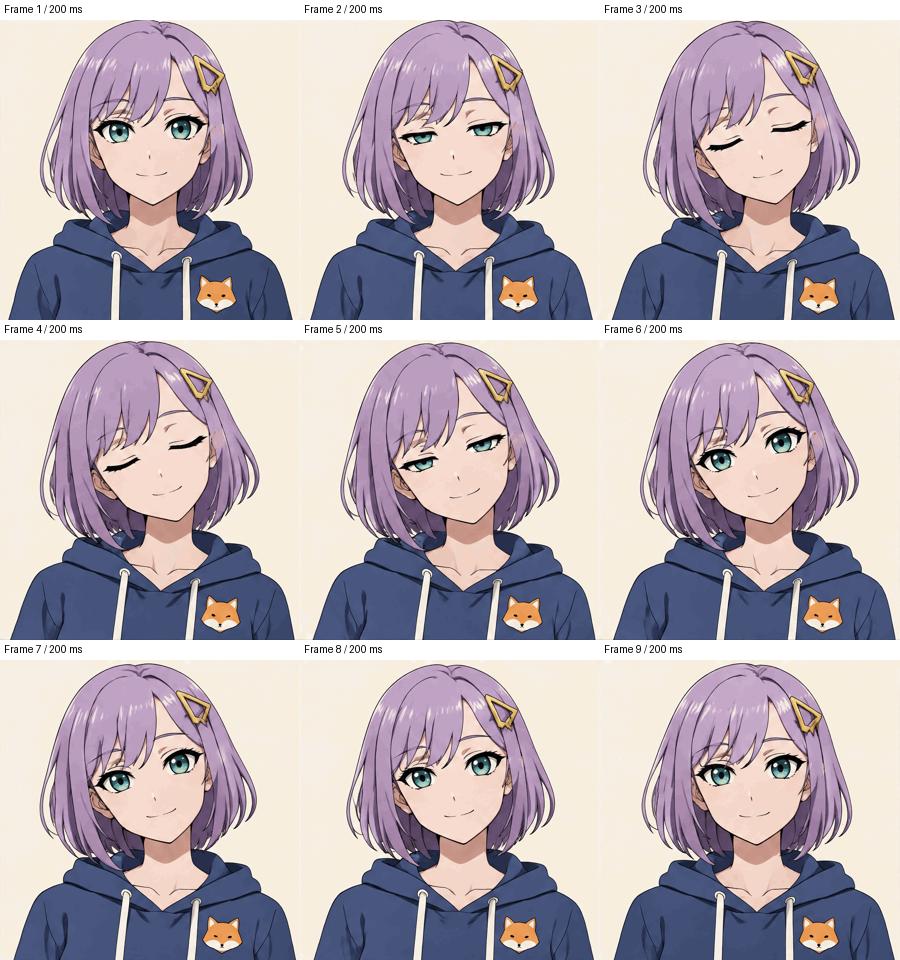
To make an anime GIF, describe the character, the movement and the starting pose it should return to. We reused the courier’s written character description for these animations. For text-to-GIF, use the generation endpoint with output_format="gif"; photo-to-GIF via the image editing endpoint is currently unsupported.
Cost: identical rates, different token consumption
The official standard pricing table lists the same rates for all four tested IDs: $5 per million text-input tokens, $8 per million image-input tokens and $30 per million image-output tokens. Listed cached-input rates are $1.25 for text and $2 for images. We did not assume cache discounts in these direct Images API calculations.
The medium static requests returned 439 output tokens each for 2.5 and 1,449 each for 2.6. Including 100 text-input tokens, that makes $0.013670 versus $0.043970 per static result in this specific set. The input image adds another cost to editing; GIF costs must be read from their own returned usage, not estimated by copying a static image price.
Total calculated usage cost for this pilot: $0.422618, within the initial approximately $10 budget. This is a calculation from returned token counts at the checked rates, not a reconciled invoice or a promise of what another prompt will cost. The CSV deliberately leaves billed_usd blank. Account credits, taxes, discounts and invoice adjustments were not independently verified.
Failures, limitations and reproducibility
All 11 planned paid requests returned HTTP 200 and saved a decodable asset. We observed no authentication, quota, timeout or API parameter errors in this run. That is a small observed sample, not a reliability guarantee. The negative findings are visual and practical: inconsistent clip-side instruction following, occluded fingers that cannot be fully checked, imperfect GIF loop endpoints and higher 2.6 static token consumption. We did not deliberately spend money generating error responses.
We kept the exact request parameters, request IDs, elapsed times, full usage objects, original API responses and decoded files. Every decoded output has a SHA-256 hash. Failed or uncertain requests belong in the dataset too; they must not be silently replaced. Our runner does not automatically retry paid POSTs.
We limited the study to one character, one scene, one reference edit and one animation prompt. Low-quality GIF settings differ from medium-quality static settings. A larger study needs multiple prompt categories, repeated trials, randomized order and independent visual review before it can justify claims about general quality or reliability. We did not benchmark SVG, high-resolution export, concurrent load, moderation behavior or the website’s credit pipeline.
What this means for anime creators
For this workflow, 2.6 Flare’s shorter static completion time comes with a higher calculated per-result cost. Sunburst’s newer version takes longer in our static example, and all four models produce recognizable anime art. A model decision should consider the actual result, not the version number alone.
For recurring characters, judge the edited face, hair, clip and clothing against the original reference before accepting a result. For GIFs, inspect motion and the loop seam as well as the first frame. Keep a static reference and a record of the prompt so visual changes can be traced.
Ready to try your own character? Open AI Anime Generator, describe your anime idea, choose a model and check the displayed credit cost before generating. Start with one clear prompt, then compare the face, hands and clothing before refining your next version.
Try AI Anime Generator with GPT Image 2.6
Reproducibility files: results.csv · test protocol · asset verification. Original PNGs open from the static previews. Full responses are retained in our research archive.