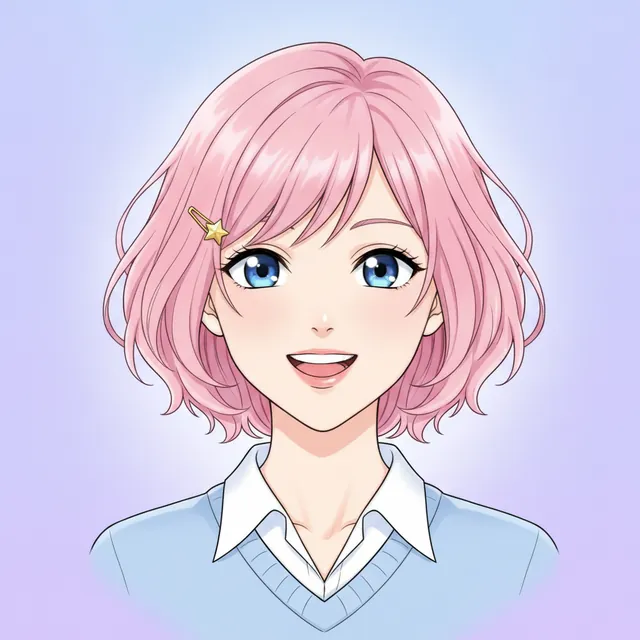
We operate AI Anime Generator, one of the tools below. We checked official feature and credit documentation on October 23, 2026. Our shortlist reflects workflow fit, not a scored image-quality contest. The image samples are from our own site; we have not benchmarked all five platforms against each other.
Start with the image you need
The best AI anime generator for you is the one that gives you enough control without making every image a setup project. Choose a workflow first, then compare results.
- Anime-focused experimentation
- PixAI
- Detailed prompt and image controls
- NovelAI
- An anime-specific illustration model
- Midjourney Niji
- A reusable character workflow
- OpenArt
- Trying several models in a focused anime studio
- AI Anime Generator
Five tools at a glance
All five offer text-to-image workflows. Their references, controls and credit rules differ. Free credits are an allowance, not a promise of unlimited images.
| Tool | Image guidance | Free access | Payment model |
|---|---|---|---|
| PixAIMore settings to explore | Reference uploads and image editing | 10,000 credits claimed daily for non-members | Credit-based; optional membership and top-ups |
| NovelAIHands-on control | Image2Image and documented reference tools | Do not assume the writing trial includes free images | Image generation uses Anlas; plan conditions vary |
| Midjourney NijiModel and parameter selection | Check reference compatibility by version | Budget for a paid Midjourney plan | Basic: US$10/month on monthly billing |
| OpenArtCharacter setup before reuse | Saved characters from text or reference images | Signup credits; check current trial conditions | Paid plans with monthly credit allowances |
| AI Anime GeneratorPrompt, model and frame | Reference images on supported models | 20 signup credits that do not expire | One-time packs from US$4.99; no subscription required |
Check the linked plan before paying. Promotions, billing periods and model costs can change. Credits from different services are different units.
Which tool fits your workflow?
PixAI
Anime-focused experimentationKey facts. PixAI offers 10,000 daily claimable credits to non-members, supports reference-image input and charges credits for generation; the number of images depends on the task settings.
Start here if you enjoy shaping an illustration through tags, model choices and reference images.
PixAI’s generation guide covers tag-based prompts, saved settings and image-to-image input. That makes it a useful shortlist option when you want to revisit a setup and change it deliberately, rather than start with a blank prompt every time.
Before you choose. There are more settings to learn. Start with one model and a short prompt; changing the model, reference and settings together makes it difficult to tell what helped.
Sources: Generation guide · Credit rules
NovelAI
Detailed prompt and image controlsKey facts. NovelAI uses Anlas for image generation and offers image-to-image controls; generation allowances and any unlimited-use conditions depend on the model, plan and settings.
Consider it if you want to work with tags, guidance and image-to-image settings.
NovelAI documents controls for prompt emphasis, sampling steps, undesired content and image-to-image strength. It suits an iterative workflow: keep the subject fixed, change one setting, and compare what happens to the composition.
Before you choose. The controls take practice. Its “unlimited” generation terms have model and setting restrictions, so check the plan against the exact model and output size you intend to use.
Sources: Image documentation · Subscription conditions
Midjourney Niji
An anime-specific illustration modelKey facts. Midjourney’s Basic plan costs US$10 per month on monthly billing; Niji is its anime-focused model family, while private-generation Stealth mode requires Pro or Mega.
Shortlist Niji when you want to explore an anime-focused model within Midjourney.
Niji is Midjourney’s anime-oriented model family, developed with Spellbrush. Select the Niji version intentionally when comparing results: a general Midjourney model and a Niji model are different choices, even inside the same service.
Before you choose. Check feature compatibility for your selected version before relying on a reference workflow. Midjourney’s private-generation Stealth feature is restricted to Pro and Mega plans.
Sources: Niji and version compatibility · Plan comparison
OpenArt
A reusable character workflowKey facts. OpenArt offers signup credits and paid monthly-credit plans, with saved characters built from text or reference images; check trial conditions and feature access for your plan.
Consider it when your next image needs to use a character you have already designed.
OpenArt’s Character Builder accepts text, reference images or guided presets. Its documented workflow saves a character for reuse in later generations. That is a different starting point from describing the same person from scratch for every image.
Before you choose. A saved character is a workflow feature, not proof of perfect identity preservation. Test a new angle, outfit and background before committing to a series. Check which features your plan includes.
Sources: Character Builder · Current plans · Free-credit help
AI Anime Generator
Trying several models in a focused anime studioKey facts. AI Anime Generator gives new accounts 20 credits that do not expire and sells one-time packs from US$4.99 without a required subscription; reference-image support depends on the selected model.
Use our site if you want anime starting prompts, a model picker and per-image credit costs in one place.
Start with text, choose a model and set the frame. Our character, avatar and chibi pages offer more specific starting points. Supported models can also take a reference image. You can inspect our existing same-prompt model examples before creating your own.
Before you choose. We do not offer a saved, trained character identity system like the workflow described above. A reference image can guide a result, but does not guarantee identical features across a story.
Sources: Models and real examples · Our pricing · Text-to-anime studio
Try text to animeWhat a model change actually looks like
These three images use the same avatar prompt in AI Anime Generator. They are original results from our 2026-10-20 comparison, with one attempt per model and no retouching. They illustrate variation within our studio, not a comparison with PixAI, NovelAI, Midjourney or OpenArt.
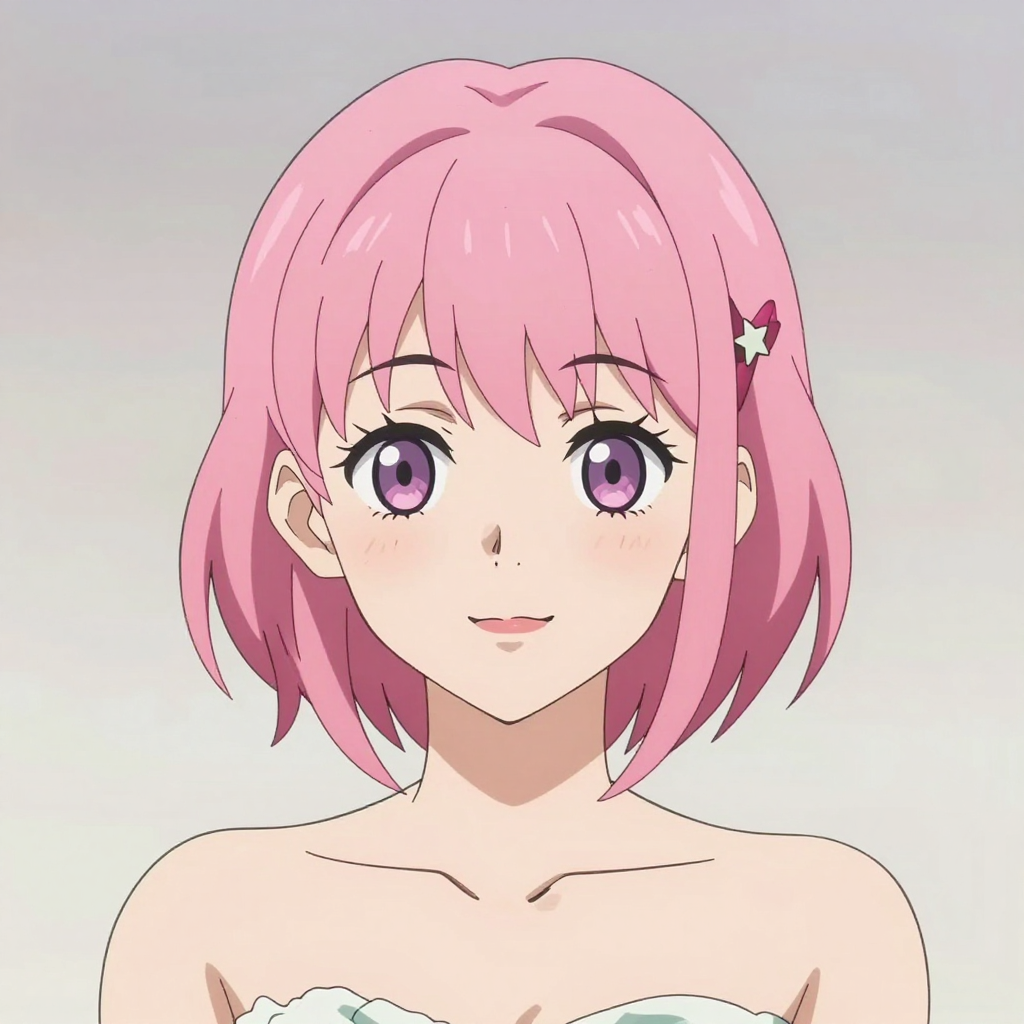
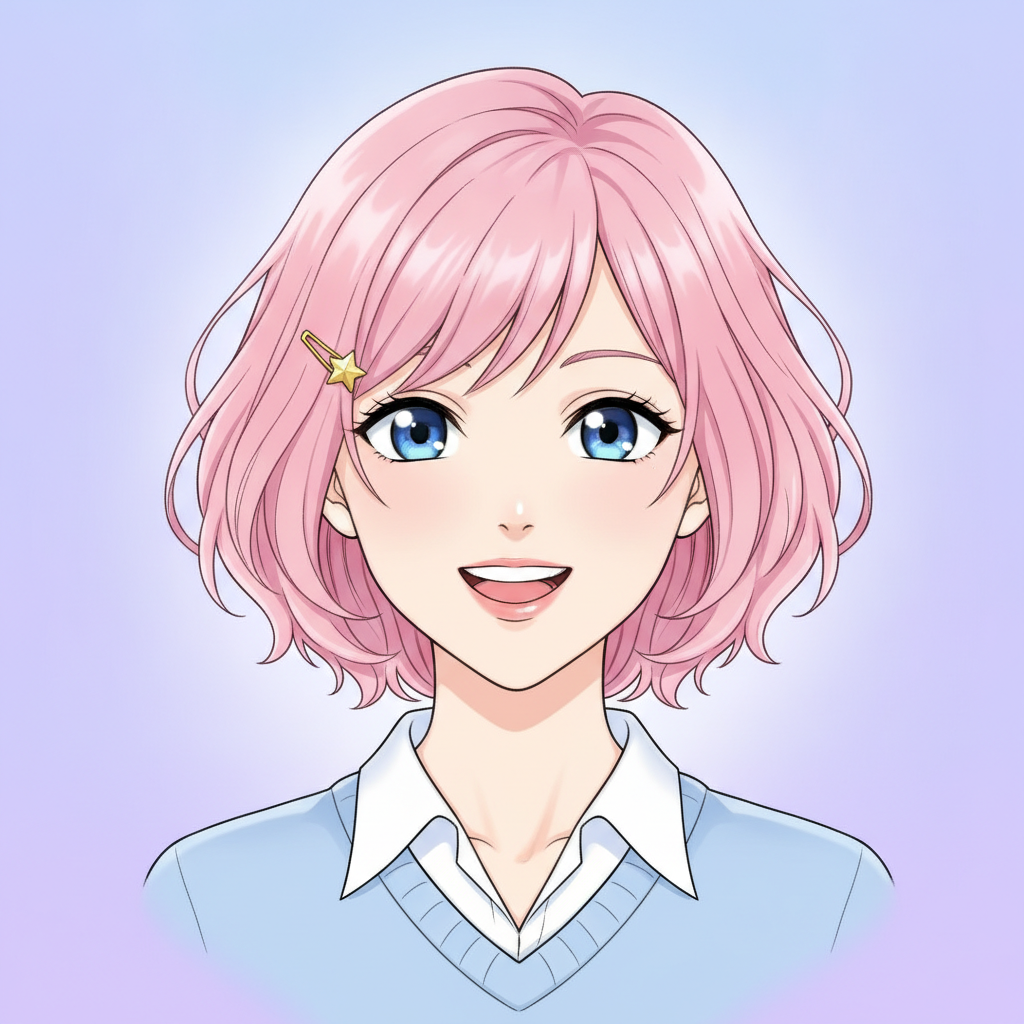
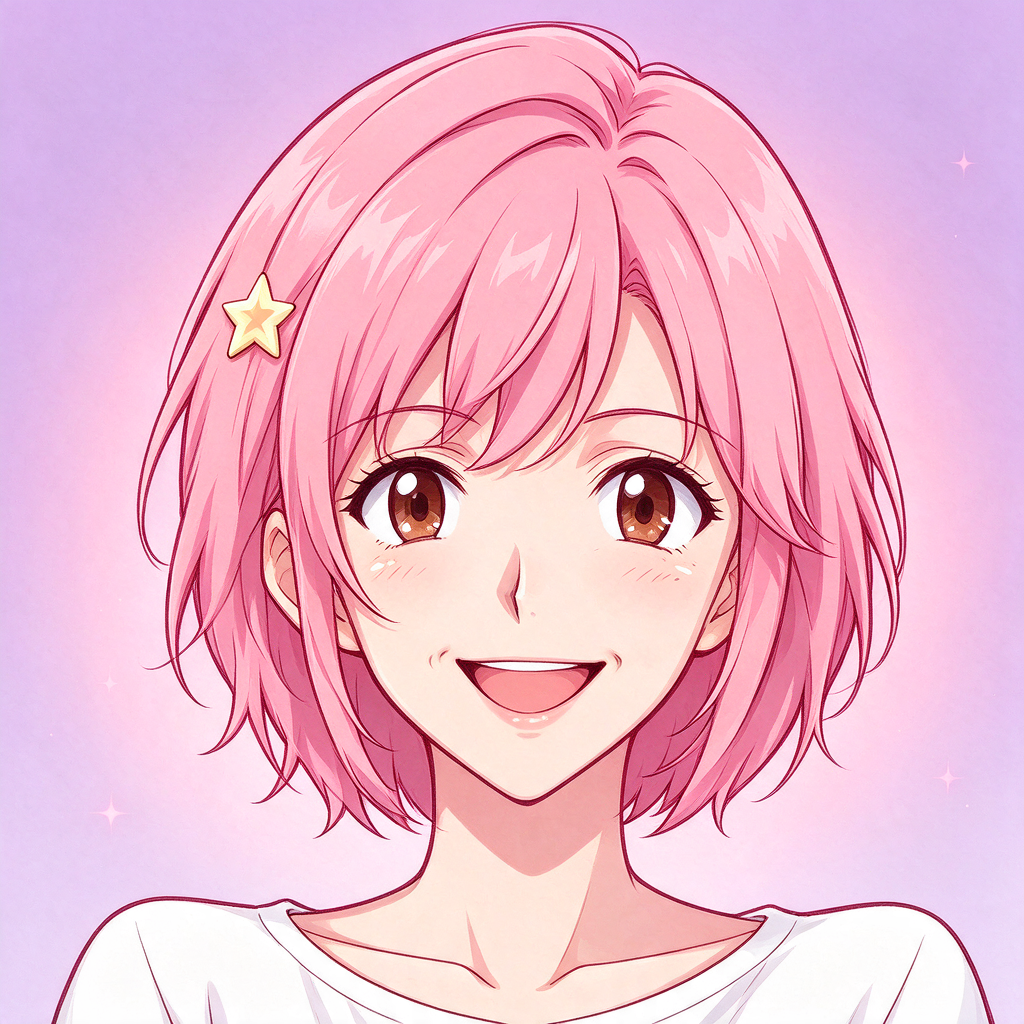
Look for the star hairpin, the face’s readability at avatar size and the framing around the shoulders. A single attractive output does not establish which model will work best for a different brief.
See all 12 model results, the exact prompt and the test method.
Use one brief to make your own choice
Start with an original character rather than a famous character or an artist’s name. Keep the requested frame and subject the same. This gives you something concrete to compare.
An original adult anime sky courier with short teal hair, amber eyes, a cream flight jacket and a red messenger bag. Full-body standing pose on a quiet rooftop at sunrise. Clean linework, cel shading, readable silhouette, portrait composition, no lettering.
- Check the brief. Did it keep the hair, eyes, jacket and bag? Are the hands and full-body framing usable?
- Change one thing. Ask for an evening setting while keeping the character description. If the tool supports a reference image, try it and record that separately from the text-only attempt.
- Count the cost of a keeper. Include unsuccessful attempts and edits, not just the price of one generation.
For a recurring character, add a side view and a new outfit to the test. If those change the face, investigate the reference workflow before making a long comic.
Put your brief to work
Open the character studio and paste the brief, or start with a square portrait if an avatar is all you need.
Questions before you choose
Which AI anime generator should a beginner try?
Start with the kind of image you need. For a first avatar, use a short prompt, one model and a square frame. Our studio offers that workflow; PixAI is another option if you want to explore anime-specific settings. Compare the result and the cost before adding more controls.
Which AI anime generators can I try for free?
PixAI documents a daily credit claim for non-members. AI Anime Generator offers 20 signup credits that do not expire. OpenArt offers signup credits under its current trial conditions. Credit amounts are not comparable across platforms: each service charges differently per task.
Can text alone keep an anime character consistent?
Repeating a description gives the model guidance, but does not lock every facial detail. Test reference-image or saved-character workflows if you need a recurring cast. Compare the face, hair, outfit and accessories after every change of pose or scene.
Does this article compare real outputs from all five services?
No. The platform comparison uses official feature and credit documentation. The images on this page come from our own existing model comparison, run through AI Anime Generator. We have not run a controlled five-platform image benchmark.
Should I choose by the largest free credit allowance?
No. Compare the number of usable images you can make with your chosen model and settings. A larger credit balance can still buy fewer results. Include the cost of retries, reference features and editing when you compare services.