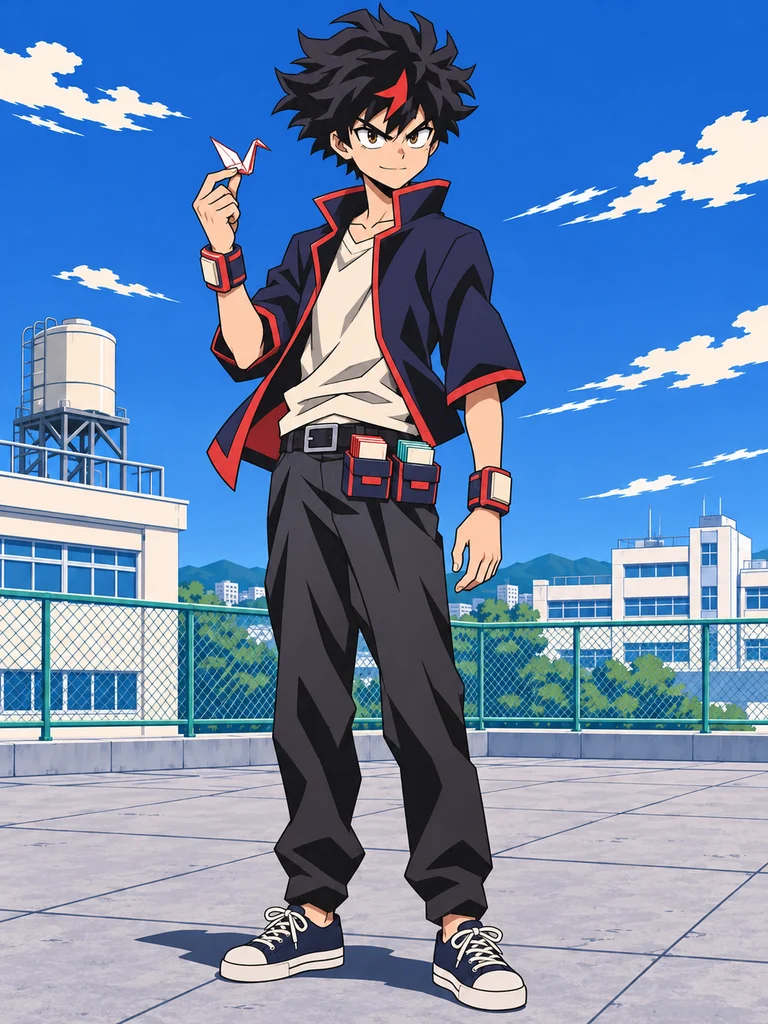
Foldline
A hero student who folds paper into airborne cranes and a dragon. Fan-opening bracers supply the paper; his Quirk gives it motion.
A Quirk with a purpose. A costume built around it. Your own hero.
Describe an original MHA character and generate their look, without assembling a fixed set of parts.
HEIC, JPEG, PNG or WebP · Up to 40 MB
Three views use a plain background without power effects. Prepare a generated result as a reference below for a closer match.
Generation uses the credits shown below.
Try a paper-folding hero student, an armored fighter or a Quirkless support inventor. These original examples were made with Codex image generation. Loading a concept fills Builder choices; it does not upload the example as a reference.
A hero student who folds paper into airborne cranes and a dragon. Fan-opening bracers supply the paper; his Quirk gives it motion.
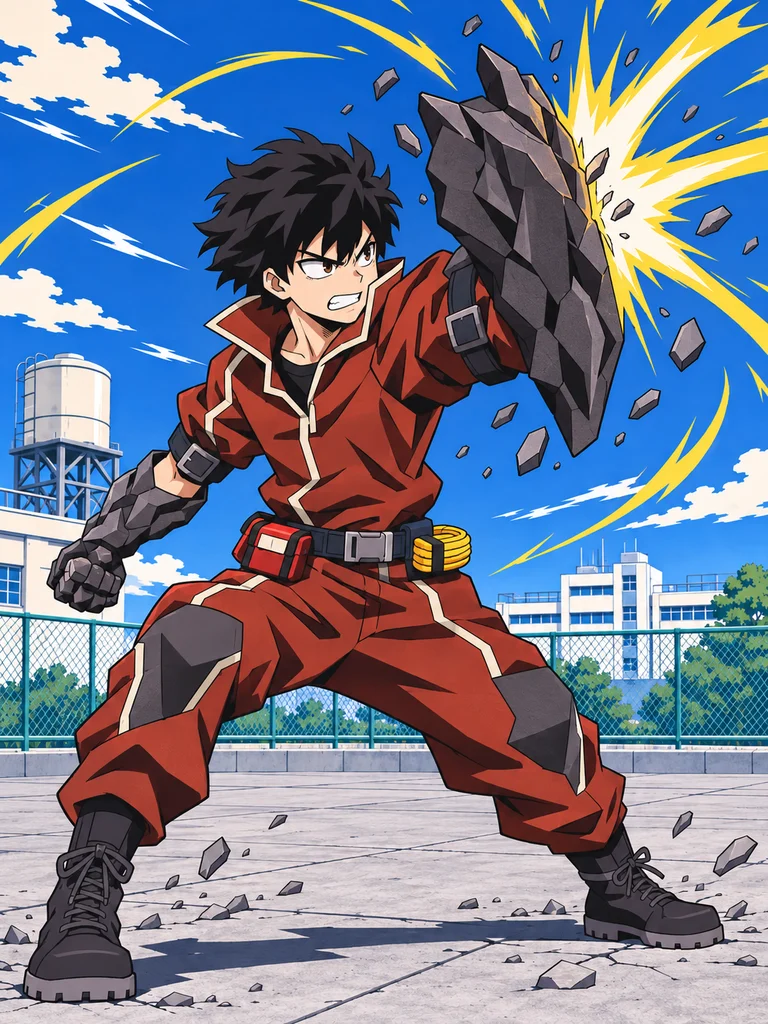
A close-combat hero with stone-like forearm armor. Heavy armor trades speed for protection.
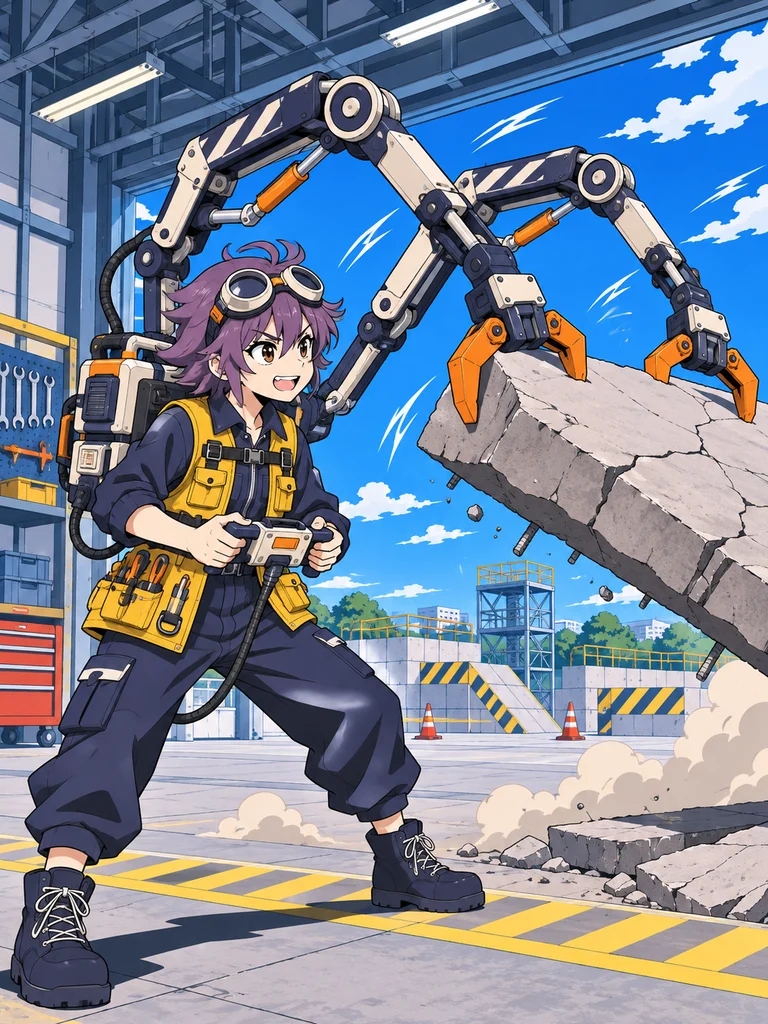
A Quirkless support inventor with fold-out rescue grippers. Equipment does the heavy lifting.
We created Foldline’s action image with Codex image generation, then used it as a reference for a front, side and back sheet. The fan-opening wrist gear supplies paper; his original Quirk folds and steers it. The model you select on this site may interpret the same design differently.
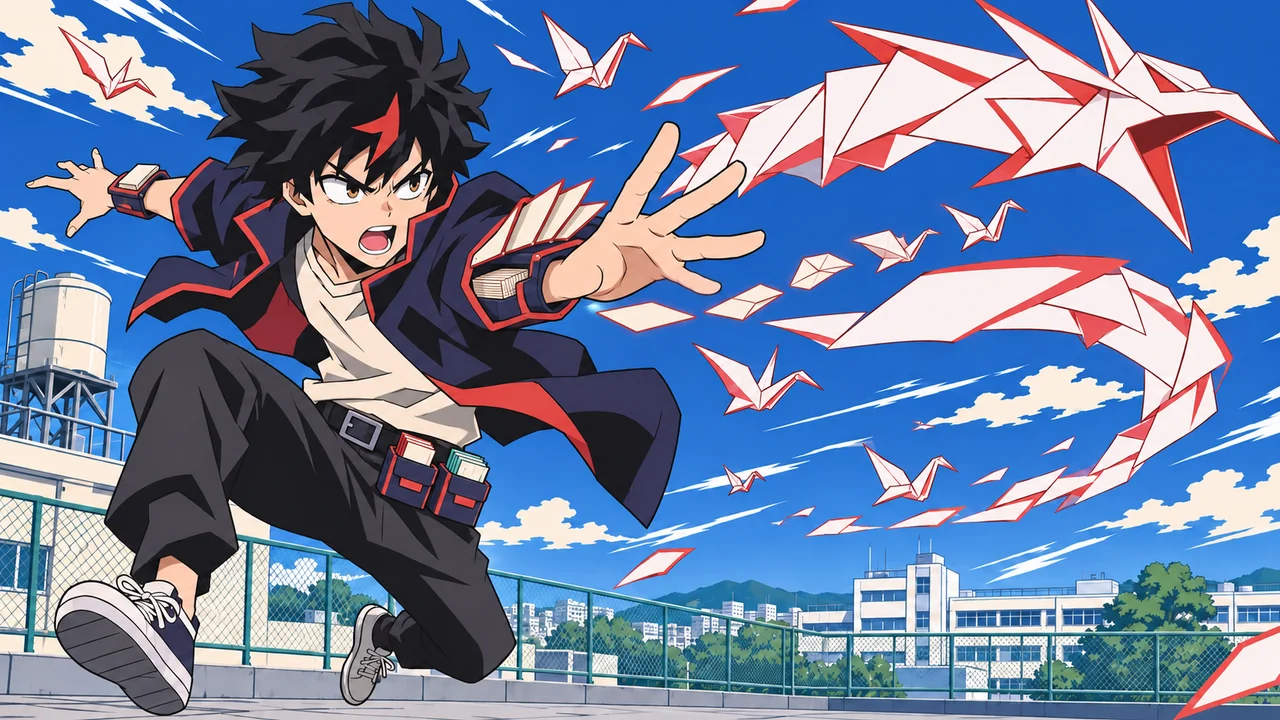
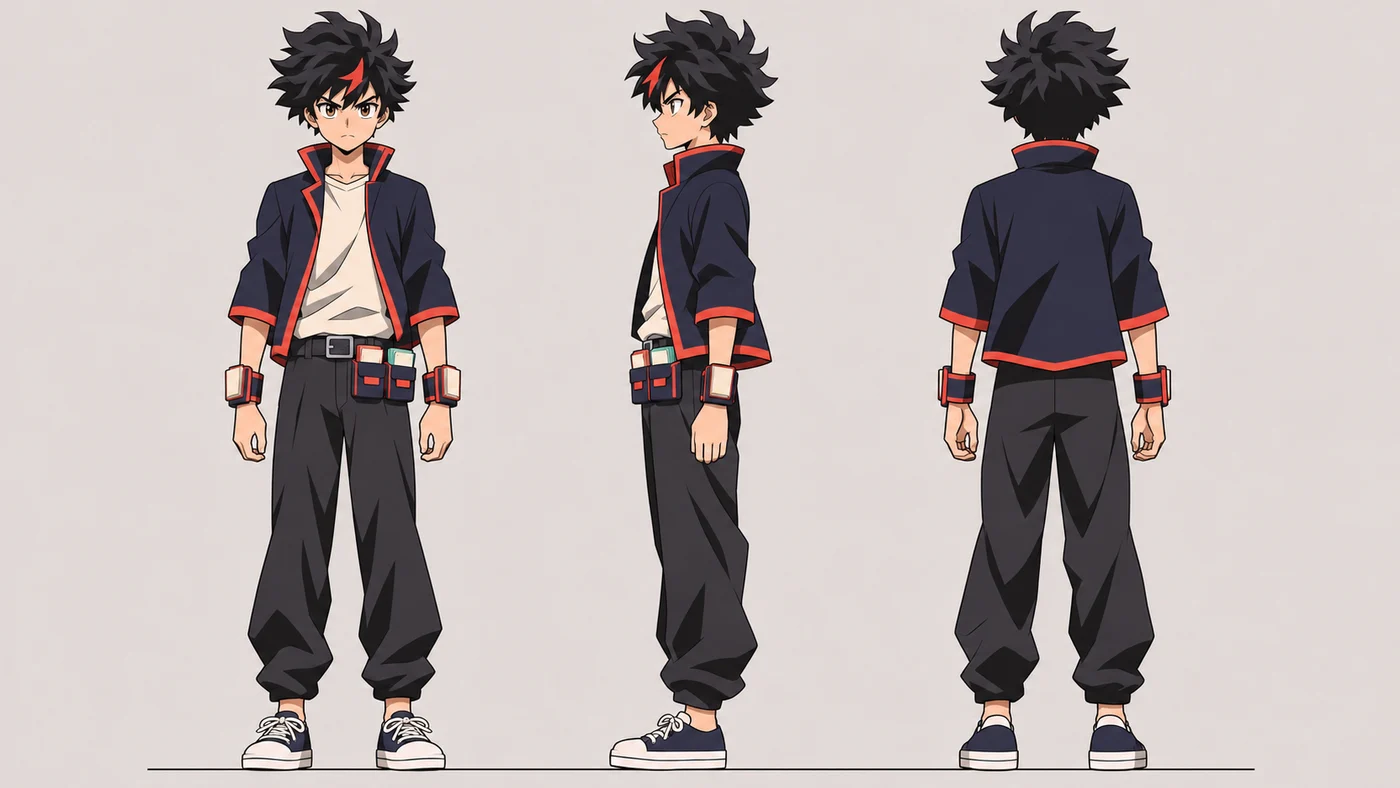
Compare the red forelock, navy jacket, wrist bracers and belt magazines. The sheet changes some hair, collar and pouch details; an unwanted shoulder accessory also needed a correction. Reference guidance helps, but a generated sheet still needs review.
Download Foldline referenceGenerate your character first, then prepare its selected result as a reference. Each variation is a separate generation with its own credit quote. Save the original if you want to return to it later.
Reference preparation and the video entry become available after a successful image generation.
Start with a hero student, pro hero, support inventor or villain. Write what the Quirk actually does, or choose Quirkless and focus on skill and equipment.
Add a hero name, appearance and signature outfit. Give the equipment a reason to exist: protection, rescue, mobility or better control of the ability.
Review the prompt, model, ratio and credit cost. Check the result before downloading. A compatible reference model can help carry the design into a different view or pose.
The series calls its superhuman abilities Quirks, or 個性. VIZ’s official introduction also establishes Quirkless people as part of the world. Your fan character can start from either direction.
For an original ability, describe an action, a visible result and a limitation. “Folds and steers paper into a dragon, but wet paper loses strength” gives the image more direction than “blue powers.” A limitation is a character-writing choice here, not a rule that every canon ability has the same cost.
The official Mei Hatsume profile separates her Zoom Quirk from her work inventing equipment. Our Builder makes that distinction too. Foldline’s wrist bracers feed paper while his Quirk folds and steers it. Equipment can be a visual centerpiece as well as a practical tool. A paper feeder, insulated sleeve or rescue harness belongs in Support gear; the character’s supernatural ability belongs in Quirk. A Quirkless inventor can still have a detailed, distinctive design.
The official terminology guide explains hero names and U.A.’s school setting. A hero name can be used by a student, so you don’t have to make the character a pro hero first. School and role are separate choices. Choose a course when it fits the story, or leave school unspecified for an adult character.
Start with a problem your character wants to solve, then use the MHA OC maker to explore how that idea looks. A student might fold paper into a moving shield or dragon. An armored fighter might protect others while accepting slower movement. A support inventor might build tools that make dangerous tasks safer. A villain might use a useful ability for a selfish goal.
Then choose one recognizable detail: fan-opening wrist bracers, heavy forearm armor or folded mechanical grippers. Keep that detail in the prompt when you change the pose or background. It gives you something concrete to compare between generations.
Save your first successful design from the MHA OC maker. Upload it as a reference and ask for a training outfit or hero costume while preserving the face and hairstyle. Change one major thing at a time so it’s easier to tell which details stayed consistent. For a different character world, explore our other OC makers.
A full-body image makes the costume and equipment easier to check. Three views ask for front, side and back at the same scale on a plain background. They’re generated artwork, so inspect the back of the costume, pouch placement and mirrored details before treating the sheet as a design reference.
For a scene, select Action pose and choose a sprint, jump attack or rescue reach. Set a training ground, rooftop or rainy street in Background. If you want to branch from the original after making another result, upload the saved original and select Composition directly; preparing a result again uses the currently selected image.
A successful owned image can open the existing video editor through Animate this image. Describe the character’s movement and camera movement separately: a side-tracking run, a low-angle jump and a wide landing. See the OC image-to-video workflow for a real robot-character example and its observed consistency limits.
Choosing options and writing your character prompt is free. Image generation requires signing in and uses the credits shown for the selected model. Reference variations and videos are separate generations; review each quote before starting.
No. You can start from a written description or the guided Builder. If you already have a design, upload it with a model that supports references. Describe which features to keep and what you want to change.
A reference image and a clear description of the face, hairstyle, costume colors and signature equipment can help guide continuity. Results can still change, including facial features and small accessories. Check each image before using it for another variation.
Yes. Describe gender presentation and appearance in the appearance field or Prompt. School options include first, second and third year in the U.A. Hero Course, plus Support, General Studies and Business Course settings. These are fan-character settings, not official additions to the cast.
This generator creates an image from your description and selected model rather than combining a fixed collection of illustrated parts. That gives you room to describe a custom costume, ability or scene, but the result is probabilistic and may need another attempt.
Yes. Quirkless is independent of the character’s role. It removes supernatural power effects from the Builder prompt while keeping costume and support gear editable. Switching back restores your saved Quirk description.
No. This is an independent fan tool, not affiliated with or endorsed by the creators or rights holders. My Hero Academia was created by Kohei Horikoshi. MHA and BNHA refer to the same series; the latter comes from Boku no Hero Academia.
Independent fan tool. Original examples created with AI. For official series information, visit My Hero Academia’s anime website.