Dandy’s World OC Maker

A curious shape. A little personality. Your own Toon.
Build a character from your choices or write your own prompt.

HEIC, JPEG, PNG or WebP · Up to 40 MB

Form

A friendly, everyday version of your character.

View the generated brief

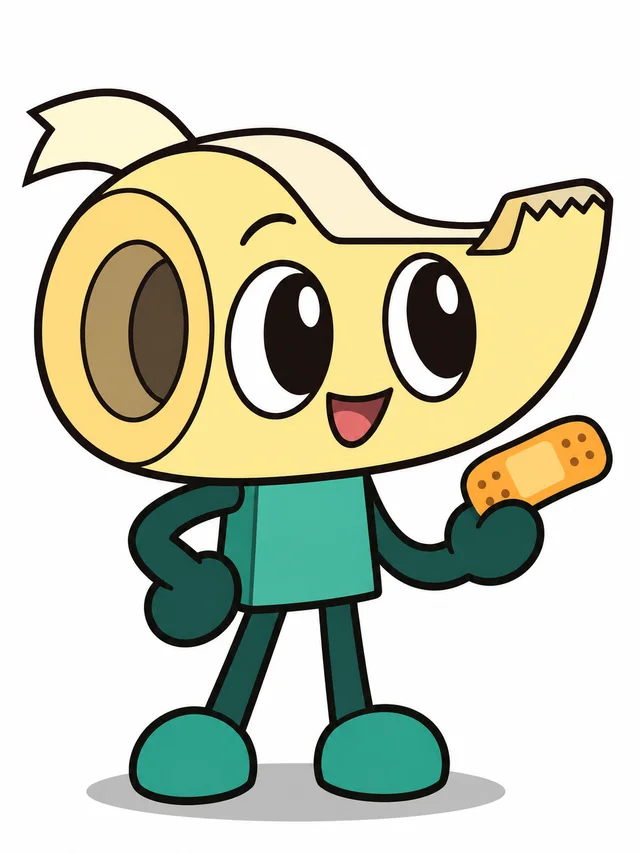
Original unofficial Dandy's World fan Toon concept, Mender. The concept base is a Tape dispenser; it forms the actual head or body, not a costume on a human. Oversized rounded horizontal tape-dispenser head, one hollow spool visible at the side, short loose tape tail. Body shape: Small upright mascot. Expression: Eager smile. Visual accessory: One small repair patch. Cream yellow, teal and orange retro three-color palette. Rubber-hose arms and legs, curved flexible tube limbs. A helpful repairer who keeps every offcut. Clean 2D cartoon, bold dark outlines, simple graphic eyes and mouth, readable silhouette, a few flat color blocks, minimal cel shading. Clear full body, one front three-quarter view, plain white background. No realistic human anatomy, anime hair or detailed anime eyes. Create an original design, not an existing cast member. No logo, text or watermark.
Shares your prompt and character settings, not your reference or result images.

Dandy’s World OC concepts to make your own

Pick a concept to fill Builder and Prompt, then change its shape, expression or palette. Choosing an idea is free; Generate uses the credits shown on the button. Examples generated with GPT Image 2.

A tape-dispenser head, tiny body and a patch for every problem.

View prompt

Original unofficial Dandy's World fan Toon concept, Mender. The concept base is a Tape dispenser; it forms the actual head or body, not a costume on a human. Oversized rounded horizontal tape-dispenser head, one hollow spool visible at the side, short loose tape tail. Body shape: Small upright mascot. Expression: Eager smile. Visual accessory: One small repair patch. Cream yellow, teal and orange retro three-color palette. Rubber-hose arms and legs, curved flexible tube limbs. A helpful repairer who keeps every offcut. Clean 2D cartoon, bold dark outlines, simple graphic eyes and mouth, readable silhouette, a few flat color blocks, minimal cel shading. Clear full body, one front three-quarter view, plain white background. No realistic human anatomy, anime hair or detailed anime eyes. Create an original design, not an existing cast member. No logo, text or watermark.
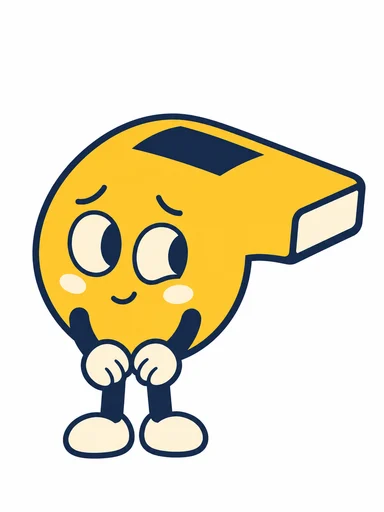
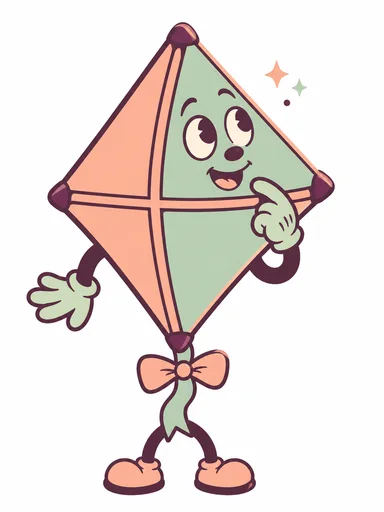
A folded fan silhouette and a pointer for finding the way.

View prompt

Original unofficial Dandy's World fan Toon concept, Pleat. The concept base is a Folded paper fan; it forms the actual head or body, not a costume on a human. Upright fan-shaped head with broad accordion folds, tapered base and rounded open top. Not a flower or rainbow petal ring. Body shape: Folded-paper body. Expression: Curious sideways smile. Visual accessory: Short pointer. Ivory, indigo and coral retro three-color palette. Rubber-hose arms and short feet, curved flexible tube limbs. A cheerful guide who sometimes folds the map backwards. Clean 2D cartoon, bold dark outlines, simple graphic eyes and mouth, readable silhouette, a few flat color blocks, minimal cel shading. Clear full body, one front three-quarter view, plain white background. No realistic human anatomy, anime hair or detailed anime eyes. Create an original design, not an existing cast member. No logo, text or watermark.
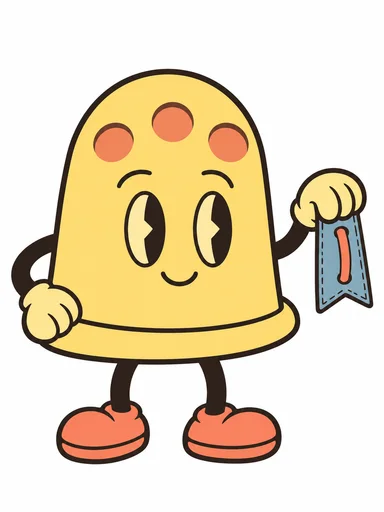
A low four-legged shape with a spring and a playful expression.

View prompt

Original unofficial Dandy's World fan Toon concept, Clipp. The concept base is a Wooden clothespin; it forms the actual head or body, not a costume on a human. Two long rounded wooden jaws with a narrow central slit and a spring in the palette accent color. Flat graphic eyes on the front upper jaw. No separate human head. Body shape: Low four-legged creature. Expression: Playful and alert. Visual accessory: No extra accessory. Apricot, violet and cream retro three-color palette. Four rubber-hose legs, curved flexible tube limbs. A small companion who always holds on to a good idea. Clean 2D cartoon, bold dark outlines, simple graphic eyes and mouth, readable silhouette, a few flat color blocks, minimal cel shading. Clear full body, one front three-quarter view, plain white background. No realistic human anatomy, anime hair or detailed anime eyes. Create an original design, not an existing cast member. No logo, text or watermark.
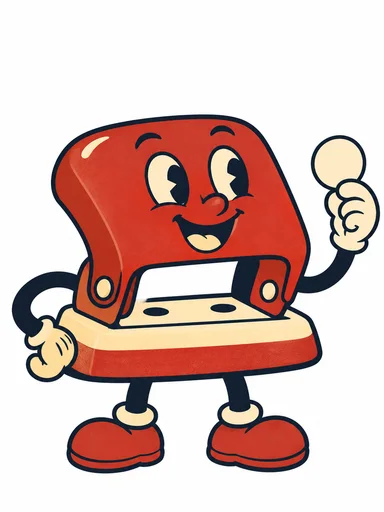
Independent fan concepts, not official characters or playable game assets. For human anime designs, try the anime character generator.

One character, two forms

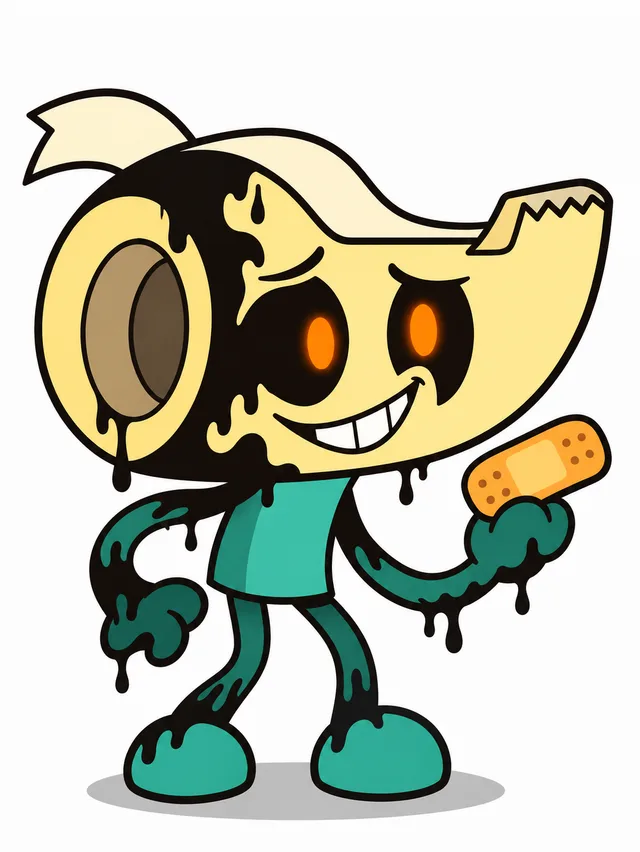
Mender keeps the same object and colors in Toon and Twisted form. Original AI-generated fan examples; your result will vary.

Mender in Toon form
Mender · Toon · Common
Mender in Twisted form
Mender · Twisted · Common

Choose either form in the Builder. Changing a selection is free; images are created only when you generate.

Five rarity presets, five visual directions

See how a simple silhouette grows into accessories, texture, lighting and a more expressive pose. These different original characters illustrate our fan presets; they are not five versions of the same character or official game ranks.

Peep, Common fan character design example

Common

Simple object silhouette, flat fills and no extra ornament.

Explore Peep ↗
Dimple, Uncommon fan character design example

Uncommon

One signature accessory and a clear contrast between the main colors.

Explore Dimple ↗
Punchkin, Rare fan character design example

Rare

A distinctive silhouette, subtle material texture and one small local glow.

Explore Punchkin ↗
Tether, Epic fan character design example

Epic

A clear full-body pose, restrained edge light and a few accent particles.

Explore Tether ↗
Dialby, Main fan character design example

Main

Distinctive proportions, a dynamic pose and a simple supporting background motif.

Explore Dialby ↗

Examples generated with GPT Image 2. Choose a rarity in Builder to add its visual instructions to your next generation.

From an idea to your own Toon

Start with a shape, then give it something to say.

  1. Give your Toon a starting idea

    Start with a Tea cup, Balloon, Wind-up toy or one of the illustrated concepts. Use Builder to shape its appearance, or switch to Prompt and describe your own design.

  2. Make the details yours

    Choose a body shape, rubber-hose limbs and a retro three-color palette. Select Toon or a spooky, non-graphic Twisted form, pick a rarity design tier and write a one-line fan ability. Review the model and credits before generating.

  3. Generate your character and card

    Sign in to generate. Your completed result becomes a character card with its image, name, selected rarity and one-line ability. Review the design, then download the card as a PNG.

Make the shape tell the story

The most memorable detail can be the simplest one. Build around a recognizable silhouette, a readable expression and a color you can spot at a glance.

Try your character idea

Let the object become the character

A folded fan can be a head; a wooden clip can be a whole creature. Describe how the shape becomes a face or body instead of dressing a human in an object costume.

Choose a silhouette you can recognize

Try a broad head and small body, a tall narrow figure, or a low pet-like shape. Rubber-hose limbs add simple, bendy cartoon arms and legs. Keep the pose readable around the object’s defining feature.

Give the face one clear expression

Graphic eyes, a small mouth and a raised eyebrow can tell a story. A nervous helper and a confident explorer should feel different before you add accessories.

Use color with a purpose

Choose a retro three-color palette: a main color, a supporting color and a small accent. Even an elaborate rarity tier keeps this palette and a clear outline, so the extra details still feel like one character.

Give your OC a place in your world

A character image is a beginning. Decide what happens next.

Fan character introductions

Share a PNG character card with your Toon’s image, name, rarity design tier and one-line ability. Give friends an easy way to recognize your fan-made concept.

Roleplay and story ideas

Give a group a new helper, rival or unlikely companion. Use the portrait to start a story and keep the character’s motivation in your notes.

Profile pictures

Choose a distinctive head shape and a simple background. Leave room around the character so the face survives a square or circular crop.

A reference for your own art

Explore a palette or body shape before drawing. Save the prompt with the result and note which features you want to develop further.

Dandy’s World OC maker FAQ

What is a Dandy’s World OC?

OC means original character. Here, it is your own fan-made Toon concept inspired by the game’s mascot characters. Start with a fresh shape, personality and visual details instead of renaming an existing character.

How do Builder and Prompt work?

Builder helps you assemble an appearance from guided choices. Prompt lets you write the character description directly. Choose the mode that suits your idea and review the brief before generating.

Is this Dandy’s World OC maker free?

Exploring examples and editing a character brief do not use credits. AI image generation requires sign-in and credits. The selected model and settings determine the cost shown on the Generate button.

Do I need a reference image?

You can start with a written description. If you add a reference you are allowed to use, it can guide the design with a supported image-editing model. Describe which shapes, colors and features you want to keep.

Can I put the character into the Roblox game?

This tool creates a character illustration for your fan art or design process. It does not add a playable Toon to Dandy’s World, create a Roblox model or assign official game abilities and stats.

What do Common, Uncommon, Rare, Epic and Main change?

These are our selectable visual presets. Common uses flat colors and no ornament; Uncommon adds one accessory; Rare emphasizes a distinctive silhouette with subtle texture or a small glow; Epic adds edge lighting or particles around a clear full-body design; Main explores distinctive proportions, a dynamic pose and a decorative card frame or background. The main palette stays within three colors. Epic is our fan extension. These visual rules do not define official game categories or drop chances.

What is included on the downloadable character card?

The PNG card combines your generated image, character name, selected rarity and editable one-line fan ability. The ability is a character idea for the card, not a playable game power. Download the completed card to keep or share your design.

How do I make a Toon and Twisted pair?

Generate a Toon first, then choose Use this Toon for a Twisted version. The tool prepares your result as a reference and selects Twisted; review the settings and press Generate when ready. The second generation uses its displayed credits. When both forms share the same character brief in this visit, you can download a side-by-side PNG. Reference images guide the design but do not guarantee identical features.

What does Copy prompt link share?

It shares your text prompt, name, rarity, form, one-line ability and selected design settings. It does not include your private reference or generated images. Anyone with the link can read the shared text and use it as a new starting point.

How can I refine my Toon after generating?

Keep the prompt and change one feature at a time, such as the expression, palette or accessory. A reference image can help guide a later version. Review each result for the features you want to keep; a new generation uses credits.